

3 Loyalty Tests You Can Actually Run on Shopify (and 2 You Should Measure Differently)
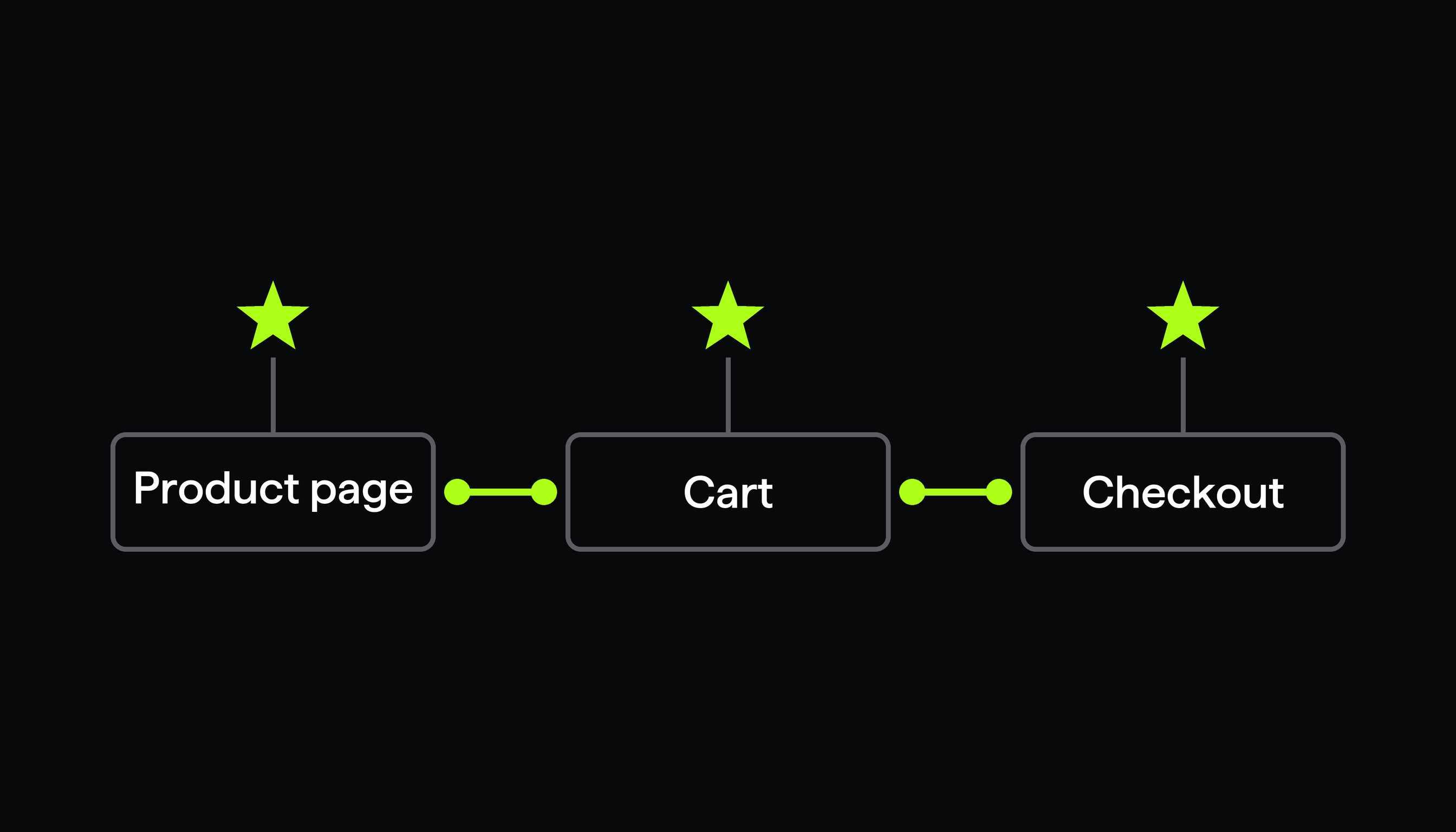
You can A/B test how points, member perks, and rewards are worded and placed on your product page, in the cart, and at checkout.
Most stores running a loyalty program can tell you how many points they issued last month. Far fewer can tell you what those points earned. The program is live, the widget is on the storefront, and revenue looks about the same as it did before, which leaves you guessing whether loyalty is underperforming or just under-communicated.
Those are two different problems with two different fixes. The second one is the one you can settle this week with a test.
01First, what a loyalty app gives you to test
A loyalty app hands you two separate things: a set of rewards mechanics, and a set of places on the storefront where those mechanics get shown to a shopper. Worth separating, because only one of them is testable this week.
Joy is a good map of the range. It is a Shopify loyalty app built around five mechanics:
- Points earned on purchases, reviews, signups and other custom actions
- VIP tiers with perks like shipping discounts, early access and anniversary bonuses
- Referrals, two-sided, shared over SMS, email and WhatsApp
- Social rewards for Instagram, TikTok and Facebook engagement
- Paid memberships for gated, premium tiers
Joy then surfaces those across the storefront: a floating widget, a dedicated loyalty page, product pages, the cart drawer, Shopify checkout, and account pages.
That second list is the interesting one for testing. The mechanics are a retention decision, and you judge them on retention data. The placement and the wording are a conversion decision, and conversion decisions are exactly what a storefront A/B test is built to answer.
02The three tests worth running
1. Does naming the reward reduce first-purchase hesitation?
A first-time shopper has no reason to care about your rewards program unless you tell them what this specific order earns. Most stores never do. The reward sits behind a widget the shopper has to open.
Run a visual editor test near the add-to-cart button:
- Control: the page as it is today, with your standard loyalty widget.
- Variant A: a fixed benefit line, for example "Join rewards and earn 200 points on this order."
Primary metric: revenue per visitor, or conversion rate. Secondary: clicks on the loyalty call to action, and join rate from your loyalty app's own reporting.
What this proves: whether the points are worth showing, and how to phrase them. What it does not prove: whether 200 points beats 100. Changing the earning rule per group means your loyalty app has to split its own rules along the same lines, which is not something to assume.
2. Does a reward reminder lift the basket without another discount?
The cart is where shoppers decide whether to add one more item or check out with what they have. A discount lifts orders and costs margin. A reward reminder is worth testing first because it costs nothing per order.
Test a banner or call to action in a cart block you control, not the loyalty app's own widget internals:
- Control: no loyalty reminder in the cart.
- Variant A: "You will earn points on this order. See your rewards."
- Variant B: "Members get free shipping and exclusive rewards. See how it works."
Point the call to action at your loyalty page or the rewards widget. Primary metric: average order value and revenue per visitor. Secondary: click-through on the loyalty call to action.
One limit worth respecting: do not write "you are 80 points away from a reward" unless you have confirmed that live points balances reach that block safely. Personalized status depends on login state and app rendering, which is a different piece of work from testing static copy.
3. Does member reassurance help high-intent shoppers finish?
Checkout traffic has already decided to buy. What you are testing here is whether one calm line about member benefits removes the last bit of doubt, or whether it adds noise to a page that was working fine.
Use a checkout test with a content change:
- Control: checkout as it is today.
- Variant A: a short benefit block, for example "Rewards members earn and redeem points on eligible orders."
Primary metric: checkout conversion rate. Secondary: revenue and average order value.
Two things to know before you plan this one. Checkout content changes require Shopify Plus and a plan that includes checkout tests (see plans and pricing), so if you are not on Plus, put your effort into tests 1 and 2 instead. And this measures the message, not the redemption mechanic itself: turning redemption on or off changes discount cost, points liability and customer state all at once, which is too much moving at once for a copy test.
03The two you should measure differently
These are worth running as programs. They are just not worth judging on a single session of storefront data, and a tool that told you otherwise would be selling you a number rather than an answer.
4. Referrals: count qualified referred orders, not this session
A referral pays off days or weeks after the share, and the funnel has stages that a session-level conversion rate cannot see: shares sent, new customers acquired, orders that qualified, and orders filtered out as fraud.
So split the work. Test whether the referral call to action appears at all, and what it says, with a storefront test. Then read shares, qualified referral orders and revenue per advocate in your loyalty app's referral reporting, over a window long enough for referred orders to land. Three days is not that window.
5. Paid memberships: validate interest first, bill later
A live membership offer involves recurring billing, existing member status, and sometimes member-only pricing or products. Randomly assigning shoppers to different real membership rules creates an accounting and support problem that is much harder to clean up than a losing test. Nobody needs a customer who is half a member.
The testable part is the pitch, not the plan:
- On your loyalty or product page, test two membership value propositions against each other, for example free shipping plus early access versus members-only pricing plus birthday rewards.
- Send both to the same membership explainer page.
- Read call-to-action click rate and engagement on that page.
- Then judge the offer itself on paid signups, renewal rate and member repeat purchase in your loyalty app's data.
04Before you call a winner
- The loyalty program was live and stable before the test started, so you are measuring the message and not the setup
- Primary metric is a revenue number (revenue per visitor, AOV, or conversion rate), decided before launch
- Control is your current page, unchanged, running at the same time as the test versions
- Anything needing a live points balance or login state was left out of the copy
- Referral and membership results are read on a longer window in your loyalty app, not in the test readout
- The run is long enough to cover a full weekly cycle, not just the days that looked good
Loyalty and testing solve different halves of the same problem. Joy helps Shopify brands build loyalty and surface it across the customer journey. ABConvert helps you find out which message and which placement is worth scaling, using the same analytics readout you use for price and shipping tests.
Test your loyalty message this week
No code required. Live in minutes. 14-day free trial.