

Introducing Personalization: turn winning tests into targeted experiences on ABConvert
ABConvert Personalization lets you roll out winning test versions to specific audiences, creating targeted experiences without keeping an A/B test running.
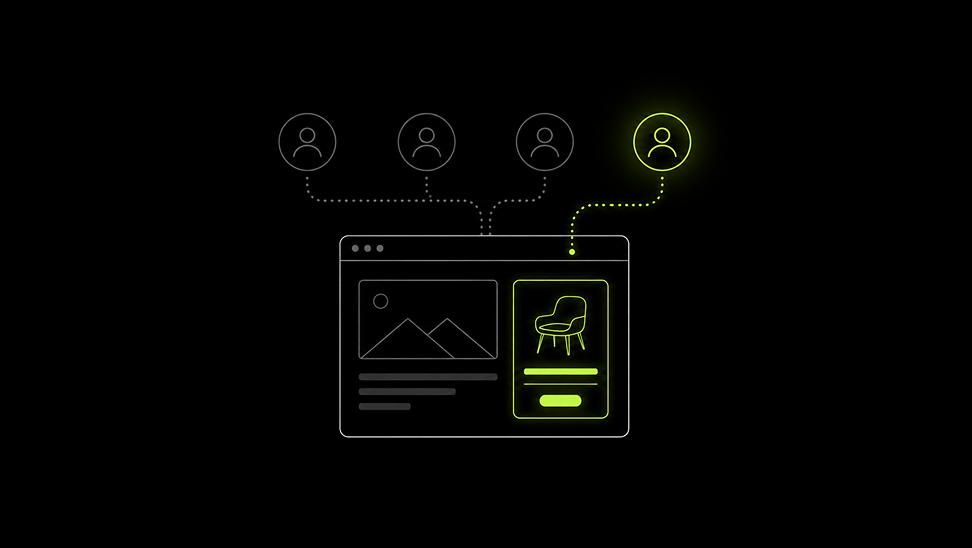
When running A/B tests, you might find that a variant works for a specific audience but not for everyone who visits your site.
This is why we’ve built out Personalization at ABConvert. It lets you roll out a tested version of your site to a specific audience, so those visitors get a site experience that is proven to convert them best.
This feature also lets you set up a personalized experience without starting with a test, showing a specific offer, price, design change, or other storefront change to a defined audience based on location, device, etc.
In this article, we’ll dive deeper into how Personalization works, how you can use it, and when to test versus personalize.
01How does Personalization work on ABConvert?
With Personalization, you need to define your audience and then decide what they should see.
You can define the audience using criteria such as:
-
Country or region
-
Device
-
Traffic source
-
Visitor type
For example, if a mobile product page variation wins a test for mobile visitors, you can roll out that variation to your mobile audience. Visitors on other devices continue to see the original experience.
You can personalize different parts of your store:
-
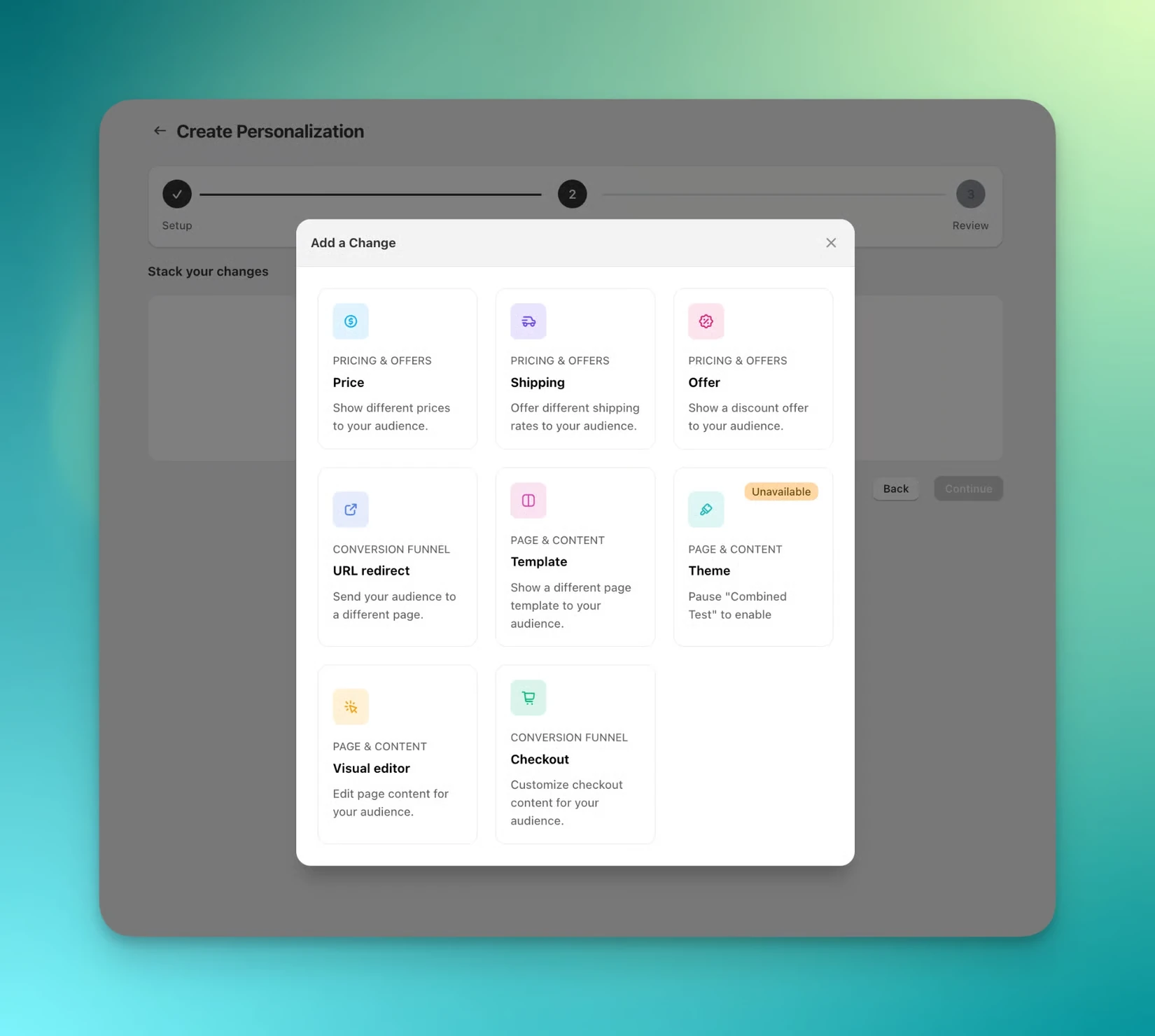
Prices
-
Shipping
-
URL redirects
-
Templates
-
Themes
-
Visual editor changes
That lets you apply a proven experience based on who it’s most effective for instead of applying the same change to every visitor. For example:
-
Regional shipping: Show EU visitors the shipping message and rates that won in an EU test, while keeping the original experience for visitors elsewhere.
-
Mobile experience: Show mobile visitors the product page variation that performed best for that device.
-
Paid traffic offer: Show visitors from a specific paid ad campaign the offer that won for that audience without extending the offer to the rest of your traffic.
Once set up, visitors who match the defined audience see that experience on every visit, while everyone outside the audience continues to see your original store.
Read more about how Personalization works on ABConvert.
022 ways to use Personalization on ABConvert
On ABConvert, you can either take a proven test result and turn it into a live experience for the audience that it works for, or create a targeted experience.
1. Turn winning tests into a live personalized experience
Once a test has identified a winning experience for an audience, you can roll it out as a Personalization directly from the test’s Analytics dashboard.
-
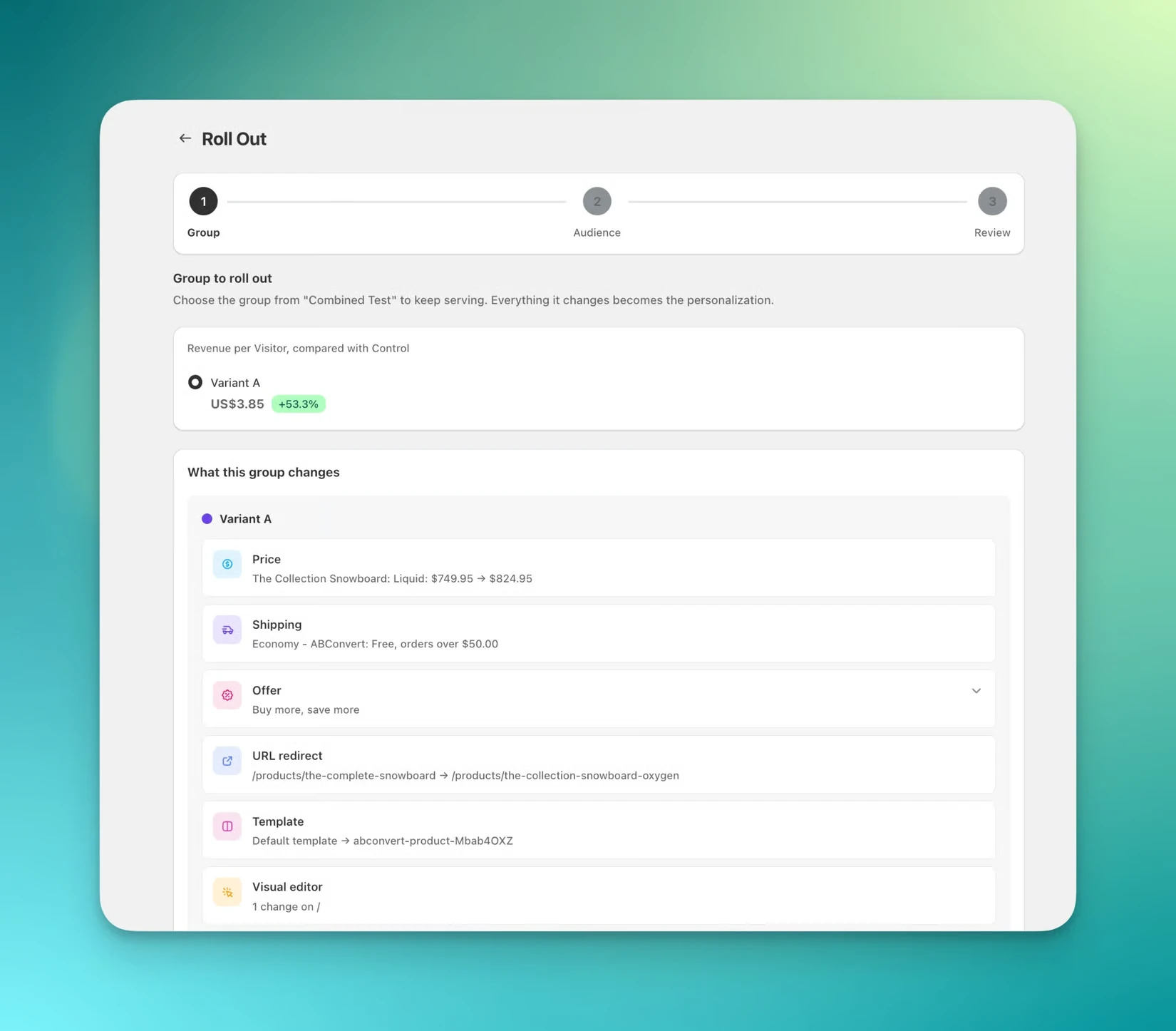
Click Roll out: Open the test’s Analytics dashboard, click “Roll out”, and select the variant you want to keep. ABConvert creates a personalization draft with that group’s exact changes.
-
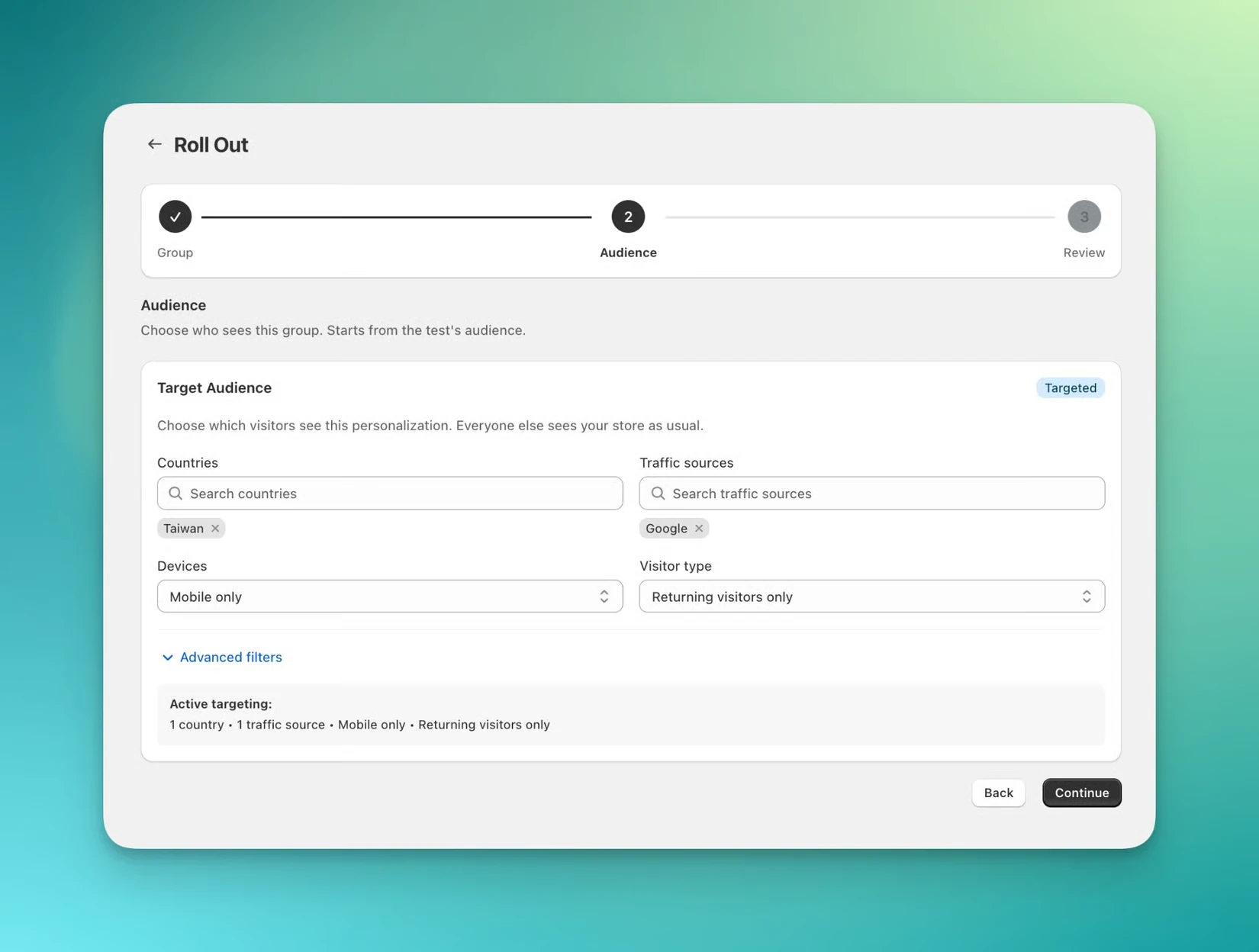
Choose the audience: The test’s original audience is prefilled. You can keep it as is, narrow it down, or expand it to all visitors.
-
Review and roll out: Review the changes, then roll out the personalization. If the test is still running, ABConvert ends it for you and replaces it with the winning experience for your defined audience.
2. Build a personalized experience from scratch
Not every personalization needs to come from a test. If you want a particular audience to see a different offer, price, or storefront experience, you can create and set it up on ABConvert.
-
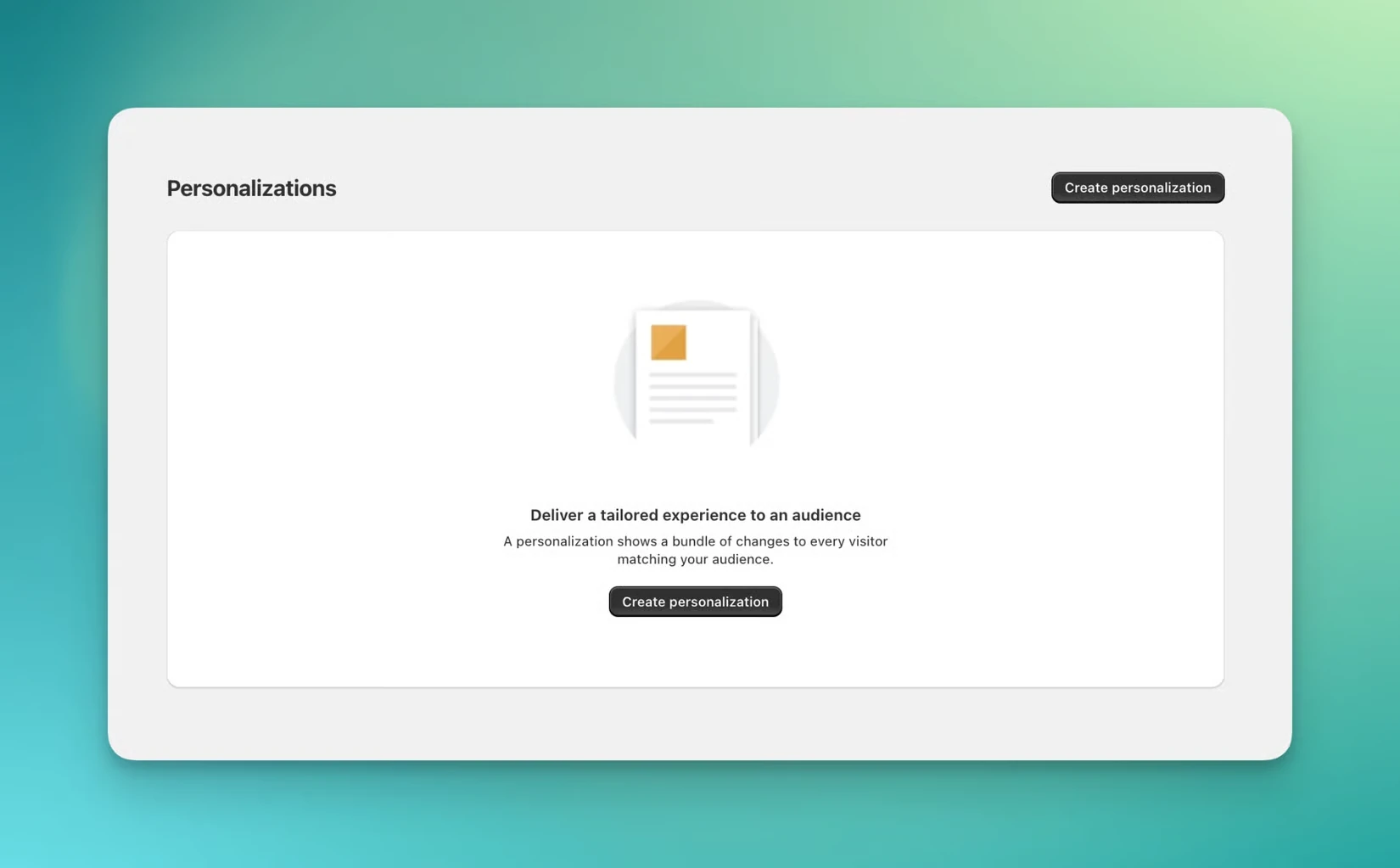
Create a personalization: Open Personalizations in the ABConvert dashboard and click “Create personalization”.
-
Define the audience: Name the personalization and choose who should see it using audience targeting.
-
Add your changes: Click Add change and set up the experience you want that audience to see. You can add the same types of changes available in a combined test, including pricing, shipping, offers, templates, themes, and more.
-
Review and roll out: Preview the personalized experience on your storefront. Once it looks right, roll it out to your audience.
To note: If you haven't established that a change performs better, test it first. While Personalization applies a change to an audience, it doesn't tell you whether that change is better.
03When should you test vs personalize?
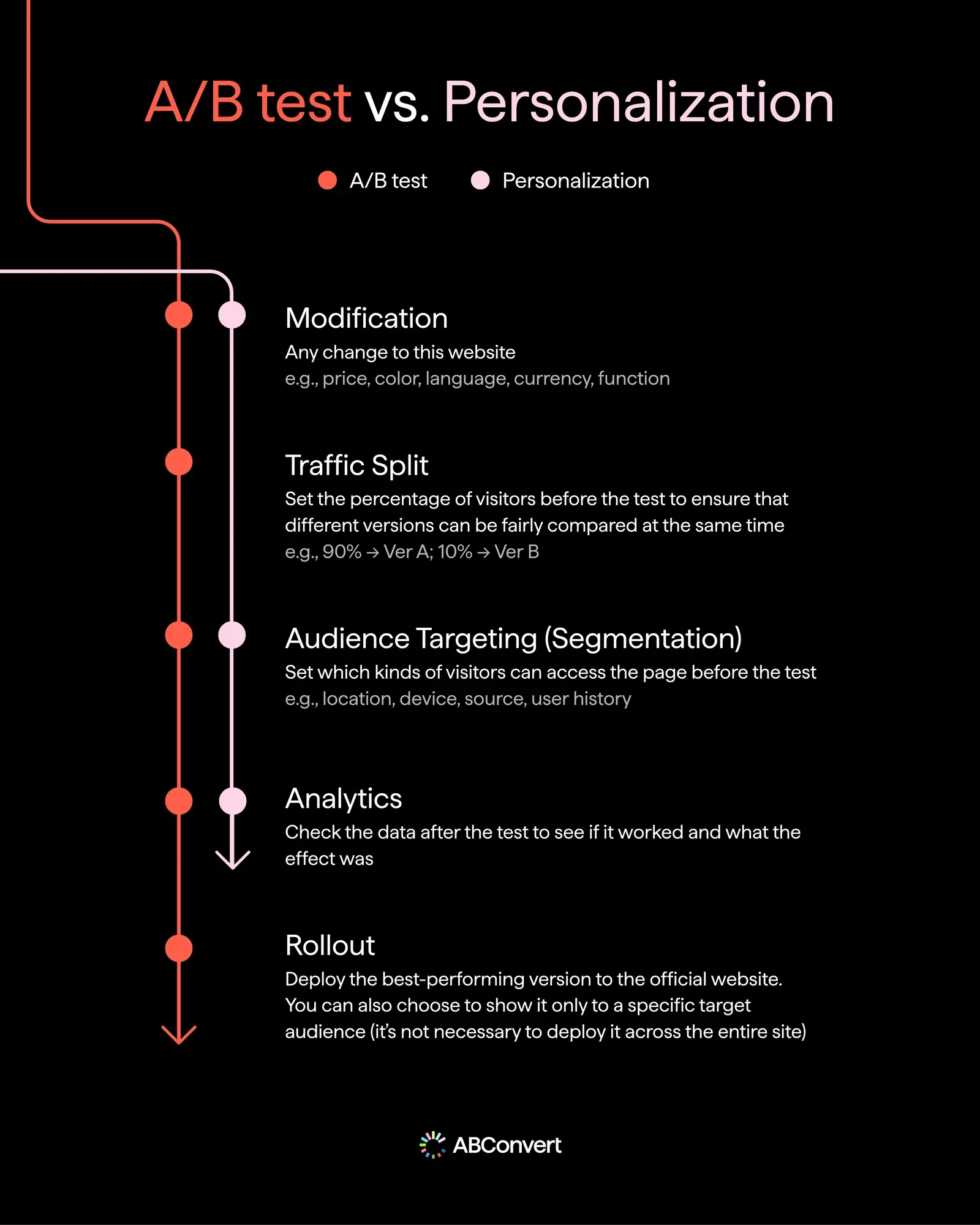
Use a test when you need to understand if a hypothesis is true, learn which version works best, or measure improvements from a change.
Use Personalization when you already know what experience you want a specific audience to see.
For changes that should apply to everyone, make the change directly in Shopify.
| If you want to… | Use… |
|---|---|
| Find out which experience performs better | Test |
| Measure incremental lift | Test |
| Roll out a proven winner | Personalization |
| Give a specific audience a tailored experience | Personalization |
| Permanently change something for everyone | Shopify change |
| Keep an ABConvert-only offer or checkout change live | Personalization |
When a test and a personalization overlap
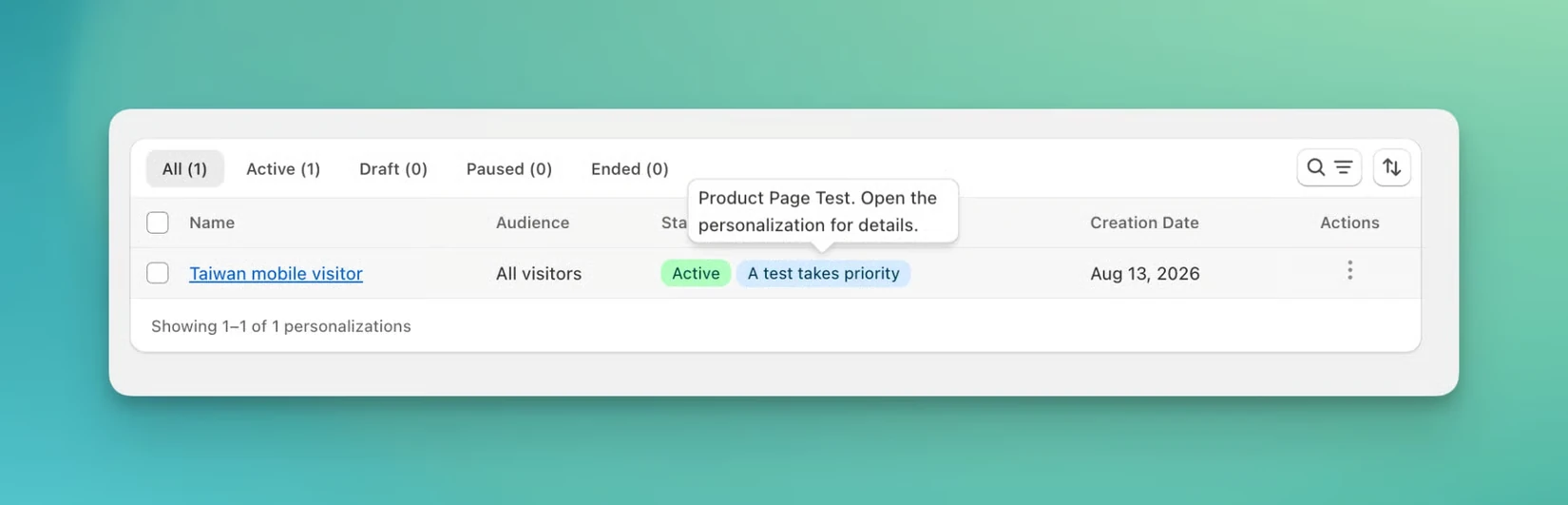
You can keep testing while a personalization is live. If the test affects the same elements as the personalization, the test takes priority for visitors in that test. The new test can run without the personalization affecting its Control or results, while visitors outside the test continue to see the personalized experience.
When you launch an overlapping test, ABConvert warns you and marks the personalization as overridden for the duration of the test. Once the test ends, the personalization is active again.
04How to use tests and personalization together
Personalization works best when you use the results from your A/B tests to inform your decision to personalize. Both tests and personalizations can target specific audiences, but they serve different purposes: a test splits that audience between experiences to measure which performs better, while a personalization gives the selected audience a specific experience.
Once you’ve found a winner for an audience, Personalization lets you keep that experience live while you move on to the next test.
For example:
-
Test: Mobile visitors see Version A vs. Version B
-
Test results: Version B wins.
-
Personalization: Roll out Version B to mobile visitors.
-
Next test: Test a new variation for a different element against Version B.
You can repeat this as you learn more about your audiences. Instead of having one winning experience for different audiences, you can build on your test results to create experiences that convert better for different groups of visitors.
05Ready to maximize the value of your A/B tests?
Not everyone who lands on your site should see the same experience. If your A/B tests show that different variations work better for different devices, regions, traffic sources, or visitor types, Personalization gives you a way to act on those results. The workflow is simple:
Test → Identify audience-level winners → Personalize → Repeat
Instead of stopping when a test ends, you can put the winning experience in front of the audience it worked for and keep testing for continuous improvement.
Book a demo to personalize your proven winners with ABConvert
See how it works on your own tests, audiences, and storefront.