

Introducing ABConvert API + MCP: bring A/B testing into the workflow you already use
ABConvert now connects two ways: MCP, so Claude and other AI agents can read your test data and create or manage tests in plain language, and a REST API, so alerts, guardrails, and reporting run inside the tools you already use.
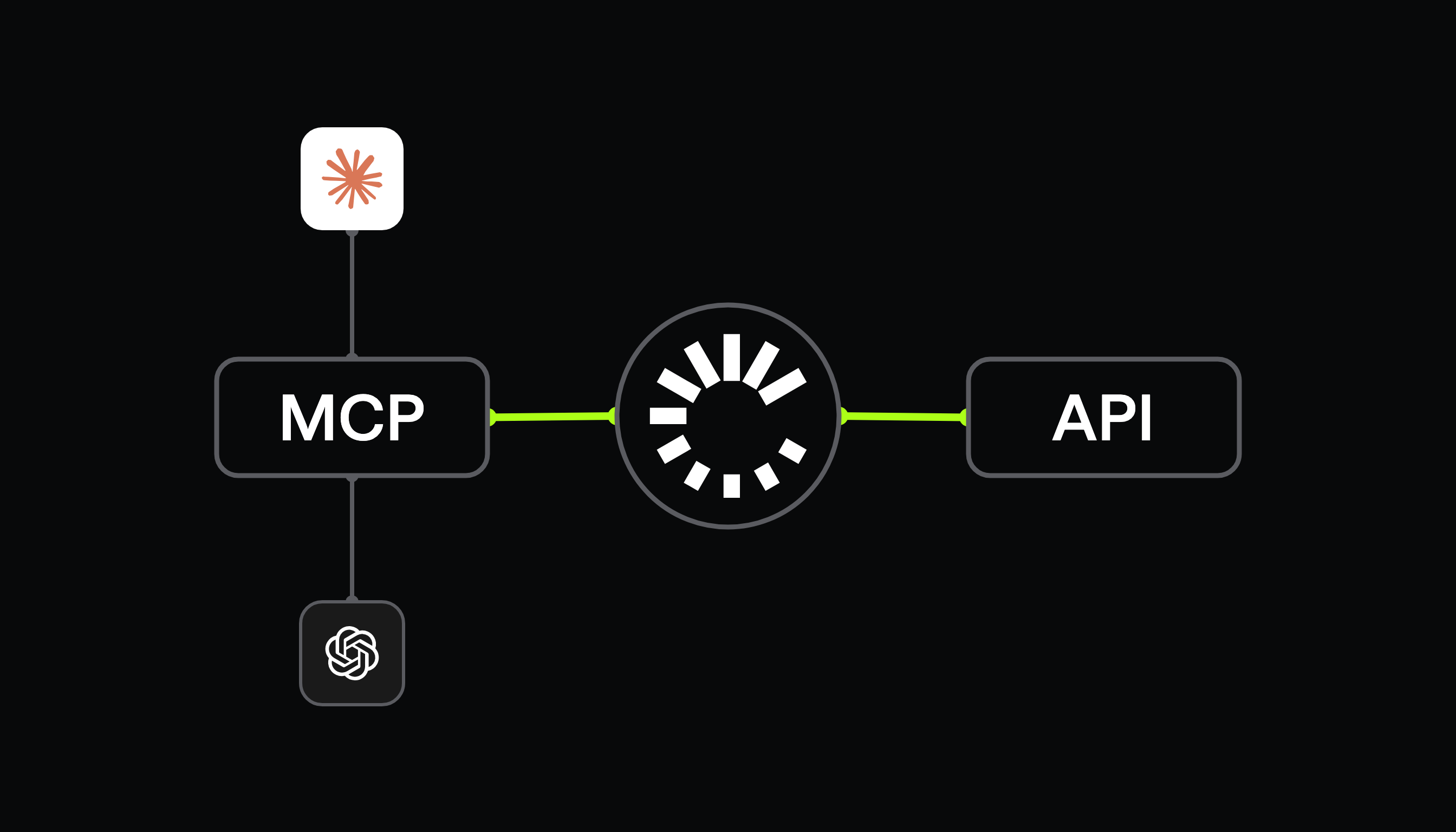
A/B testing should not live in an isolated dashboard.
You may already use AI to analyze data and plan work, Slack to monitor performance, internal dashboards to track business metrics, or your own tools to manage operations. Logging into Shopify admin might not be part of your daily routine anymore.
With ABConvert API and MCP, you can bring ABConvert's testing data and testing capabilities into those existing workflows. There are two ways to connect: integrate with AI through MCP, or build ABConvert into your existing workflow through the API. The goal is simple: spend less time moving between tools, and make testing part of how you already work.
01Integrate ABConvert with AI through MCP
MCP lets Claude and other MCP-compatible AI assistants connect directly to ABConvert. Instead of manually finding data, exporting reports, or setting up every action in the dashboard, you can work with your AI assistant in plain language.
Ask questions about your test data
Ask questions such as:
- "How is our current price test performing?"
- "Which active tests are ready for review?"
- "Compare performance between mobile and desktop."
- "What did we learn from our last five offer tests?"
The assistant can pull the relevant ABConvert test data and help summarize performance, compare segments, and spot patterns.
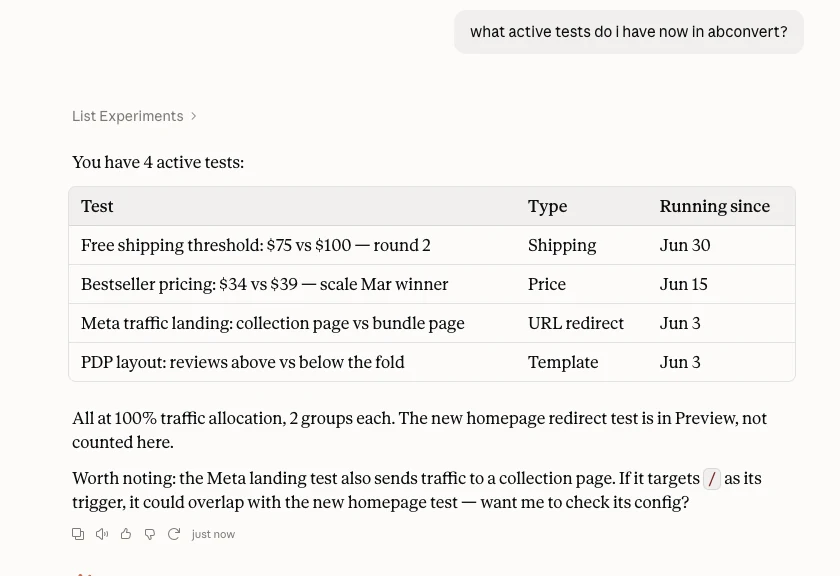
Turn data into insights and reporting
Single questions are the easy half. An assistant with access to your test history can also:
- Generate a weekly test summary.
- Identify tests that need attention.
- Compare results across tests.
- Summarize learnings to share.
- Build a testing report from ABConvert data, in whatever shape the recipient wants.
The result is a move from finding numbers to understanding what deserves attention next. It's the same numbers you'd read in ABConvert's analytics, with the same metric definitions, reached from wherever you already are.
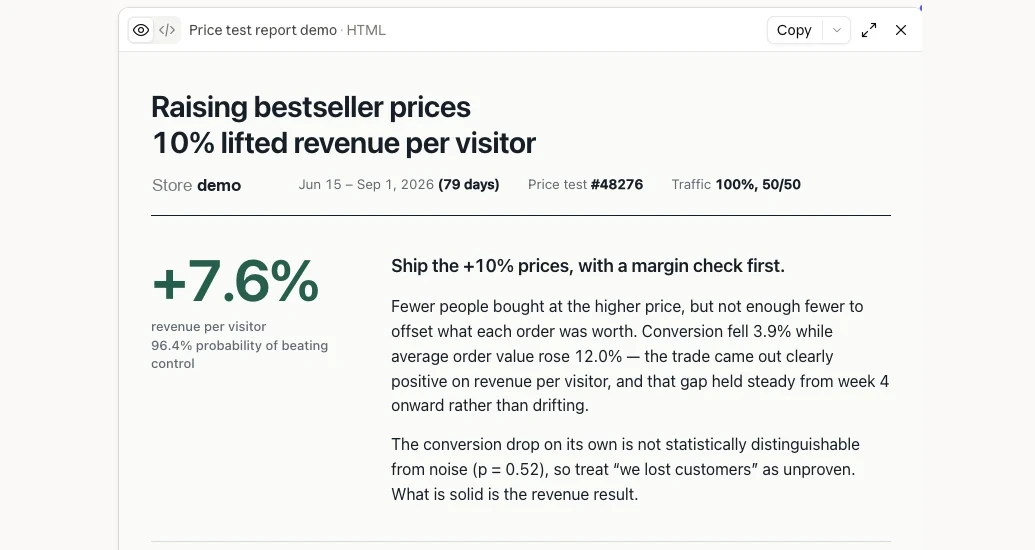
Create and manage tests through AI
AI can support testing operations too, not just reporting. Describe the test in a sentence:
"Create a draft shipping test to increase the free shipping threshold for US mobile visitors, 50/50 split."
Or:
"Pause the summer collection price test."
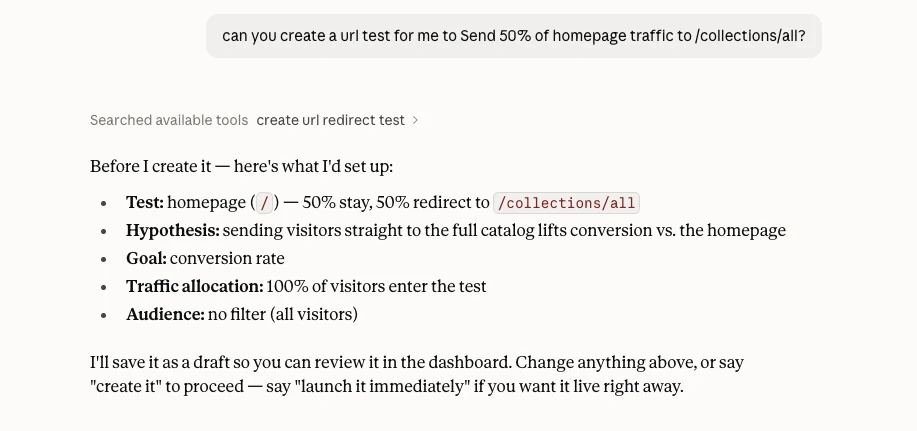
Write actions ask before they run, so you approve the specific tool call rather than a blanket permission:
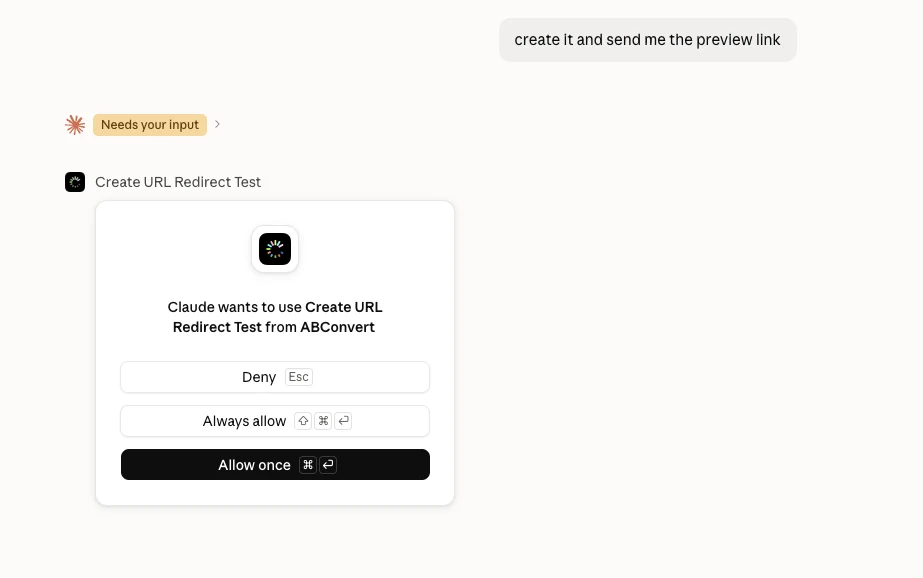
Creating it puts the test in draft, and a preview link lets you and anyone doing QA see the real thing before a single visitor does.
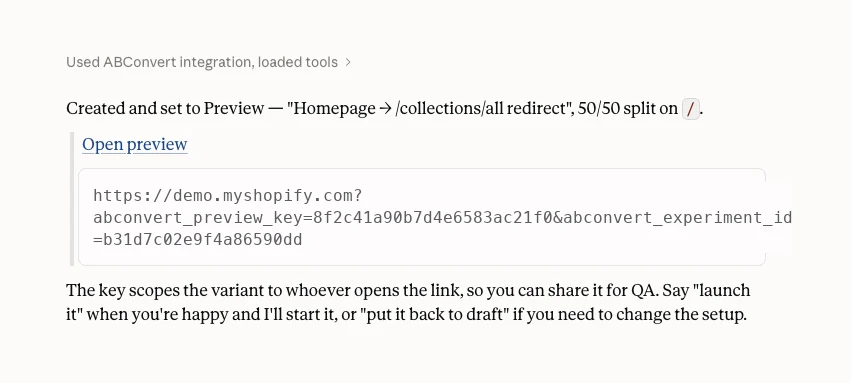
This makes it possible to move from analysis to action without rebuilding the context in another tool. Important testing decisions should still follow your normal review and approval process.
Connect it once, then control what it can do
Both routes start in the same place in the ABConvert admin, under Settings, MCP and API Access. A one-time connect code links Claude or ChatGPT to your store, and access tokens cover other MCP clients like Claude Code and Codex.
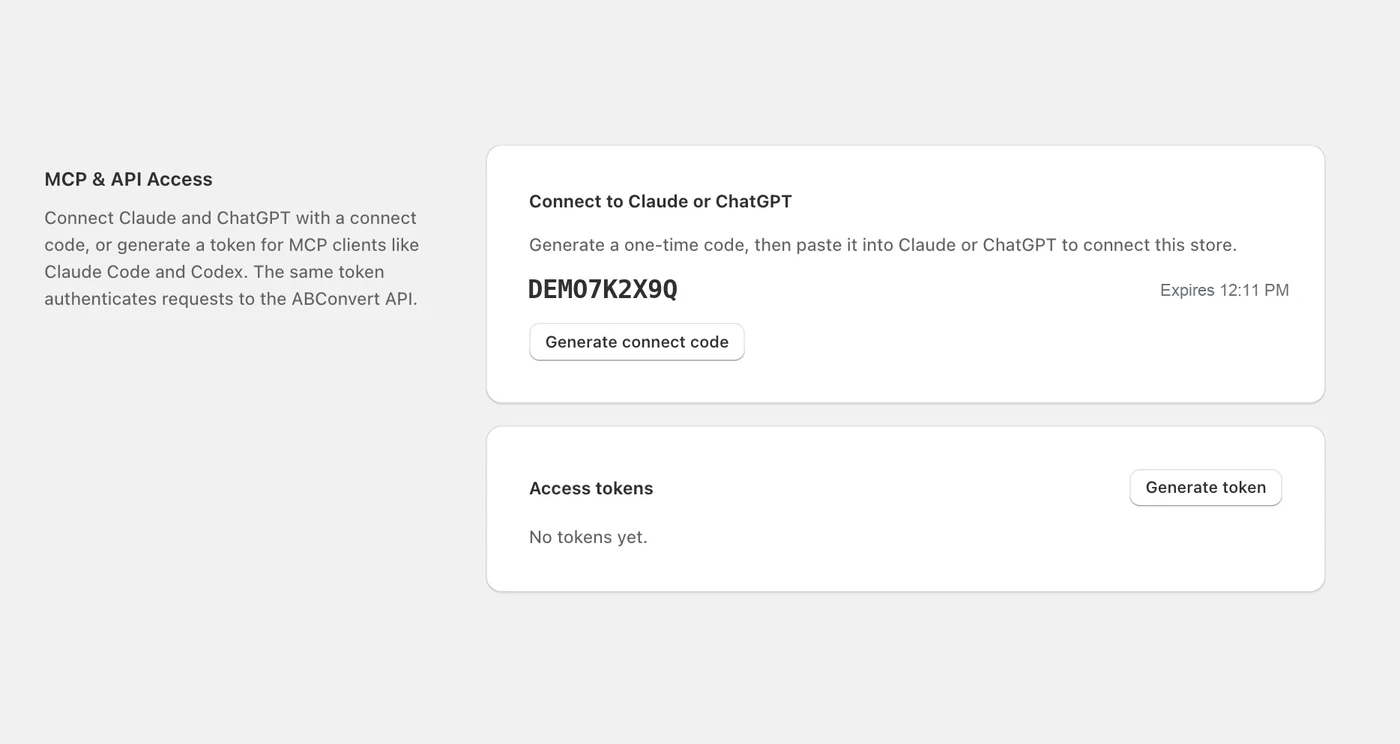
In Claude, ABConvert is added as a custom connector by URL, then authorized with that code.
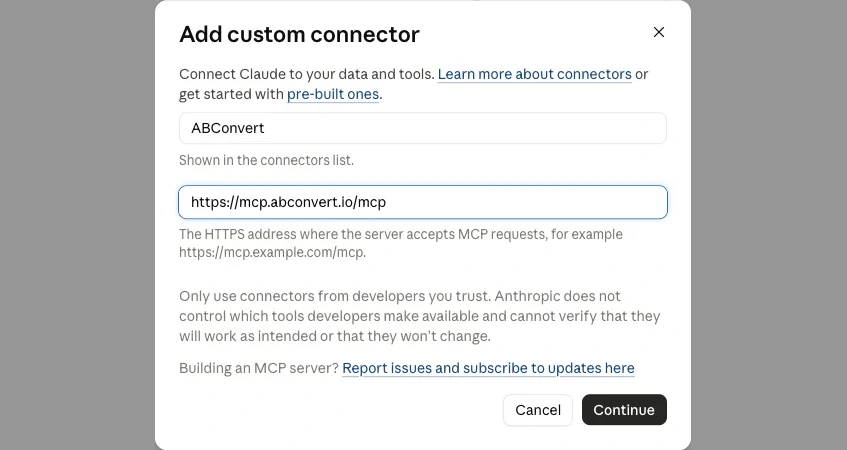
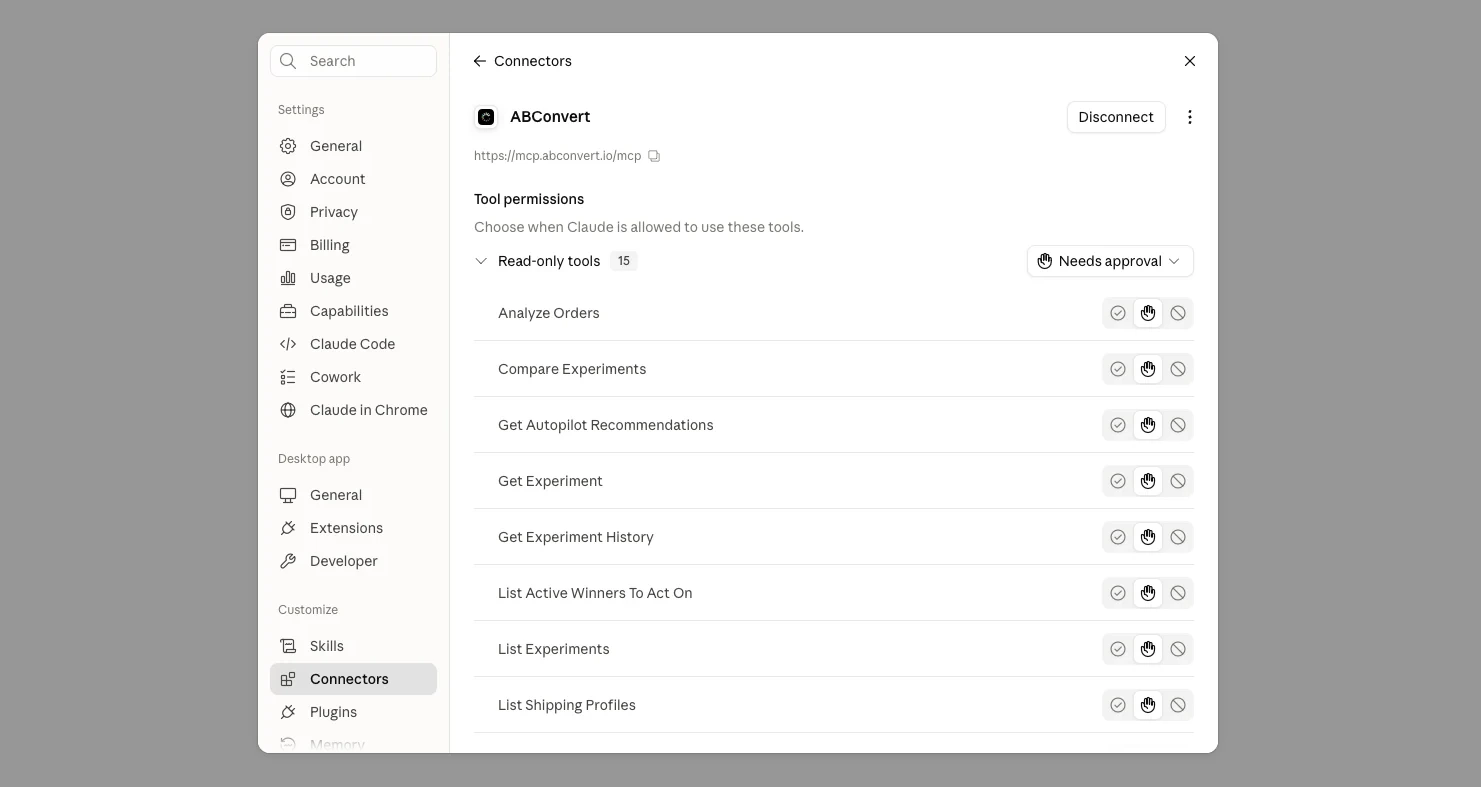
From there, you decide exactly what the assistant is allowed to do. Read-only tools and write tools are listed separately, each with its own approval setting.
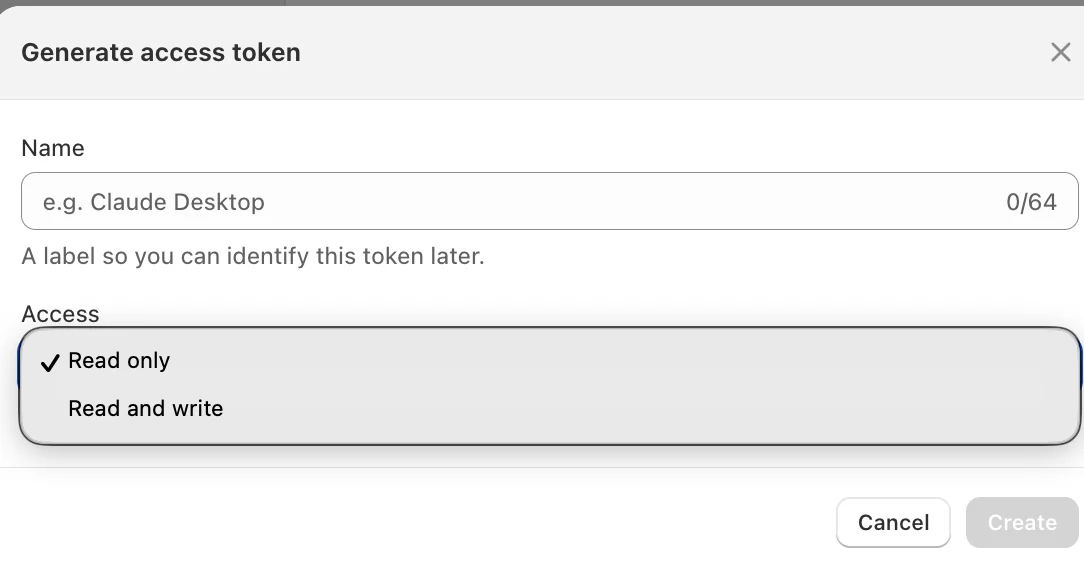
Access tokens work the same way. New tokens default to read only; read and write is a separate, deliberate choice, and a token belongs to one store only.
The full walkthrough, including the token route for Claude Code and Codex, is in the MCP quickstart.
Build toward an AI-powered testing roadmap
Connecting AI to both test data and testing operations opens up a broader workflow: analyze, find opportunities, plan tests, prepare and execute, learn, plan the next test.
Over time, this can support agents that help teams:
- Audit test and store signals
- Identify testing opportunities
- Prioritize a testing roadmap
- Prepare test drafts
- Execute approved, repetitive testing work
- Learn from previous results when planning what to test next
The goal is not to generate a generic CRO checklist. It is to make testing increasingly informed by each store's actual context and testing history.
02Add ABConvert API to your existing workflow
Not every team wants to work through an AI assistant. For teams with in-house developers, internal tools, or established reporting workflows, the ABConvert API lets you bring testing data and operations directly into the systems you already use.
ABConvert provides an API key, documentation, and example code to help teams build their own integrations:
curl https://api.abconvert.io/v1/experiments \
  --header "Authorization: Bearer $ABCONVERT_TOKEN"
Here are a few workflows teams build with it.
Get test alerts where you already work
Connect ABConvert to Slack or another internal tool:
- Alert the team when a test reaches a defined confidence level.
- Flag tests that have been running longer than expected.
- Notify a channel when a test reaches a performance threshold.
- Send a summary when a test needs review.
Instead of checking the dashboard repeatedly, the right information comes to the team automatically.
Build automated test guardrails
Use the API to define rules around how tests should be managed:
- Stop or pause a test when a predefined risk threshold is reached.
- Flag a test when conversion or revenue drops beyond an acceptable range.
- Trigger a review after a test reaches a defined runtime or sample size.
- Create internal safeguards around test operations.
This lets teams build testing rules around their own business requirements.
Bring ABConvert into your existing dashboard
Teams that already have internal BI or reporting systems can pull ABConvert data into the same environment:
- Combine testing data with other business metrics.
- Monitor tests alongside revenue, acquisition, or retention data.
- Build an internal testing dashboard without requiring every stakeholder to open ABConvert.
For agencies, this can also mean bringing test data from multiple stores into an existing client reporting workflow. The case studies show the reporting shape most agencies land on.
Manage testing across stores from one workflow
Agencies and larger teams may already have their own operating system for managing multiple stores. Using the API, they can build workflows to:
- See test status across stores
- Compare performance across client accounts
- Control supported tests from one internal interface
- Standardize reporting and review processes
- Connect ABConvert with other internal data sources and tools
ABConvert provides the testing infrastructure; teams decide how it fits into their own operating system. One thing to plan around: an access token reaches a single store, so a multi-store view holds one token per store, the same boundary that keeps one client's data out of another's.
03Two ways to connect, one testing foundation
| MCP | API | |
|---|---|---|
| Connects ABConvert to | AI assistants and agents | Your own code, tools, and dashboards |
| You work in | Plain language | Your codebase |
Both give teams new ways to reach the same ABConvert testing foundation. You can keep using the ABConvert dashboard, connect through AI, build your own integration, or combine all three depending on how you work.
04Bring testing into the way you already work
Testing should not require moving data and decisions between disconnected tools. With ABConvert API and MCP, testing moves closer to where you already are.
Bring testing into the workflow you already use
No code required to start. 14-day free trial.
Start free trial →