

The Shopify merchant’s guide to better test decisions with analytics integrations
Use session recordings, purchase funnels, and warehouse data to understand Shopify test results and decide which changes deserve a storewide rollout.
More add-to-carts, but no more purchases. More orders, but less money after shipping. A promising test result can still leave you unsure whether to roll out the change.
Start with the result in your test analytics dashboard. Then use your existing analytics tools to answer the missing question, with shoppers separated by the version they received.
01The ABConvert integrations hub: connect your tools in one place
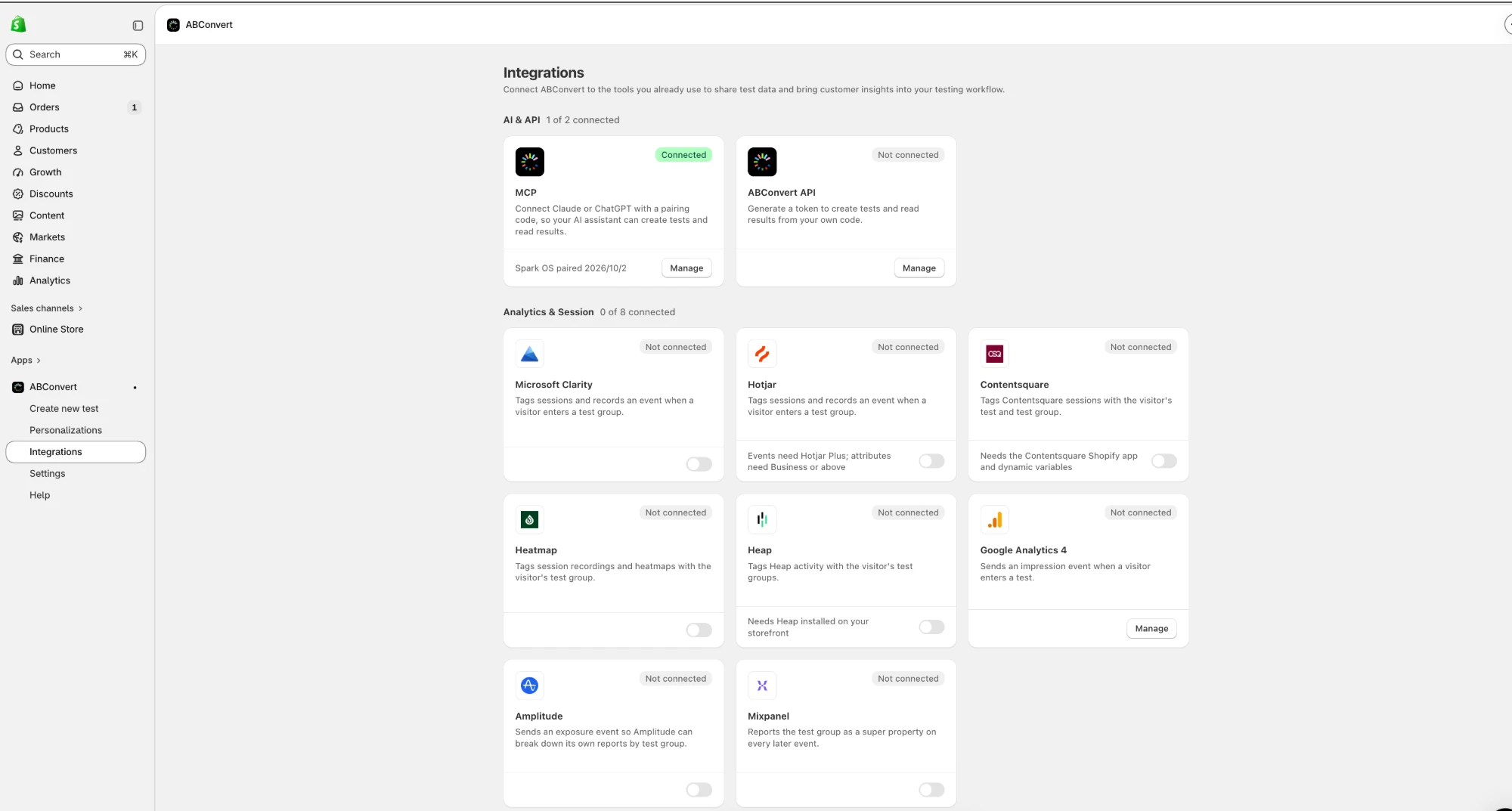
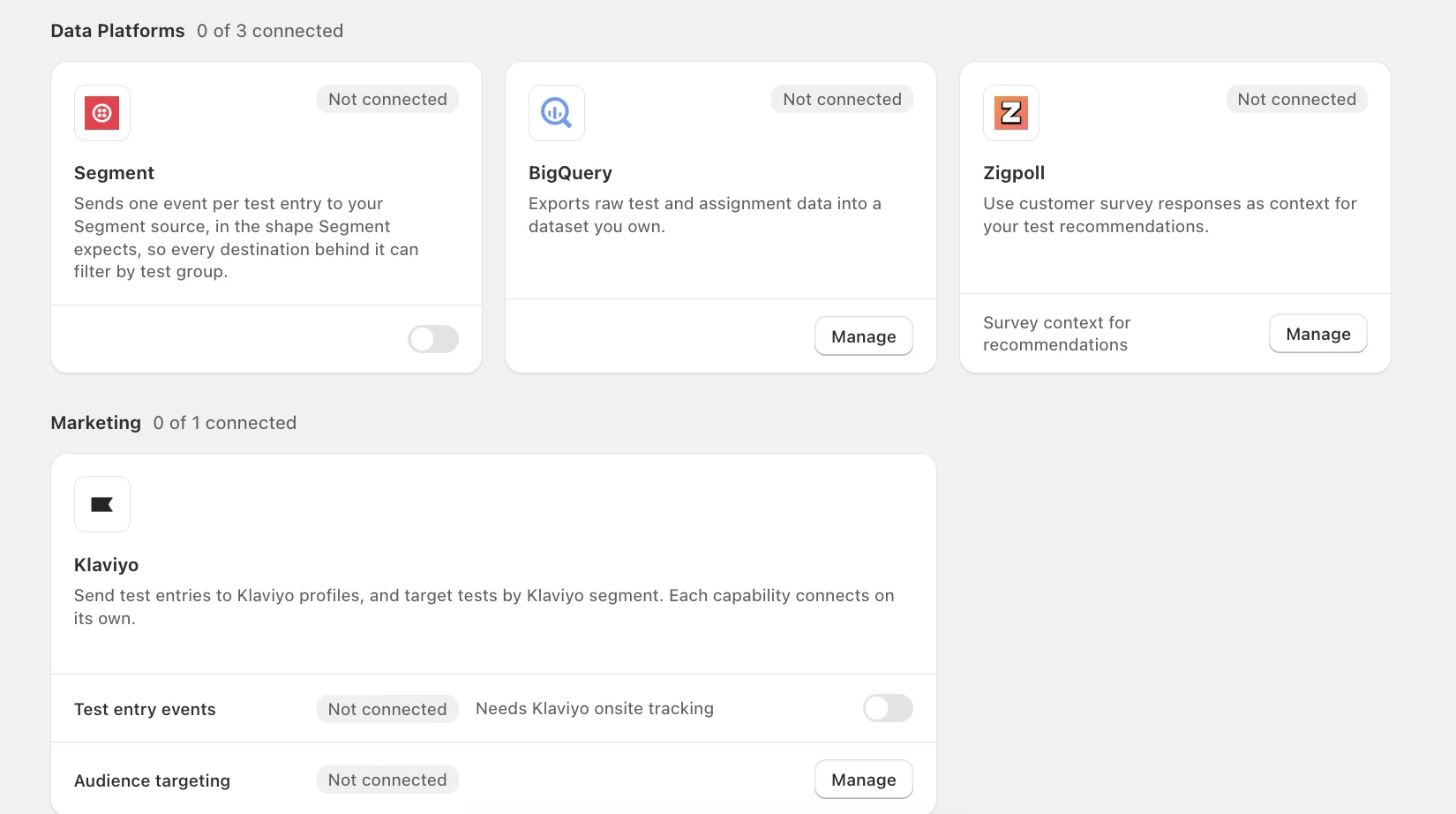
Open the Integrations hub in the ABConvert app, connect the tools you already use, and start receiving test context in them from one page. Every tool in this guide sits in the hub, grouped by the job it does:
- Analytics and session recording: Microsoft Clarity, Hotjar, Contentsquare, Heatmap, Heap, Google Analytics 4, Amplitude, and Mixpanel.
- Data platforms: Segment and BigQuery, plus Zigpoll, which works in the other direction: it uses customer survey responses as context for your test recommendations.
- Marketing: Klaviyo.
- AI and API: MCP and the ABConvert API connect an AI assistant or your own code to create tests and read results. See ABConvert API and MCP.
02Who this is for
Shopify merchants and agencies that already use analytics or session recordings and need a clearer reason to roll out, revise, or reject a change.
03Choose the tool for your question
| Your question | Start here |
|---|---|
| Where are shoppers getting stuck? | Clarity, Hotjar, Contentsquare, Heatmap |
| Where do potential purchases fall away? | GA4, Amplitude, Mixpanel, Heap |
| How can we reuse test context across reports? | Segment |
| How do known shoppers behave after entering a test? | Klaviyo |
| Does extra revenue survive costs and refunds? | BigQuery |
Use the tool you already have. One relevant connection is enough to start.
04Session recordings: investigate shopping friction
Imagine a product-page test that moves delivery information below the buy button. Mobile purchases fall. Compare the same page and device type across versions: are shoppers searching for shipping details, reopening an accordion, or returning to the cart?
Microsoft Clarity: find relevant recordings
Best for: finding recordings of a specific behavior, such as shoppers scrolling past delivery information.
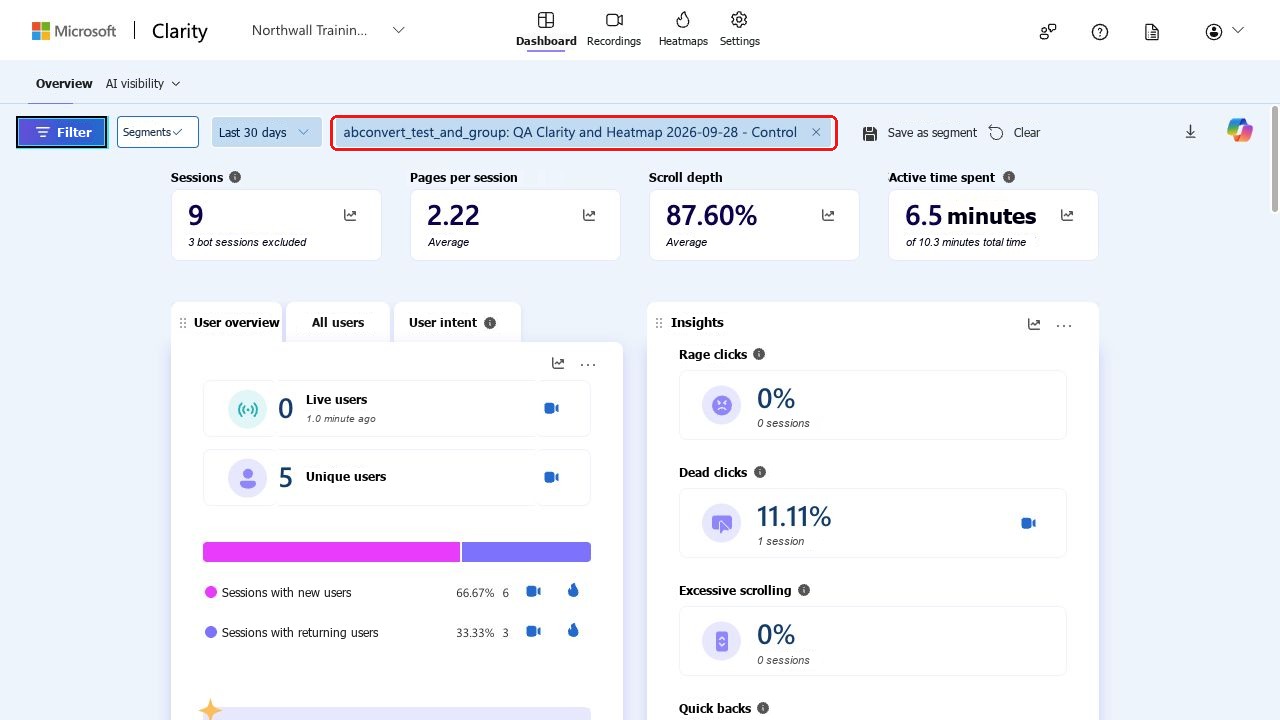
Clarity’s custom tags let you filter recordings and heatmaps by test context. Use them to investigate a specific behavior, such as shoppers scrolling past delivery information before leaving. How Clarity tags work.
Hotjar: compare hesitation across versions
Best for: spotting where shoppers pause or backtrack on each version.
Hotjar’s event and shopper-attribute filters help you find relevant recordings. Compare where shoppers pause or backtrack on each version of a product page, then turn that observation into a follow-up test. Hotjar recording filters.
Contentsquare: compare page zones and journeys
Best for: comparing which page zones and routes shoppers use on a redesigned page.
Contentsquare’s dynamic variables add test context to session segmentation and zone analysis. For a redesigned product page, investigate whether shoppers interact with delivery information or follow a different route toward the cart. Contentsquare dynamic variables.
Heatmap: compare page interactions
Best for: comparing clicks and scrolling per version if you already use Heatmap.
Heatmap’s test tags help you compare clicks, scrolling, and recordings for each version. Use the matching page view to investigate whether a relocated buy button or delivery message is getting attention. Heatmap integration guide.
05Purchase funnels: see where interest becomes an order
Suppose a landing page earns more add-to-carts. Compare the path from test entry through product view, cart, checkout, and purchase to see where the improvement carries through or disappears.
GA4: compare the path to purchase
Best for: comparing the path to purchase between Control and the other version.
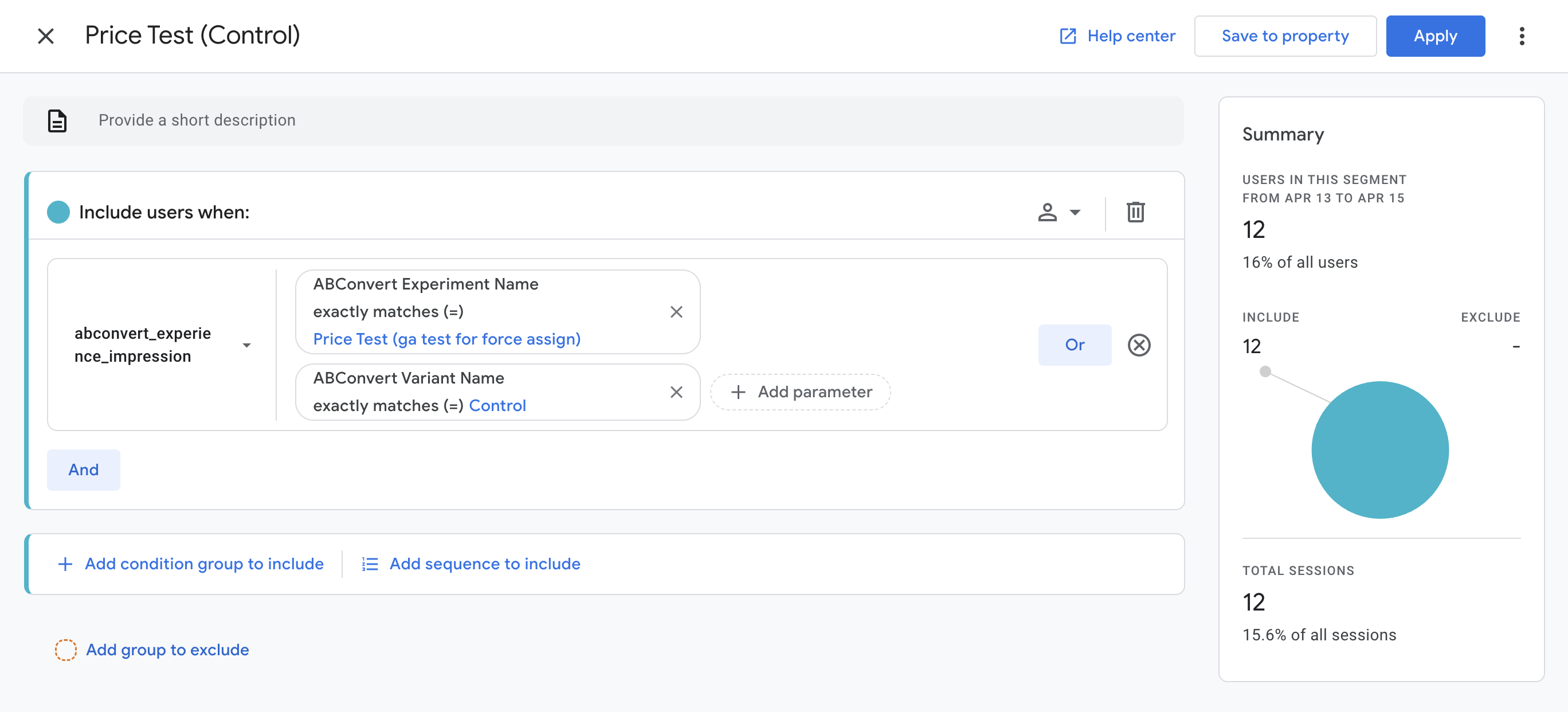
GA4 funnel explorations can compare segments built around test entry. Start with Control and the other version, then investigate a device or traffic-source difference that could explain the purchase result. GA4 funnel exploration.
Amplitude: locate the step that loses buyers
Best for: finding which step between cart and order loses buyers.
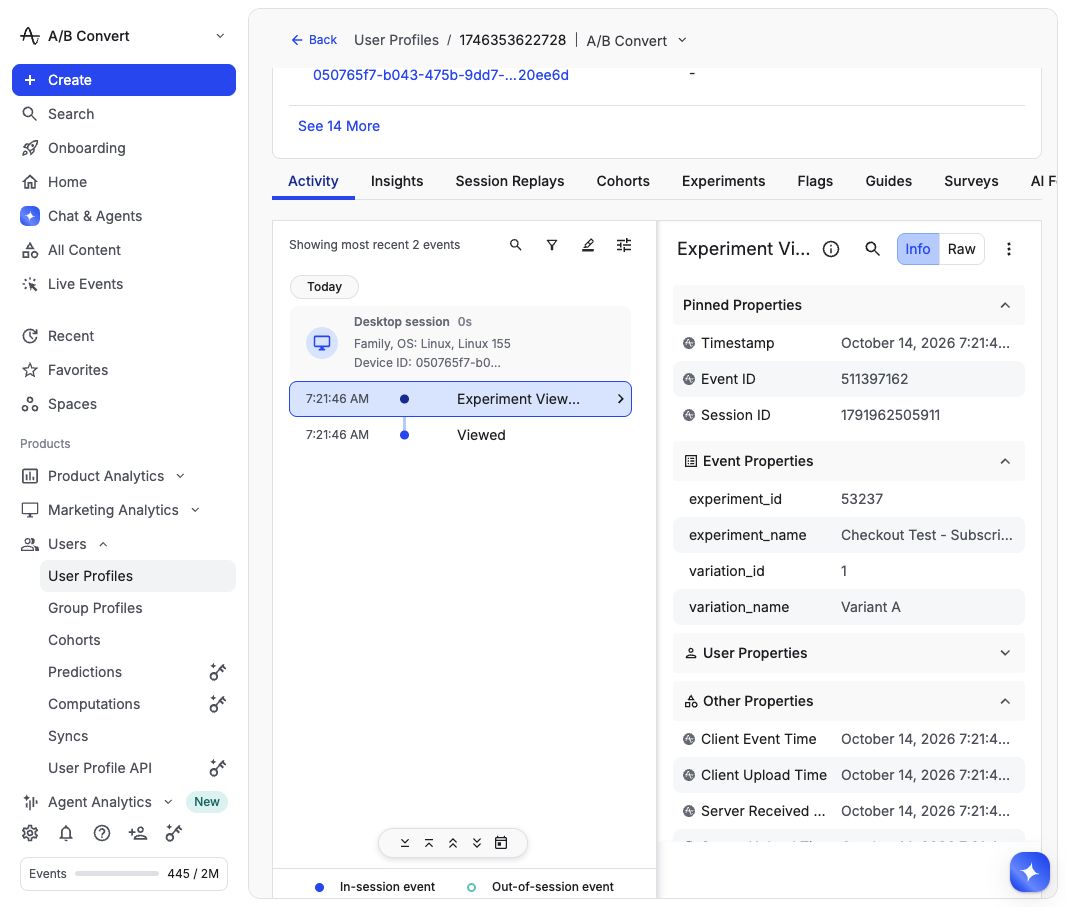
Amplitude can compare an ordered series of tracked events using test exposure context. If carts increase but purchases do not, examine the steps between them to identify the next question to investigate. Amplitude funnel analysis.
Mixpanel: connect test entry to later outcomes
Best for: checking whether a page change earns completed orders, not just clicks.
Mixpanel can analyze test exposures against downstream outcomes. Use your existing purchase reporting to check whether a page change earns more completed orders, beyond extra clicks or cart actions. Mixpanel’s test analysis.
Heap: follow behavior after assignment
Best for: following browser behavior after a shopper enters the test.
Heap can attach test properties to subsequent browser events. Compare the route through product selection, cart, and the purchase events you already collect to investigate where the two versions diverge. Heap event properties.
06Segment: carry test context into existing reports
Best for: teams that already run Segment and want test context in several reports.
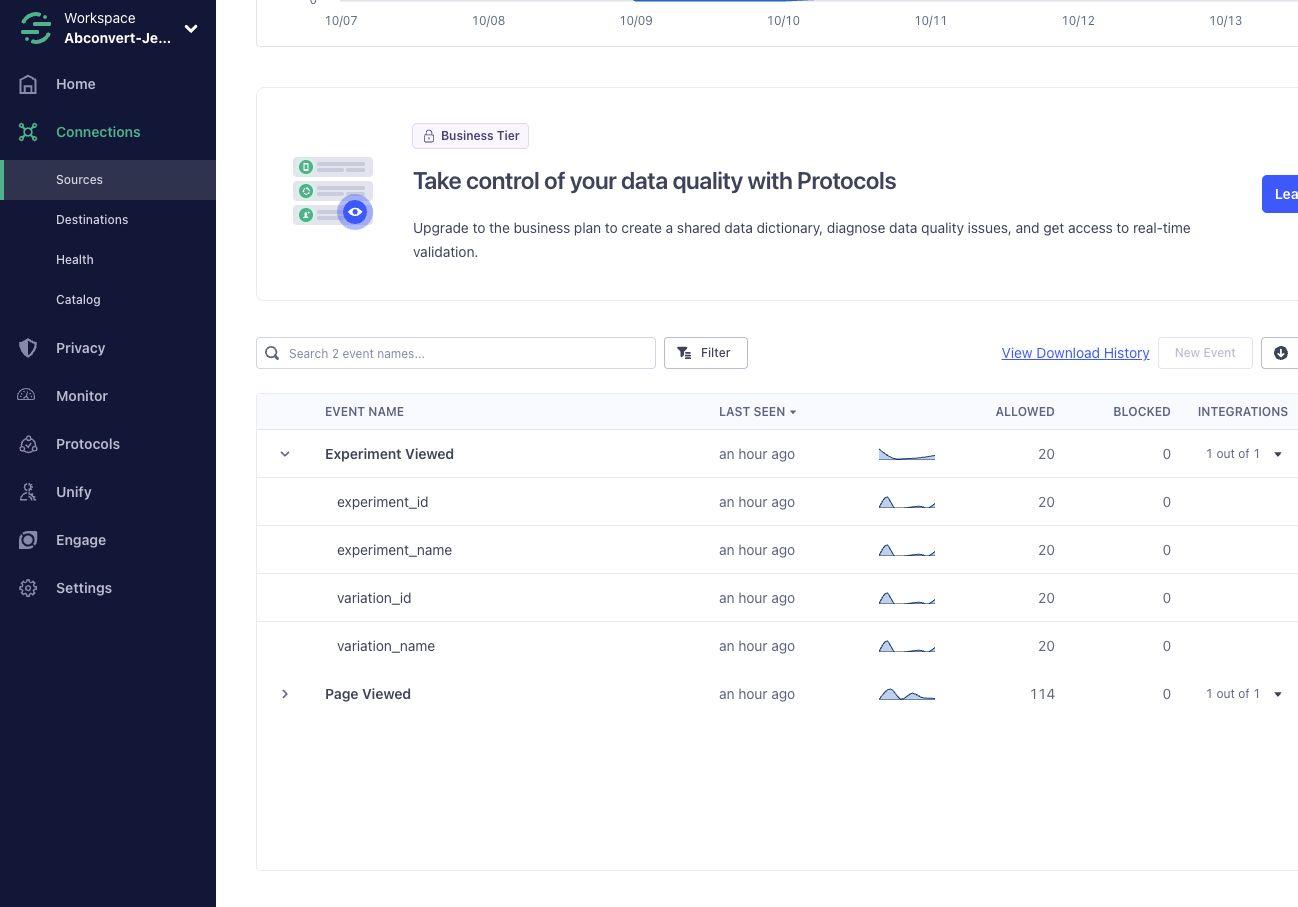
An agency might review acquisition in one tool and shopping behavior in another. Segment gives an existing data pipeline a standard test-entry event to send onward, with identifiers and names for the test and assigned version. That lets analysts reuse the context across their chosen destinations. Segment’s event specification describes the contract.
Choose this route when you already use Segment and want test context in multiple reports. For a single product-page question, start with a direct connection to the tool you use today.
07Klaviyo: keep test context with known shoppers
Best for: following later behavior of shoppers Klaviyo can identify.
For shoppers Klaviyo can identify, test-entry events let you build a segment around the test and the version they received. Use that segment to investigate later behavior among those known shoppers, with the same follow-up window for each version. The Klaviyo integration guide explains the event and segment setup.
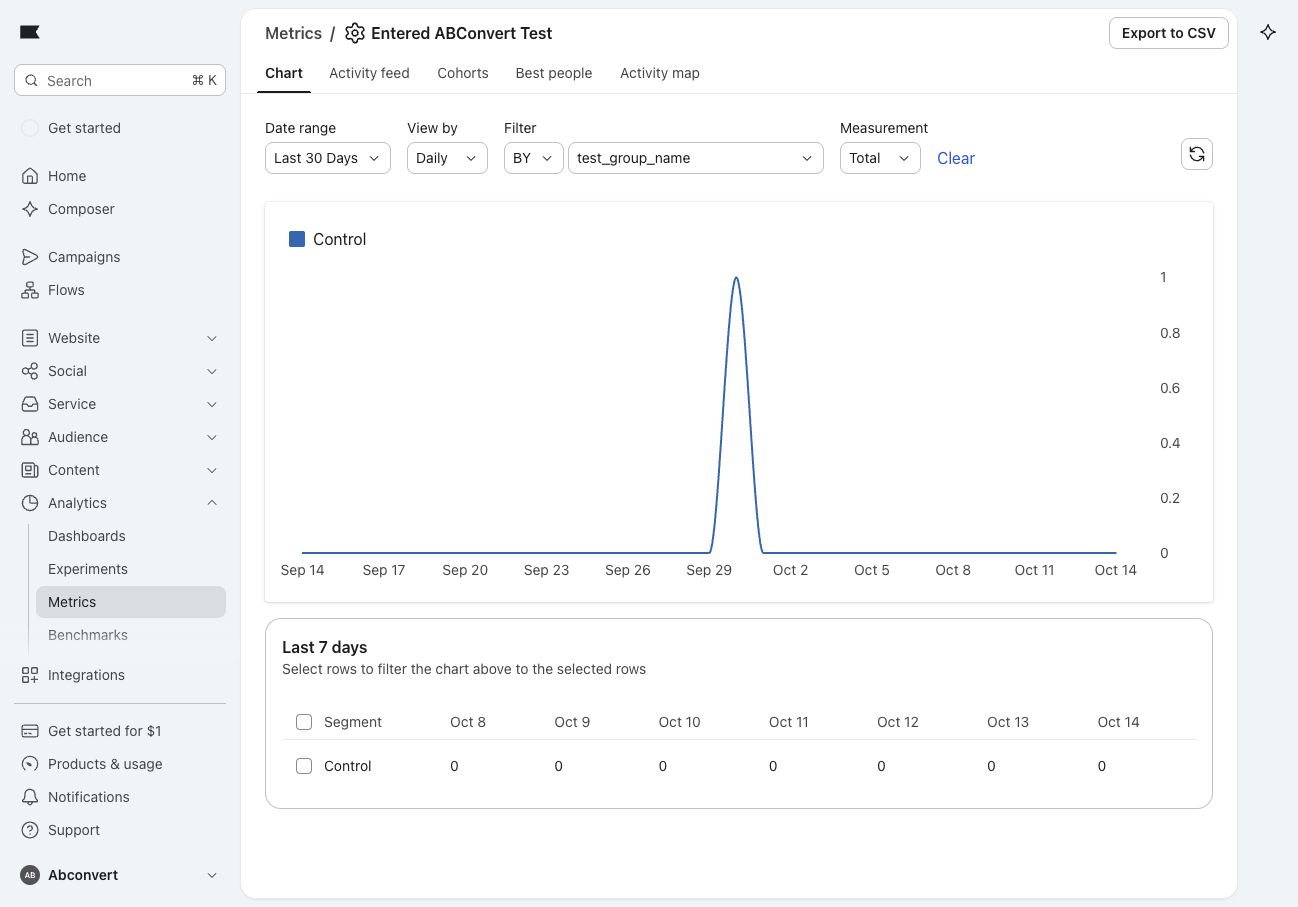
Klaviyo reports cover identified profiles with recorded activity. Keep that population distinct from all visitors assigned to the test, and verify the event before building a segment around it.
08BigQuery: check revenue after shipping costs and refunds
Best for: analysts who need to join test orders to cost and refund records.
A lower free-shipping threshold might earn more orders while making them more expensive to fulfill. BigQuery lets an analyst join test orders to your own cost and refund records to evaluate that tradeoff.
The test-data export includes assignments, exposures, attributed orders, and order line items. Join the orders to your Shopify records, then add product costs, payment fees, refunds, and fulfillment costs where those records exist. Google’s BigQuery overview explains the warehouse’s role.
For this decision, compare contribution per eligible visitor: revenue less agreed variable costs, divided by everyone included in the analysis, including non-buyers. That keeps the effect on purchasing in view alongside the money left from each order.
09Common mistakes: comparing different questions
Agree on the rollout decision before opening another report. Keep the primary success metric fixed, and use the extra analysis to explain the result or plan the next test.
- Verify one event, tagged session, or exported row in the destination.
- Use the same test, eligible population, outcome window, and currency policy across reports.
- Write down the finding that would change your rollout decision.
- Use exploratory segments and recordings to choose a follow-up test.
10Start with one decision this week
Pick one unanswered question from a current or upcoming test. Prepare a recording filter, validate a purchase funnel, or identify the cost records your analyst can join to orders. Your first milestone is a verified example and a report that answers that question; the final decision still needs enough traffic and time.
For the wider release context, see the Signal product updates.
11Frequently asked questions
Do I need to connect every analytics tool?
No. Use the tool you already have. One relevant connection is enough to answer the question that your headline test result leaves open.
Can session recordings explain why revenue changed?
They suggest what to investigate. They do not prove why revenue changed, and a session tag records assignment, not proof that a shopper viewed the changed page.
Which tool should I use to compare purchase funnels?
GA4, Amplitude, Mixpanel, or Heap, whichever already measures your purchase journey reliably. Purchase events and consistent shopper identity must already be tracked.
Does the BigQuery export include refunds, costs, or customer emails?
No. The export sends assignments, exposures, attributed orders, and order line items, and runs daily. Refunds, fulfillment costs, and later purchases come from your own data, and it has no customer IDs or emails.
Give your next rollout a clearer reason
Pick one test and one open question this week, then verify the evidence in the tool you already use.
Explore ABConvert integrations