01Check what’s running before you launch another test
Suppose you want to send half your homepage visitors straight to your catalog. Before you launch, find out whether those shoppers could already be in another test. Here’s the opening prompt from our demo store:
What active tests do I have now in ABConvert?
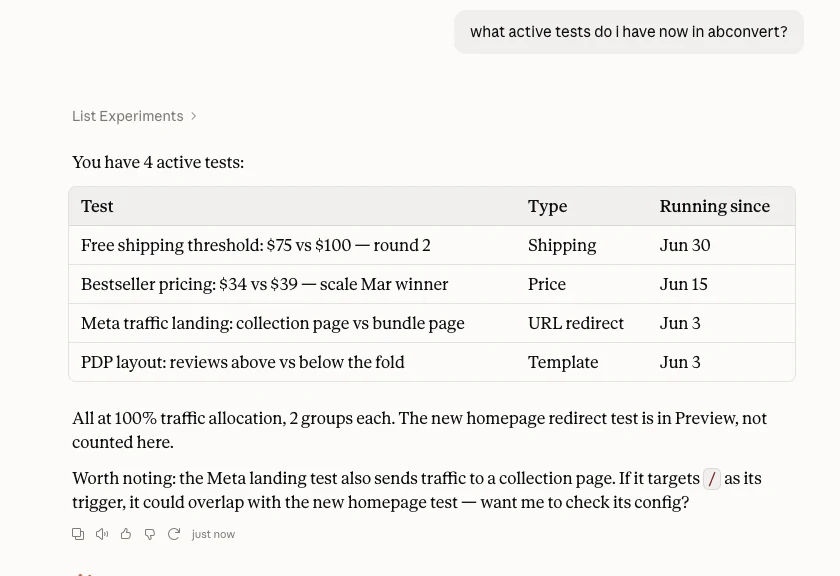
The assistant found four live tests. It also spotted a question worth checking: does the Meta landing-page test start at the homepage? If it does, the same visitors could qualify for both redirects. Ask the assistant to check the starting URL and audience for each test before you launch the second one.
That exchange uses the Model Context Protocol (MCP). It lets your assistant read the test settings from the Shopify store you connected to ABConvert.
02Connect Claude or ChatGPT to your Shopify store
You’ll need ABConvert installed on the store and MCP access enabled for your account. Your plan determines which tests you can run, and usage limits apply.
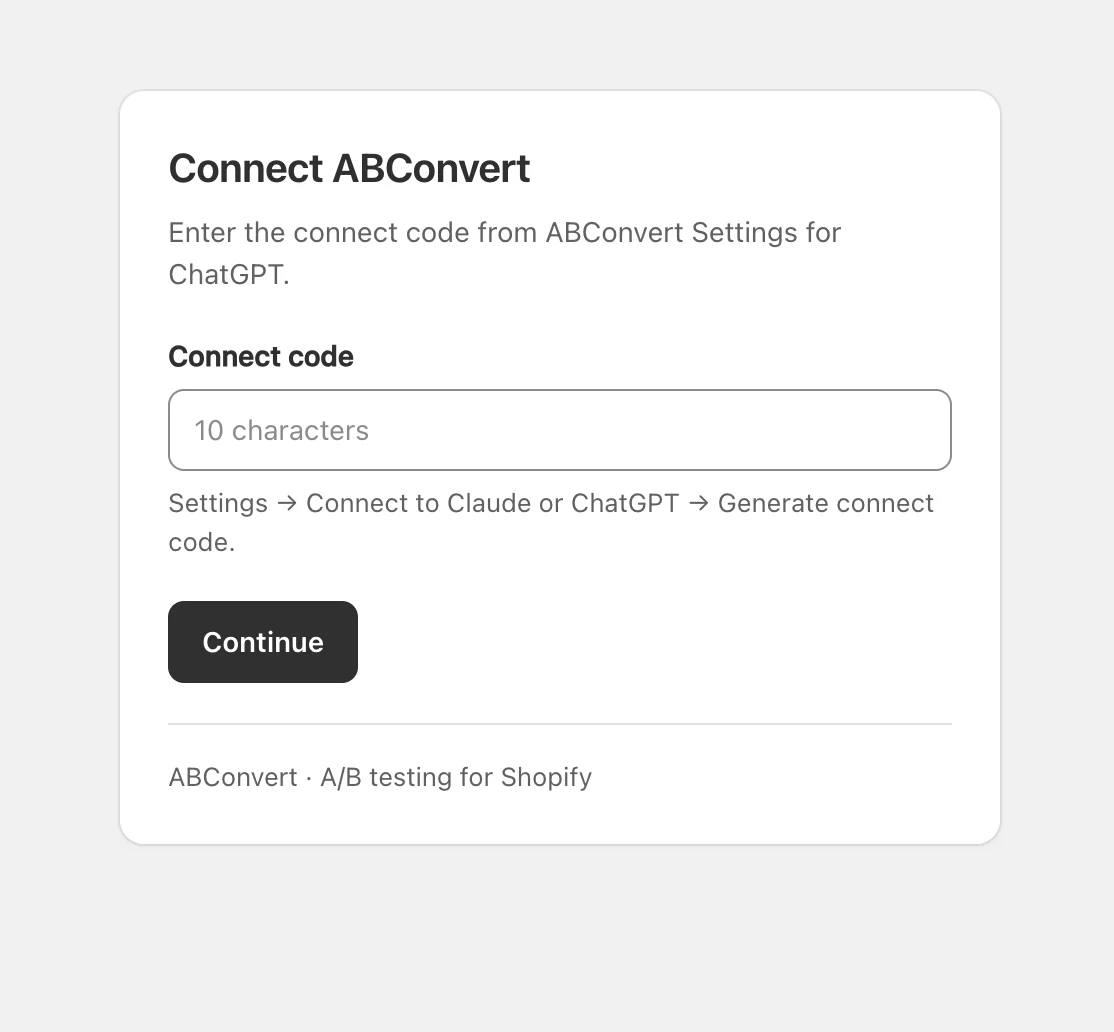
In ABConvert, open Integrations → MCP if your store has the Integrations Hub, or Settings → MCP and API Access. Generate a one-time connect code for the store you want to work on. Enter it on the ABConvert authorization screen when your assistant asks.
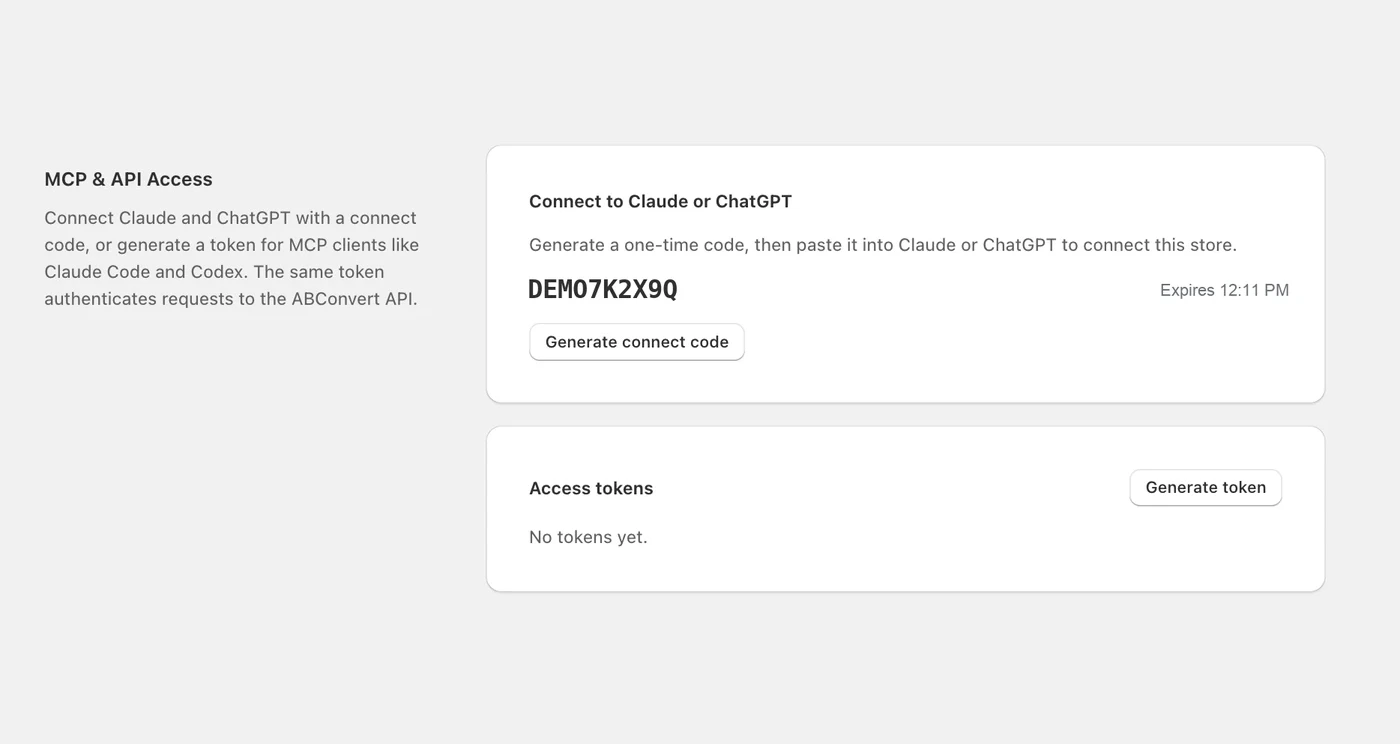
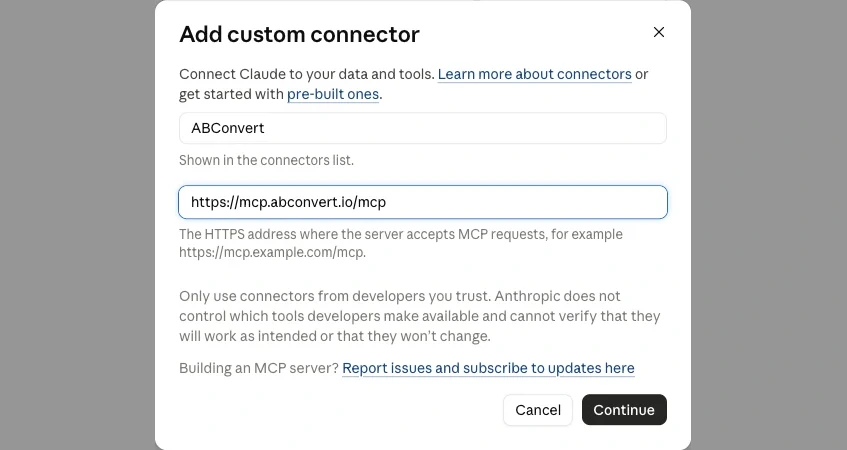
Claude. Search for ABConvert in Claude’s connector directory and select Connect. If you use a custom connector, enter the ABConvert MCP server URL from the MCP quickstart.
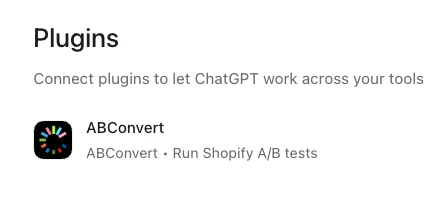
ChatGPT. Search for ABConvert in the plugins directory and add it. If your desktop app offers Add MCP server, the quickstart also covers that setup.
When the ABConvert authorization screen opens, enter your connect code, confirm the store domain, and approve the connection. You can now ask ChatGPT to list your active tests.
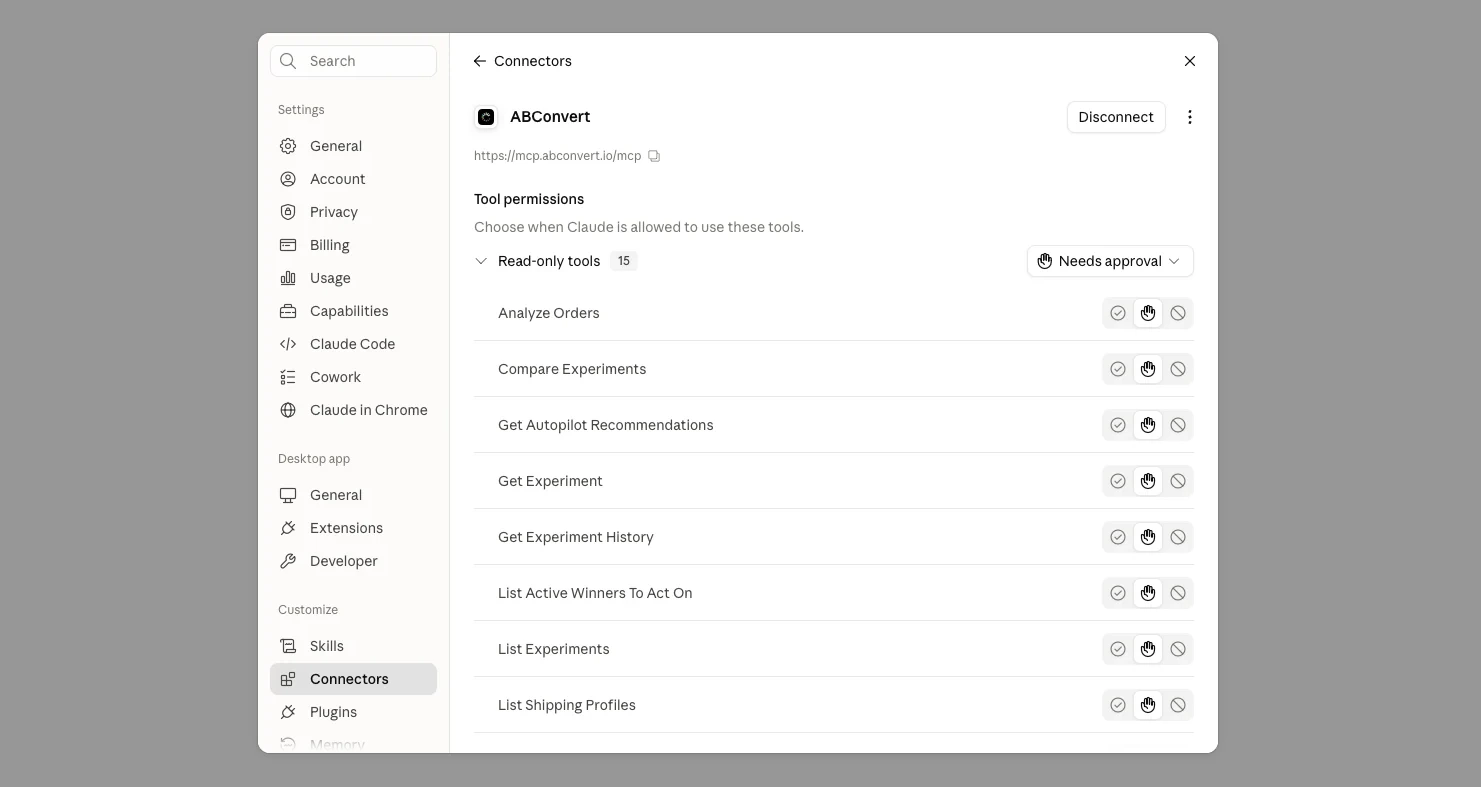
Choose what your assistant can do. Read access lets it inspect tests, summarize results and compare traffic segments. To create a draft or make a change, enable the appropriate write tool and review its approval setting.
Access tokens work the same way. New tokens default to read only; read and write is a separate, deliberate choice, and a token belongs to one store only.
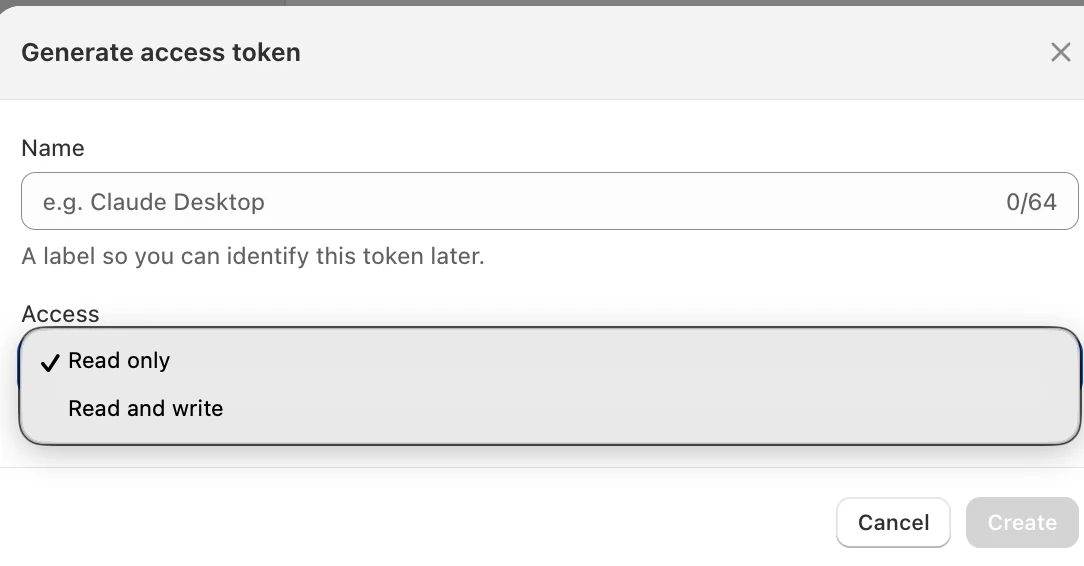
The full walkthrough, including the token route for Claude Code and Codex, is in the MCP quickstart.
03Draft a test and preview it before launch
In the same demo, the merchant asked Claude to set up a homepage redirect:
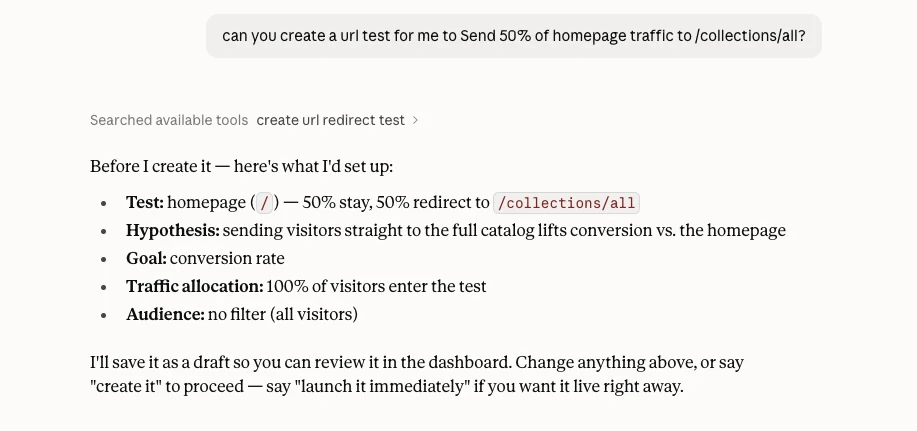
Can you create a URL test for me to send 50% of homepage traffic to /collections/all?
Claude proposed the original page, destination, traffic split and conversion goal. This is where you can change the audience if your overlap check identified a conflict.
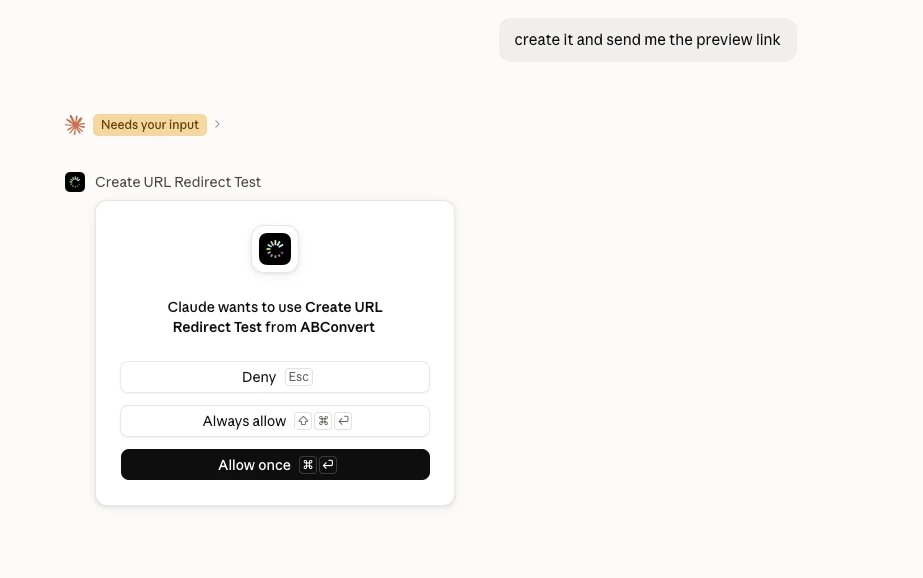
Here, Claude asks for approval to create the URL redirect test. Check the tool name and the action before choosing Allow once. You can also set approval preferences for individual tools.
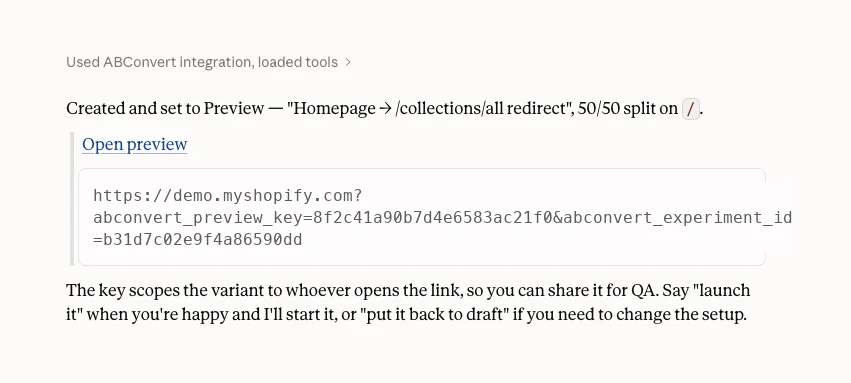
Save the draft, then open its preview link and try both destinations. Only people using that link see the preview. Launch is a separate action that starts sending eligible store traffic into the test.
04Read the result before changing your store
Once a test has collected data, ask a question that will help you make a decision:
How did the higher price affect revenue per visitor and conversion? What should I check before changing the price for everyone?
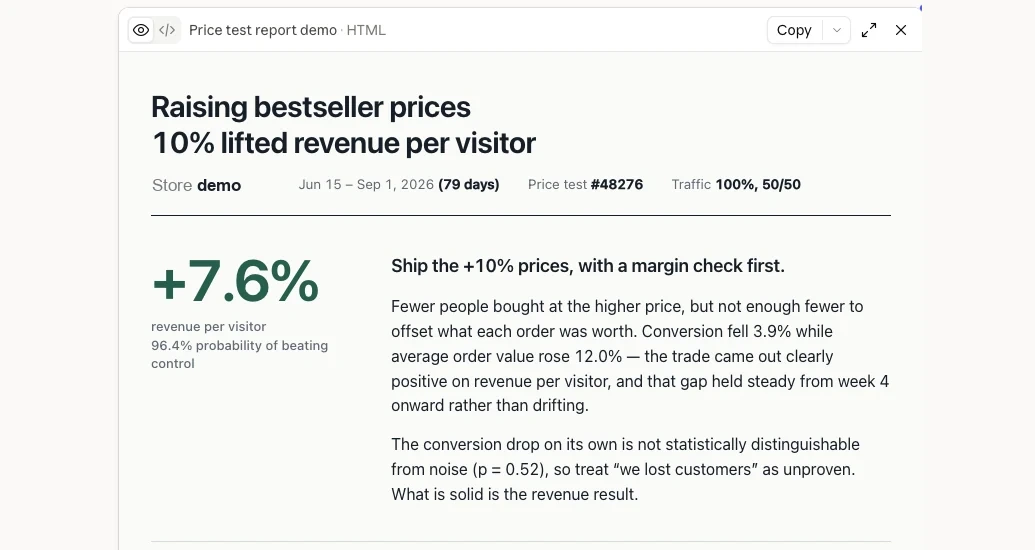
In the demo report below, the higher price brought in more revenue per visitor, even though conversion was lower. Check margin before rolling out that price. For your own test, open ABConvert’s analytics to review the date range, sample size and strength of the result.
05Add ABConvert API to your existing workflow
Not every team wants to work through an AI assistant. For teams with in-house developers, internal tools, or established reporting workflows, the ABConvert API lets you bring testing data and operations directly into the systems you already use.
ABConvert provides an API key, documentation, and example code to help teams build their own integrations:
curl https://api.abconvert.io/v1/experiments \
  --header "Authorization: Bearer $ABCONVERT_TOKEN"
Here are a few workflows teams build with it.
Get test alerts where you already work
Connect ABConvert to Slack or another internal tool:
- Alert the team when a test reaches a defined confidence level.
- Flag tests that have been running longer than expected.
- Notify a channel when a test reaches a performance threshold.
- Send a summary when a test needs review.
Instead of checking the dashboard repeatedly, the right information comes to the team automatically.
Build automated test guardrails
Use the API to define rules around how tests should be managed:
- Stop or pause a test when a predefined risk threshold is reached.
- Flag a test when conversion or revenue drops beyond an acceptable range.
- Trigger a review after a test reaches a defined runtime or sample size.
- Create internal safeguards around test operations.
This lets teams build testing rules around their own business requirements.
Bring ABConvert into your existing dashboard
Teams that already have internal BI or reporting systems can pull ABConvert data into the same environment:
- Combine testing data with other business metrics.
- Monitor tests alongside revenue, acquisition, or retention data.
- Build an internal testing dashboard without requiring every stakeholder to open ABConvert.
For agencies, this can also mean bringing test data from multiple stores into an existing client reporting workflow. The case studies show the reporting shape most agencies land on.
Manage testing across stores from one workflow
Agencies and larger teams may already have their own operating system for managing multiple stores. Using the API, they can build workflows to:
- See test status across stores
- Compare performance across client accounts
- Control supported tests from one internal interface
- Standardize reporting and review processes
- Connect ABConvert with other internal data sources and tools
ABConvert provides the testing infrastructure; teams decide how it fits into their own operating system. One thing to plan around: an access token reaches a single store, so a multi-store view holds one token per store, the same boundary that keeps one client's data out of another's.
06Two ways to connect, one testing foundation
| Comparison | MCP | API |
|---|---|---|
| Connects ABConvert to | AI assistants and agents | Your own code, tools, and dashboards |
| You work in | Plain language | Your codebase |
Both give teams new ways to reach the same ABConvert testing foundation. You can keep using the ABConvert dashboard, connect through AI, build your own integration, or combine all three depending on how you work.
07Bring testing into the way you already work
Testing should not require moving data and decisions between disconnected tools. With ABConvert API and MCP, testing moves closer to where you already are.
Bring testing into the workflow you already use
No code required to start. 14-day free trial.