


Intelligems Alternatives for Shopify A/B Testing
Compare the best alternatives to Intelligems for Shopify, including pricing, A/B testing features, and billing models.
Intelligems is known for testing and profit optimization, with features that let you test shipping, checkout, and post-purchase offers.
However, its pricing is based on your store’s total order volume and the type of test you want to run, not just the number of experiments you run.
If you’re looking for alternatives to Intelligems, find a tool that supports the types of tests you need and offers clarity on pricing and the features available at each price point.
This guide compares seven Intelligems alternatives by their features, pricing, best-fit use cases, and limitations to help you choose the right platform for your team.
01How does Intelligems compare to other similar platforms?
The main differences between Intelligems and its alternatives come down to what you can test, how pricing works, and how much experimentation support your team needs.
- ABConvert: Supports price, shipping, theme, template, URL redirect, offer, and checkout tests. Pricing is based on test orders rather than total storewide order volume, making it an option for teams that want a broad range of Shopify CRO tests with more predictable costs.
- Shoplift: Focuses on Shopify theme, template, and page experimentation, making it relevant for teams primarily testing storefront design and user experience.
- Visually: Offers A/B testing with visual editing and personalization for teams that want to build and tailor storefront experiences.
- ElevateAB: Offers Shopify A/B testing for themes, templates, URLs, prices, shipping, product images, and checkout. Its tiered plans make features such as price and shipping tests available on higher plans.
- PrettyDamnQuick (PDQ): Focuses on checkout optimization, segmented checkout experiences, shipping rates, delivery promises, upsells, and offers. Its team helps plan and run experiments, making it suitable for merchants looking for a more managed checkout optimization approach.
- Wingify (formerly VWO): Offers a broader CRO toolkit that includes experimentation, heatmaps, and session recordings, suited to teams that need behavioral analysis alongside testing.
02Intelligems alternatives compared
The table below compares seven options by their primary use case, distinguishing features, starting price, and key limitation.
Treat starting prices as entry points since plan restrictions, order volume, and add-on costs can affect what you’ll actually pay.
| Platform | Best for | What sets it apart | Starting price | Key limitation |
|---|---|---|---|---|
| ABConvert | Shopify profit optimization and experimentation | Price, shipping, offer, page, theme, and checkout tests in one app, billed only on orders included in tests | $99/month | Price testing starts on Growth at $199/month; checkout content, cart, and upsell tests require Shopify Plus |
| Shoplift | Shopify-native A/B testing | Storefront and theme experimentation designed around Shopify workflows | Starts at $74/month. Can get a free 14-day trial | Billing is based on sitewide monthly visitors, and price testing starts on Advanced at $299/month. |
| Visually | AI-powered CRO and personalization | Combines A/B testing with personalization, recommendations, upsells, and AI-assisted site changes | $15/month on the Shopify App Store | Pricing varies with order volume; advanced price and shipping tests have plan and Shopify Plus requirements. |
| PrettyDamnQuick | Checkout and shipping optimization | Specialized checkout, delivery-promise, shipping, and post-purchase optimization, supported by a service-led team | Free to install; $0.24/order | Costs can rise quickly with order volume, and it's less suited to broad storefront experimentation. |
| ElevateAB | Broad Shopify-native testing | Price, shipping, page, theme, product image, checkout, and content tests | $49/month | Pricing scales with sitewide order volume; price and shipping tests start on Standard at $99/month, and checkout testing requires Shopify Plus. |
| Wingify | Broader CRO programs | Combines experimentation with behavioral analytics, personalization, and other optimization products | Custom pricing | Modules may be priced separately, and implementation can be more involved than a Shopify-focused testing app. |
| Optimizely | Enterprise experimentation | Web and feature experimentation, governance, personalization, and testing across digital properties | Custom pricing | Enterprise-oriented pricing, implementation, and operational requirements can be excessive for straightforward Shopify tests. |
03ABConvert: Best for Shopify experimentation across the customer journey
Best fit: Growing Shopify brands that want to test product prices, shipping rates, offers, storefront changes, and checkout experiences from one platform, with reporting tied to revenue and profit.
ABConvert offers different types of Shopify experimentation in one platform. You can test product prices, shipping rates, promotional offers, page layouts, themes, templates, URL redirects, and supported checkout elements.
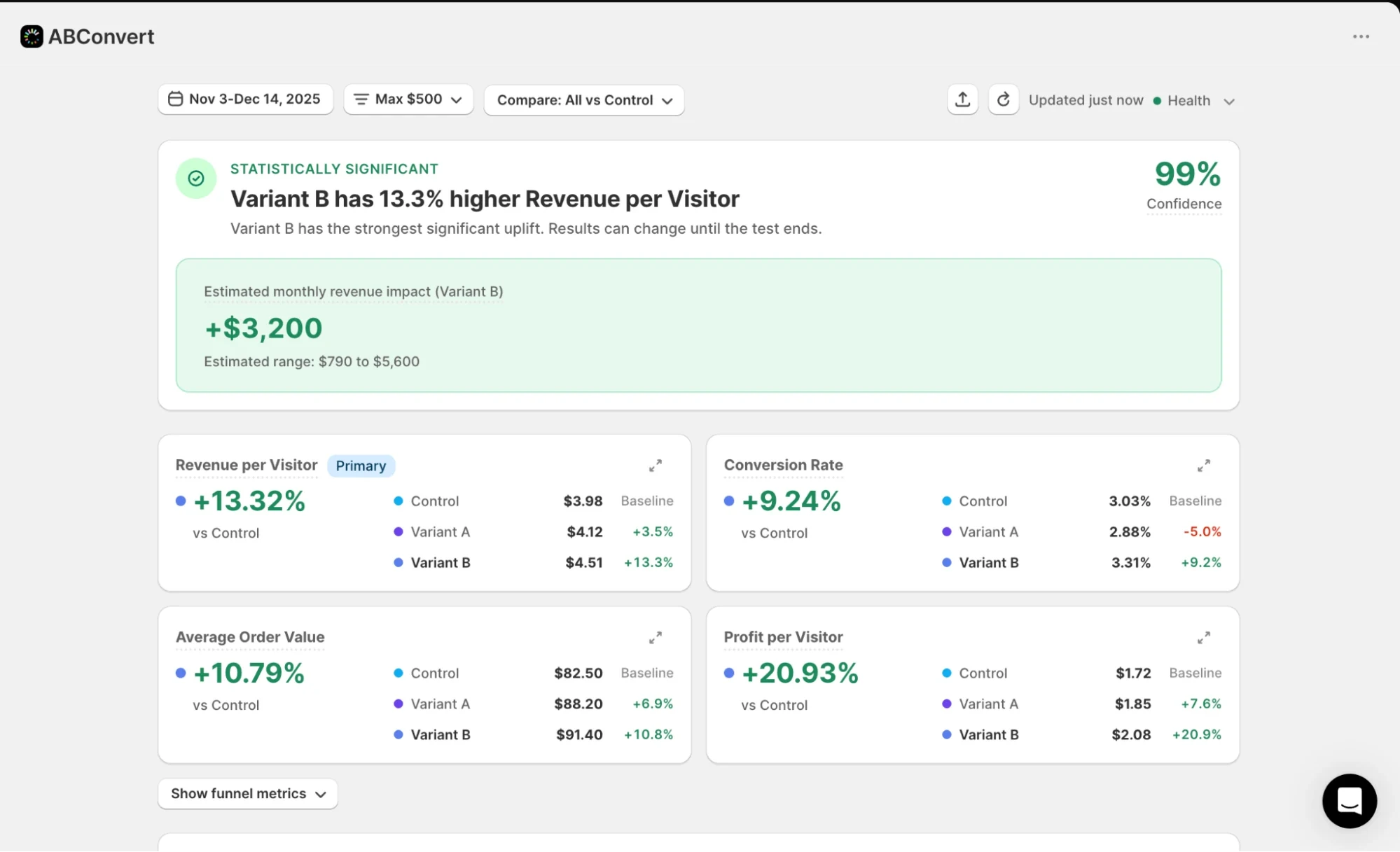
The platform’s analytics dashboard tracks conversion rate, average order value, revenue per visitor, and profit per visitor, so you can see whether a change improves order economics, not just conversions.
Key capabilities
- Page and content testing: Compare page layouts, copy, images, templates, themes, and alternative URLs.
- Shopify price testing: Test product prices and measure their impact on revenue and profit.
- Shipping tests: Experiment with shipping rates and free-shipping thresholds to measure their effect on conversion and average order value.
- Offer testing: Test supported promotional offers and discount codes to evaluate their impact on purchasing behavior.
- Checkout testing: Test delivery and payment options by hiding, renaming, or reordering them. Shopify Plus stores can also test checkout UI elements such as custom content blocks.
- Personalization and audience targeting: Run personalized experiments for eligible customer segments using filters such as country, device, traffic source, and new or returning visitor status.
- Analytics and reporting: Track conversion rate, average order value, revenue per visitor, and profit per visitor to evaluate experiment performance.
Limitations
- ABConvert is designed for Shopify stores, so brands using other ecommerce platforms will need a different testing solution.
- Price testing starts on Growth at $199/month; overage charges apply beyond the plan’s test-order allowance.
- Checkout content, cart, and upsell tests require Shopify Plus, since Shopify only allows checkout customizations on Plus stores.
Pricing
ABConvert starts at $99/month for Starter, which includes 1,000 test orders. Growth costs $199/month, includes 5,000 test orders, and adds price testing. Extra test orders cost $59 per 1,000 on Starter and $39 per 1,000 on Growth.
A 14-day free trial is available. You’re billed only for orders included in experiments, not every order your store receives.

How does ABConvert compare with Intelligems?
ABConvert and Intelligems both let you test pricing and shipping, along with other parts of the shopping experience.
One key difference is how they charge. ABConvert bills based on the orders included in your A/B tests, while Intelligems’ pricing is tied to your store’s total order volume. This makes ABConvert a more cost-effective option for stores that want to scale experimentation without paying based on their entire store’s order volume.
Want to see how ABConvert fits your testing needs? Explore ABConvert to check out the features and plans.
04Shoplift: Best for Shopify-native A/B testing
Best fit: Shopify brands that want to test product pages, landing pages, collections, and theme changes using Shopify’s Theme Editor, without coding routine storefront experiments.
Shoplift is a Shopify A/B testing and CRO platform built around storefront experimentation. You can compare page layouts, templates, and themes, then measure their impact on conversion rate, revenue per visitor, and average order value. Its Lift Assist feature helps you create test variations, while audience segmentation lets you target experiments by geography, traffic source, and UTM parameters.
It also supports URL split tests and product price testing on higher-tier plans, although its capabilities have some limits if you want to experiment beyond the storefront.
Key capabilities
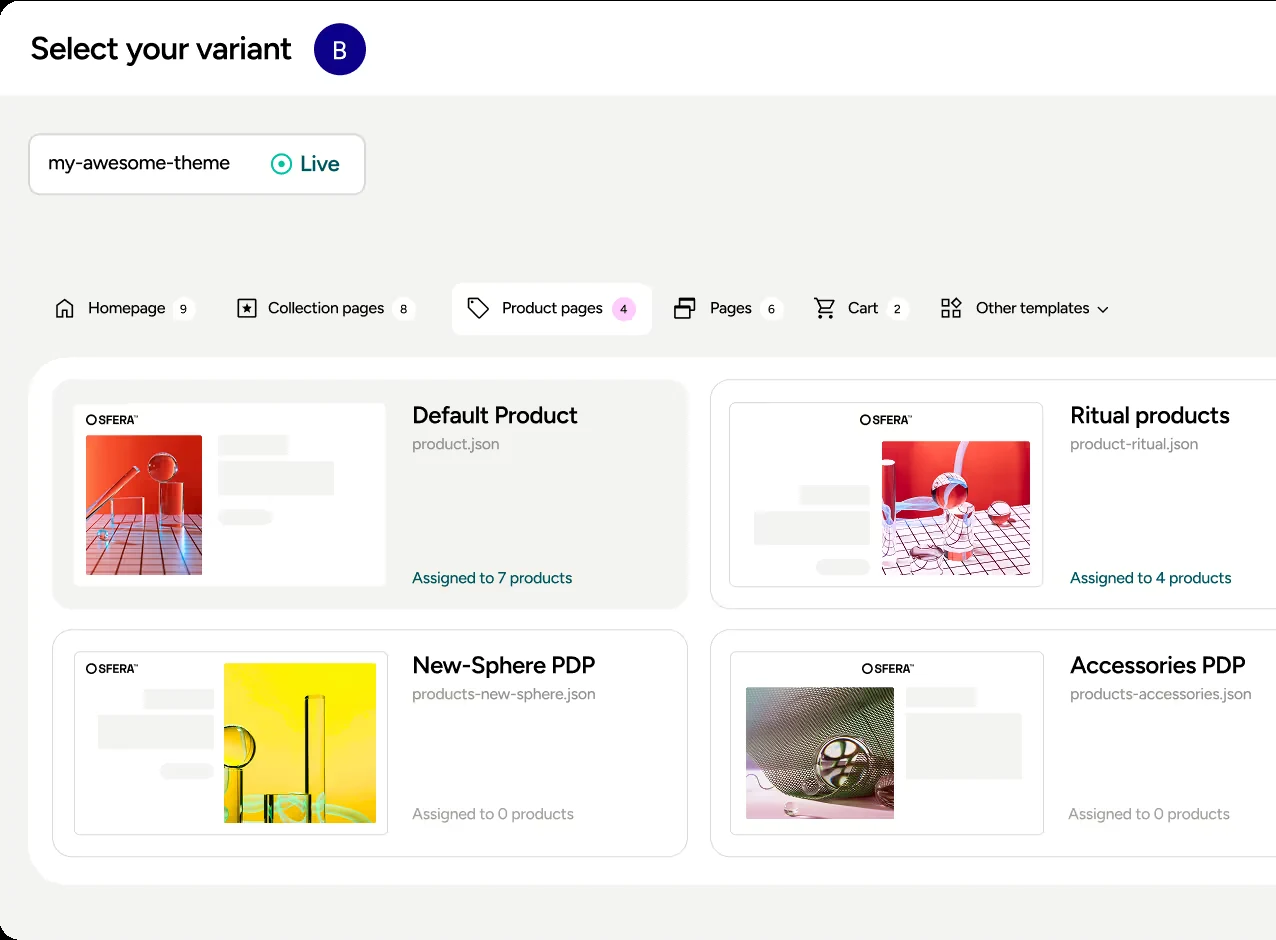
- Storefront testing: Test product pages, collection pages, homepages, landing pages, templates, and themes.
- Lift Assist: Create test variations without building every change from scratch. Available on Advanced and Pro.
- URL split testing: Compare different URLs, including alternative landing pages built with third-party page builders.
- Performance reporting: Track conversion rate, revenue per visitor, average order value, and click-through rate.
- Audience targeting: Segment tests by geography, referral source, marketing channel, and UTM parameters on eligible plans.
Limitations
- Exceeding usage limits can pause active tests and block new experiments until the next billing cycle or an upgrade.
- Price testing has restrictions around supported currencies, page builders, and subscription products.
- Some users have reported split-testing bugs, including unwanted URL parameters appearing on storefront pages.
- Shoplift's testing model may limit how many experiments teams can run simultaneously on the same major page types, potentially slowing testing velocity.
Pricing
Shoplift's Core plan starts at $99/month, or $888/year when billed annually, equivalent to $74/month. The Advanced plan starts at $399/month and adds price testing. A 14-day free trial is available.
Pricing depends on your store's monthly unique visitors and the features included in your plan. Check the Shoplift Shopify App Store listing for current pricing and plan details.
05Visually: Best for AI-powered CRO and personalization
Best fit: Shopify brands that want to combine A/B testing with personalization, product recommendations, upsells, and post-purchase offers in one platform.
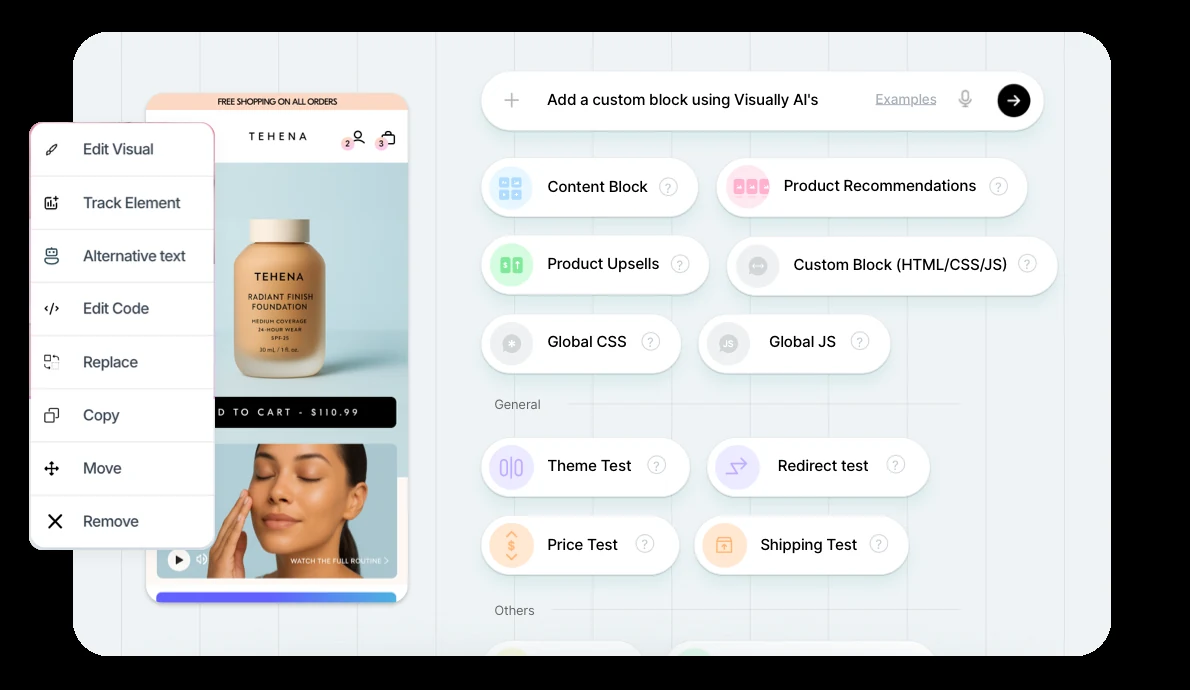
Visually brings experimentation and broader CRO tools together. Its visual editor and AI-assisted features help teams create test variations, while its personalization and merchandising tools let them tailor shopping experiences to different audiences.
You can test page layouts, themes, prices, discounts, shipping, and supported checkout and post-purchase experiences, then use the results to guide further changes.
Key capabilities
- AI-assisted testing: Use AI tools to create or modify storefront components and experiment variations.
- Broad test coverage: Run content, URL redirect, code, theme, and multivariate tests.
- Price and shipping tests: Experiment with pricing, discounts, and shipping experiences, subject to plan and Shopify requirements.
- Personalization: Create audience segments and tailor shopping experiences using customer behavior and catalog data.
- Recommendations and upsells: Test product recommendations, upsells, and post-purchase offers alongside storefront changes.
Limitations
- The Shopify App Store lists entry-level plans from $15/month, while Visually's website lists substantially higher prices for larger stores.
- Price and shipping tests depend on your plan, order volume, and Shopify setup. Some use cases also require Shopify Plus.
- If you mainly want to test prices, shipping rates, and storefront changes, you may not need its personalization and merchandising tools.
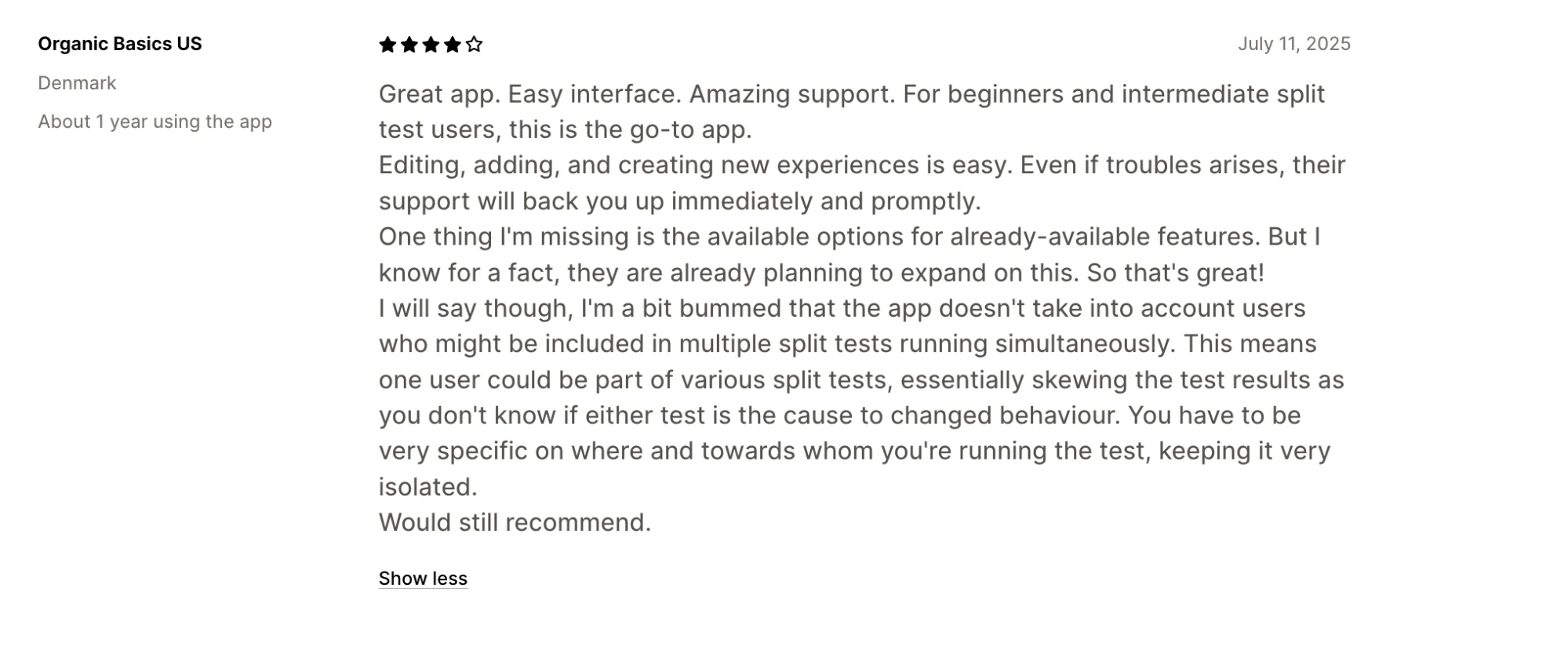
- Users have reported limitations with specific experiments, including product-image testing, despite expecting a no-code workflow.
- Some users have raised concerns about unexpected charges and code-related issues after uninstalling. These are individual reports, so confirm billing terms and ask about cleanup before installing.
Pricing
Visually's Shopify App Store listing starts at $15/month for stores with up to 100 monthly orders, with higher tiers based on order volume. Its website lists substantially higher prices for larger stores, and pricing varies by plan and monthly order volume.
All plans for new customers include a 14-day free trial.
06PrettyDamnQuick: Best for checkout and shipping optimization
Best fit: High-volume Shopify brands that want to improve checkout conversion through shipping tests, delivery promises, free-shipping thresholds, and post-purchase offers, with help from a dedicated CRO team.
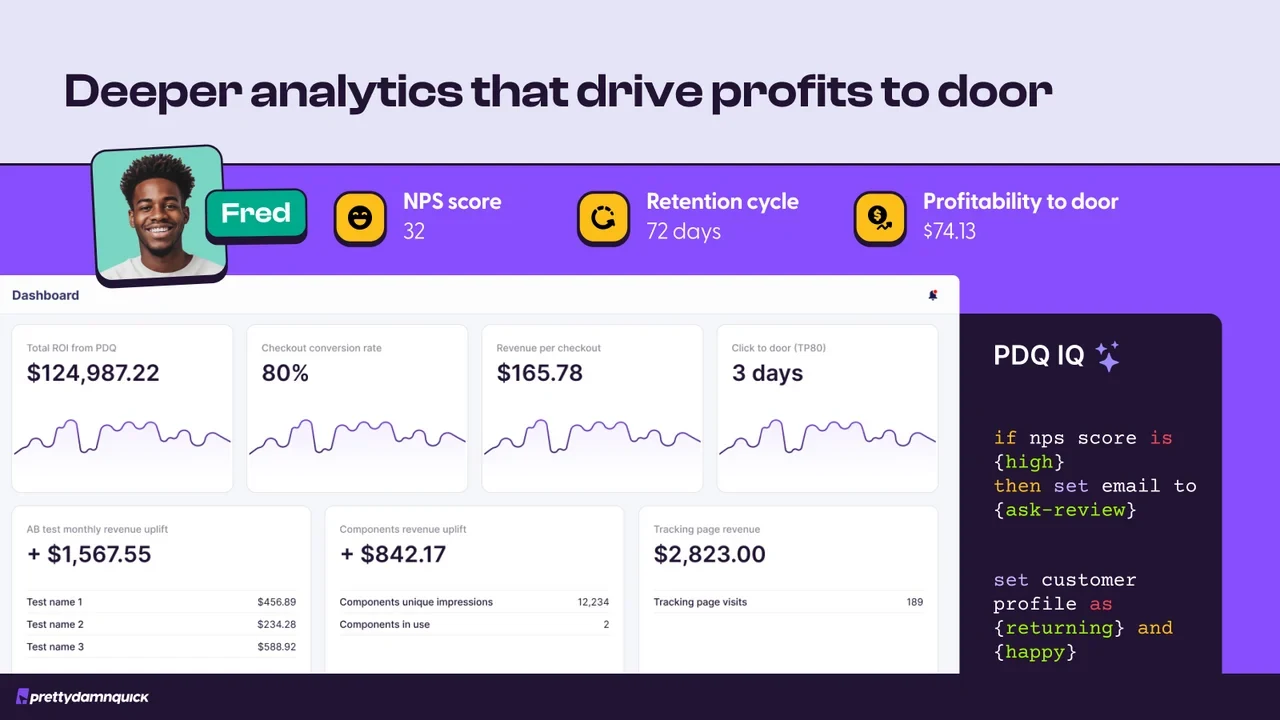
PrettyDamnQuick (PDQ) focuses on checkout and delivery optimization. Brands can test shipping rates, free-shipping thresholds, delivery-date messaging, checkout layouts, upsells, and post-purchase experiences. The platform also uses shopper signals such as location, cart size, purchase history, and channel to tailor checkout experiences to different customer segments.
PDQ combines its software with hands-on support. Its team reviews store data, recommends experiments, and helps run approved tests. Its MAXX AI assistant adds performance insights and checkout benchmarks, making the platform a good fit for brands that want guidance with checkout optimization.
Key capabilities
- Checkout testing: Test checkout experiences, layouts, and supported checkout extensions.
- Shipping tests: Compare shipping rates, shipping-option messaging, and free-shipping thresholds for different customer segments.
- Delivery promises: Test delivery-date messaging based on factors such as shipping zones, processing times, and blackout dates.
- Post-purchase optimization: Experiment with upsells and improve experiences through branded tracking pages and order editing.
- Shopper segmentation: Tailor checkout experiences using signals such as location, cart value, purchase history, and customer type.
- Hands-on CRO support: Get recommendations and help with experiment setup and analysis from PDQ's team, alongside insights from MAXX AI.
Limitations
- PDQ's team helps plan and run experiments after you approve them. This can suit teams that want expert guidance, though it offers less direct control than a self-serve A/B testing tool.
- Per-order pricing applies to every order your store processes, so costs rise quickly as volume grows.
- The service model may be unnecessary for simple tests. Teams that want to launch and manage basic experiments themselves may not need the additional support.
Pricing
PDQ's Checkout Optimizer is free to install, with charges of $0.24 per order. That comes to $2,400 a month for a store processing 10,000 orders, before any discounts.
However, PDQ offers lower per-order rates through annual plans, available on request. Pricing for Delivery Optimization isn't publicly listed, so you'll need to contact the company for a quote.
07Wingify (formerly VWO): Best for broader CRO programs
Best fit: Mid-market and enterprise teams that want to connect visitor behavior analysis with A/B testing, personalization, and broader experience optimization.
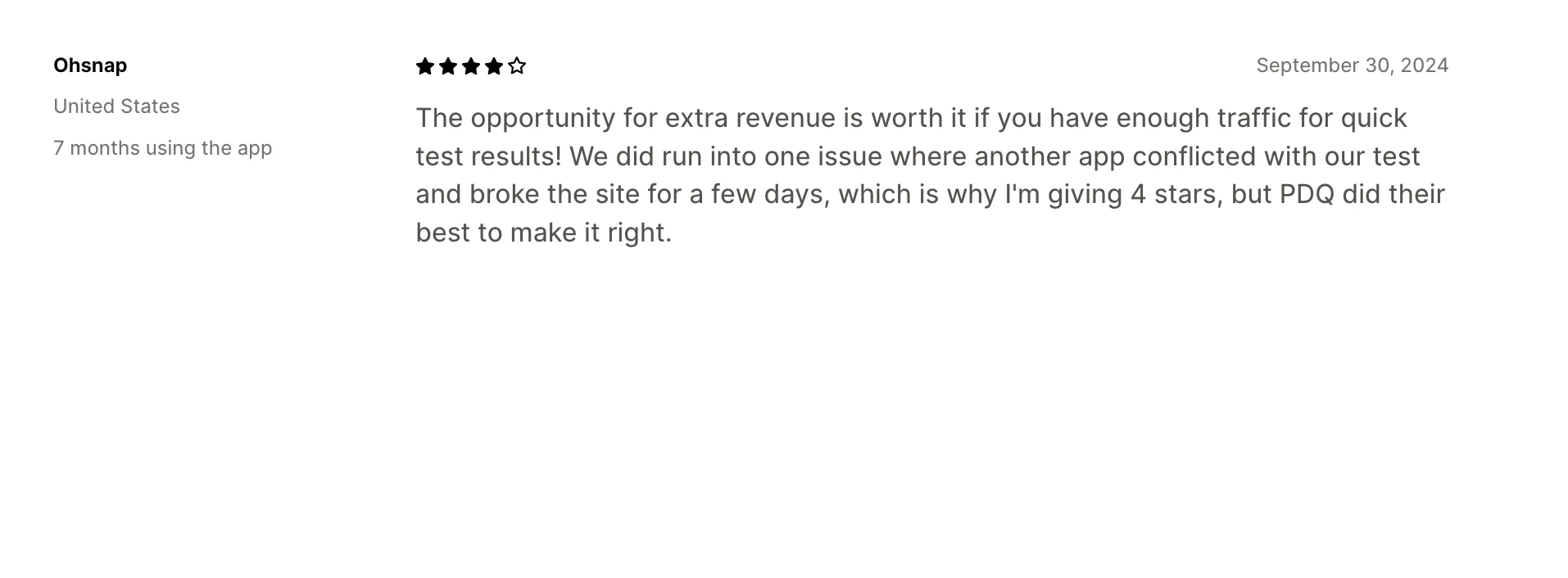
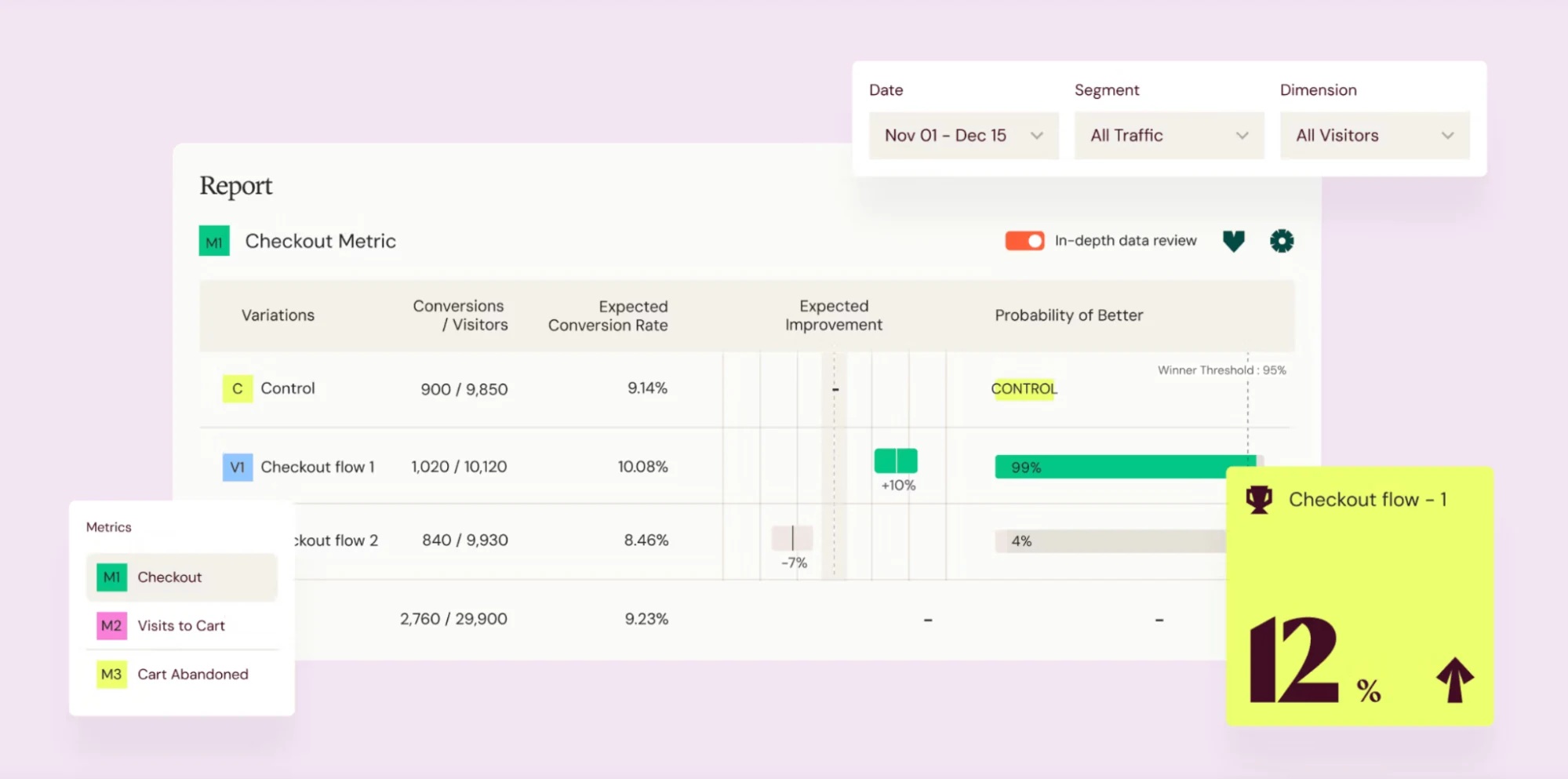
Wingify brings VWO and AB Tasty together under one company following their 2026 merger. The platform helps teams managing CRO across multiple markets, teams, and digital experiences by connecting insights and experimentation into a more cohesive workflow. This makes it a better fit for organizations with established optimization programs and more complex requirements.
Key capabilities
- Behavior analytics: Use heatmaps, scrollmaps, session recordings, and form analytics to see where visitors click, hesitate, and drop off.
- Journey analytics: Analyze funnels and user journeys to find drop-off points and investigate where visitors struggle to convert.
- Wingz intelligence layer: Use AI-assisted insights to identify behavioral patterns and develop hypotheses for future experiments.
- Experimentation: Run A/B, split URL, multivariate, and multi-page tests using visual or code-based workflows.
- Personalization and targeting: Create audience segments based on geography, technology, user type, and behavior.
- Feature Management: Test features and manage controlled rollouts across supported platforms.
Limitations
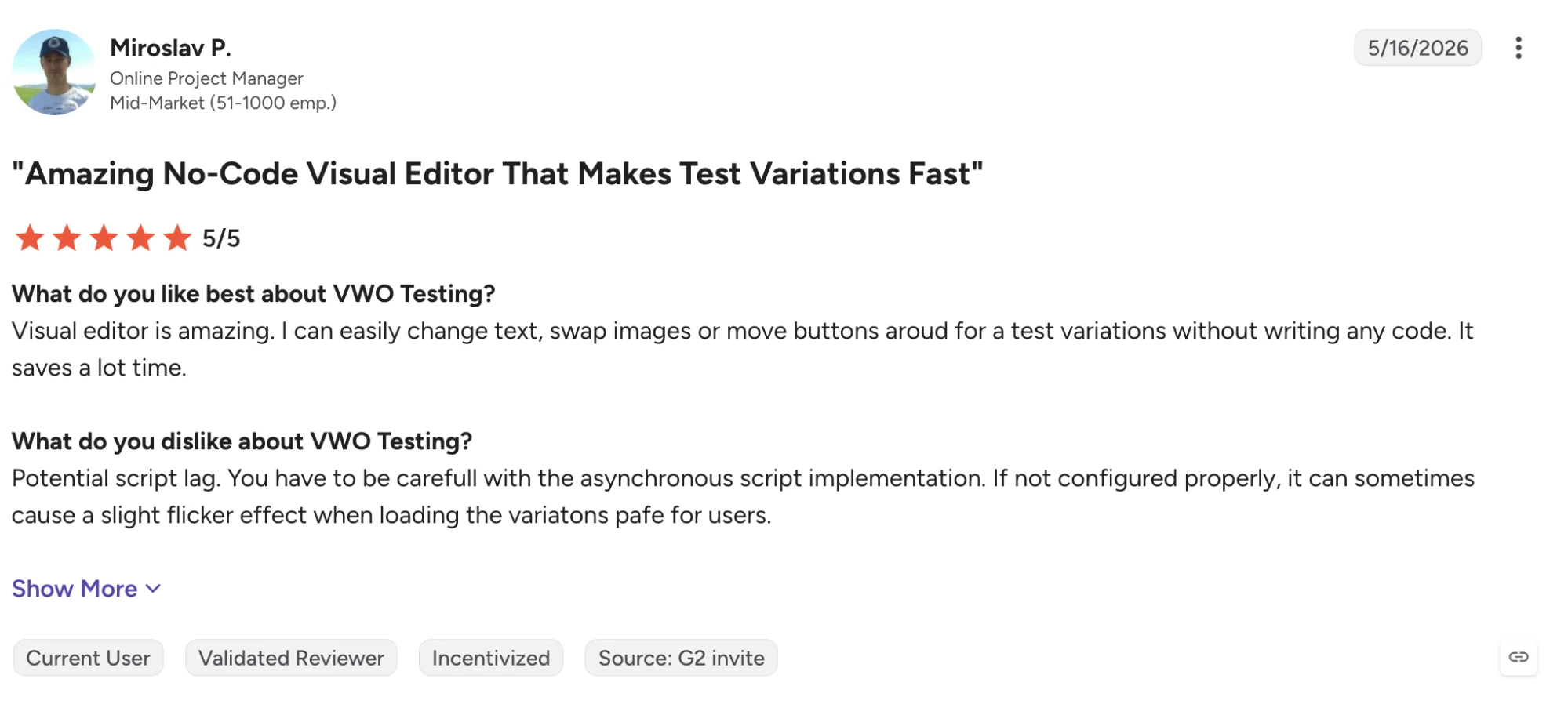
- Users praise the testing interface and reporting, but note that complex experiments and deeper analytics can have a learning curve.
- Visual editing can be inconsistent on complex product pages. Some users report differences between the visual editor preview and the live experience.
- One reviewer reported that asynchronous script implementation could cause page flicker when variations load. Implementation and QA matter when running client-side tests.
- Teams looking mainly for Shopify price, shipping, offer, and storefront tests may not need the additional analytics, personalization, and feature management products.
Pricing
Wingify offers custom pricing based on the products and requirements you select. You can also get a 30-day all-inclusive trial.
08Optimizely: Best for enterprise experimentation
Best fit: Large organizations running experiments across multiple websites, apps, and digital products, with dedicated teams for product, engineering, and CRO.
Optimizely is an enterprise experimentation platform that supports web testing, feature rollouts, and personalization as part of its broader digital experience suite. Teams can run experiments on page layouts, user journeys, and product features, then manage approvals, permissions, and reporting across departments.
Its A/B testing tools also support server-side testing, giving product and engineering teams more control over how changes are tested and rolled out.
For Shopify brands, Optimizely is most relevant when experimentation extends beyond the storefront and involves multiple digital properties or teams. If you mainly want to test product prices, shipping options, offers, or themes in Shopify, its broader platform may be more than you need.
Key capabilities
- Web experimentation: Run A/B, split URL, and multivariate tests using visual or code-based editors.
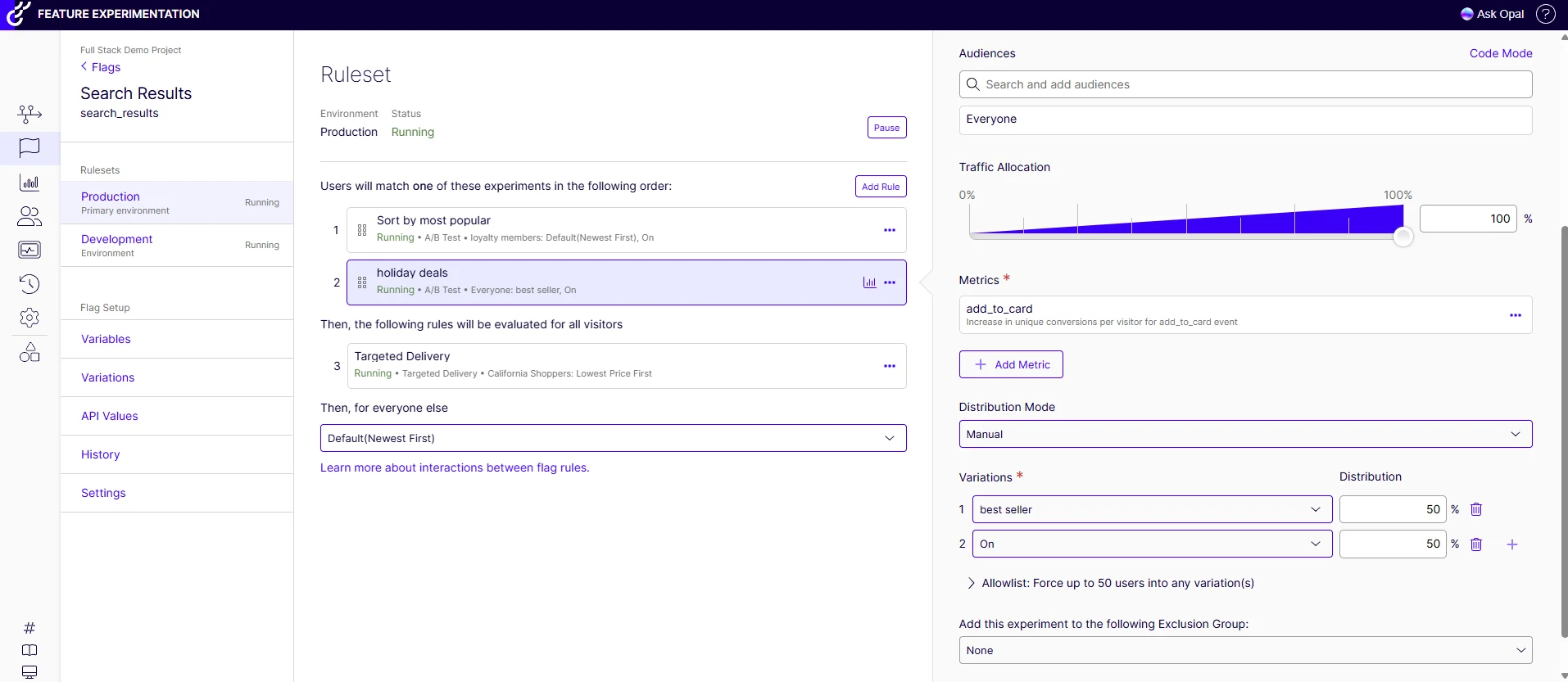
- Feature experimentation: Test and gradually roll out features across web, mobile, and backend systems using SDKs and feature flags.
- Experiment governance: Manage permissions, approval workflows, guardrail metrics, and shared testing standards across teams.
- Advanced analysis: Monitor experiment results using Optimizely's Stats Engine and evaluate changes against defined success metrics.
- Personalization: Deliver targeted experiences through Optimizely's separate personalization offering.
- Enterprise integrations: Connect experimentation data with analytics platforms, data warehouses, APIs, and other tools in your technology stack.
Limitations
- Pricing isn't public. You'll need a custom quote based on your traffic, selected products, and implementation needs.
- Web experimentation, feature experimentation, personalization, and other Optimizely products may require separate subscriptions.
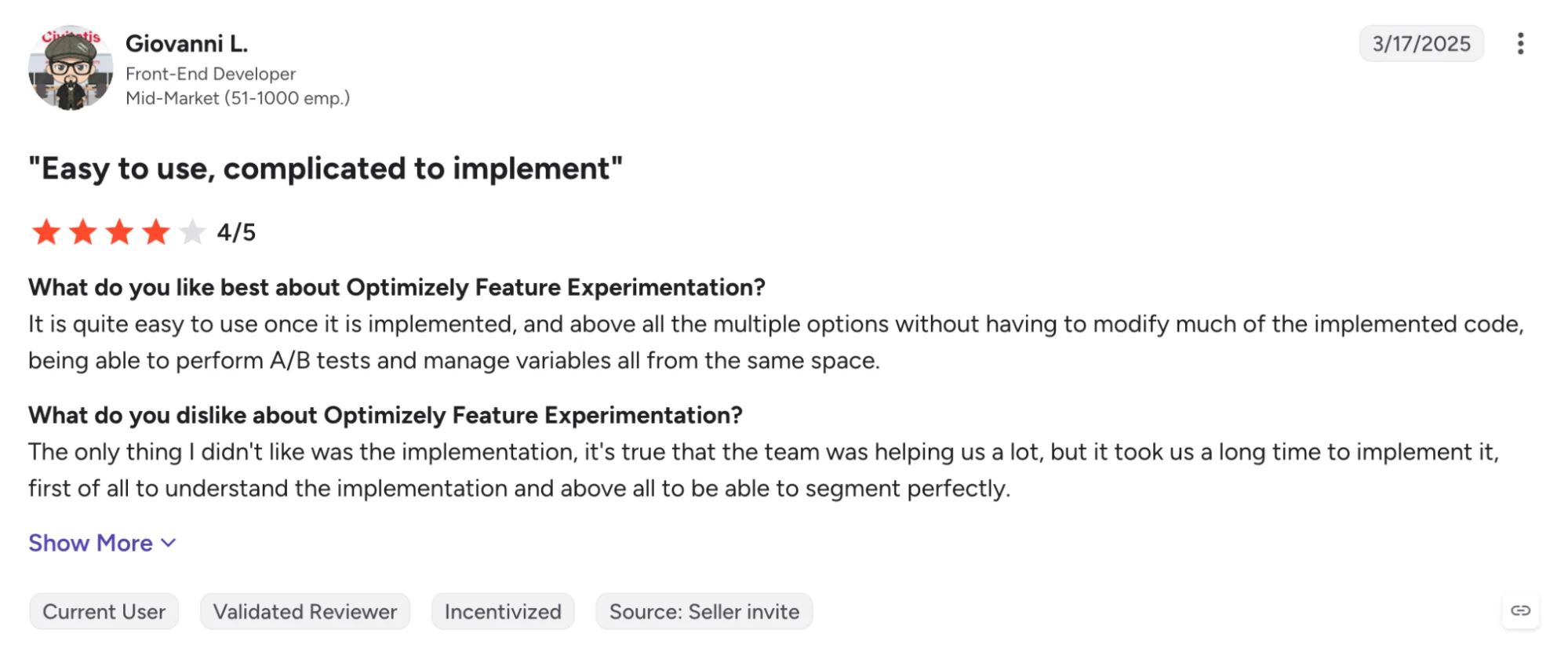
- Advanced tests, server-side experiments, and multi-step user journeys may need developer involvement.
- If you mainly need Shopify tests for pricing, shipping, offers, and storefront changes, you may not need its broader enterprise capabilities.
- Teams running tests across multiple products and departments need clear ownership, governance, and resources to get the most from the platform.
Pricing
Optimizely uses custom pricing rather than publicly listed plans. The cost depends on factors such as traffic, the products you select, and implementation complexity. You'll need to contact its sales team for a quote.
09ElevateAB: Best for broad Shopify-native testing
Best fit: Shopify brands that want to test storefront content, themes, product images, prices, shipping, and checkout through one app, with pricing that starts at $49/month.
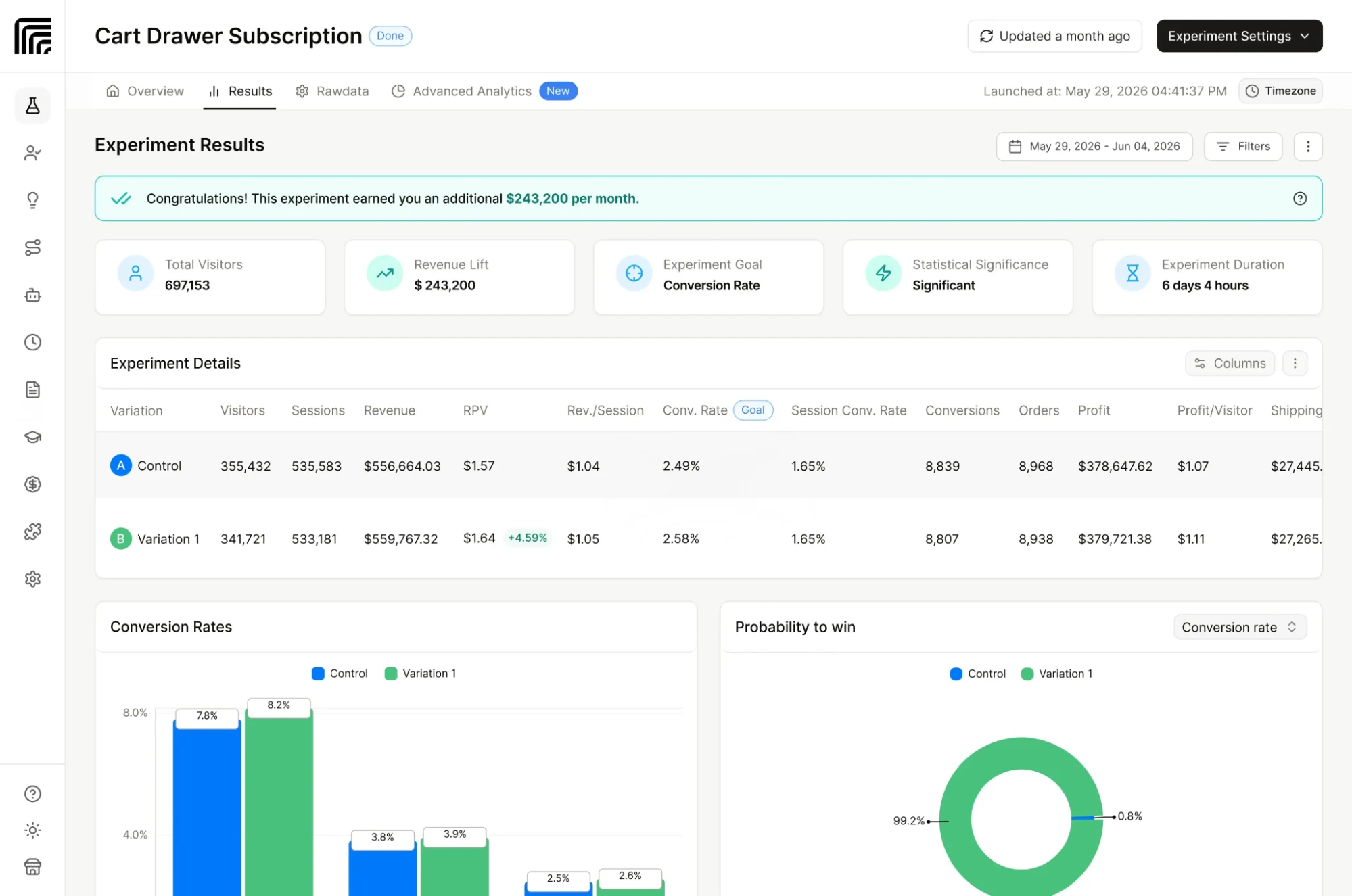
ElevateAB covers a wide range of Shopify experiments, including visual content changes, theme and template tests, product image comparisons, and price and shipping tests. Its visual editor supports no-code changes, while its reporting tracks metrics such as revenue per visitor and conversion rate.
The main consideration is plan eligibility. Some of ElevateAB’s more advanced tests require higher-tier subscriptions or specific Shopify plans, so check those requirements before comparing starting prices.
Key capabilities
- Theme, template, and split-URL testing: Compare storefront designs, page layouts, and separate URLs.
- Visual content testing: Test copy, calls to action, layouts, and other page elements through the visual editor.
- Product image testing: Compare product images and their order to see which variations perform better.
- Price testing: Test product prices and measure changes in conversion and revenue metrics. Available if you’re on the Standard plan.
- Shipping testing: Test shipping rates and free-shipping thresholds. Eligibility depends on your Shopify plan and carrier-calculated shipping setup.
- Checkout testing: Test supported checkout elements and flows. Requires Shopify Plus.
- Advanced measurement: Use Bayesian statistics, conversion metrics, and profit-related reporting to assess experiment results.
- AI suggestions and integrations: Use AI-assisted test suggestions and supported integrations to inform your testing workflow.
Limitations
- The advertised starting rates apply to the lowest order-volume tier. Stores with more monthly orders should check the applicable price before budgeting.
- Native price testing and checkout testing have Plus requirements. Shipping tests also depend on Shopify plan eligibility or carrier-calculated rates.
- Multi-currency and subscription price testing, dedicated account management, and white-glove onboarding are reserved for the Premium plan.
- The platform is Shopify-focused. Brands that need to experiment across multiple platforms or digital products may need additional tools.
Pricing
ElevateAB lists three monthly plans:
- Basic: $49/month. Includes theme, template, split-URL, and visual content testing.
- Standard: $99/month. Adds price, shipping, product image, checkout flow, custom-code testing, and AI-powered test suggestions.
- Premium: $499/month. Adds advanced pricing capabilities, including multi-currency and subscription price testing, along with dedicated account management and priority support.
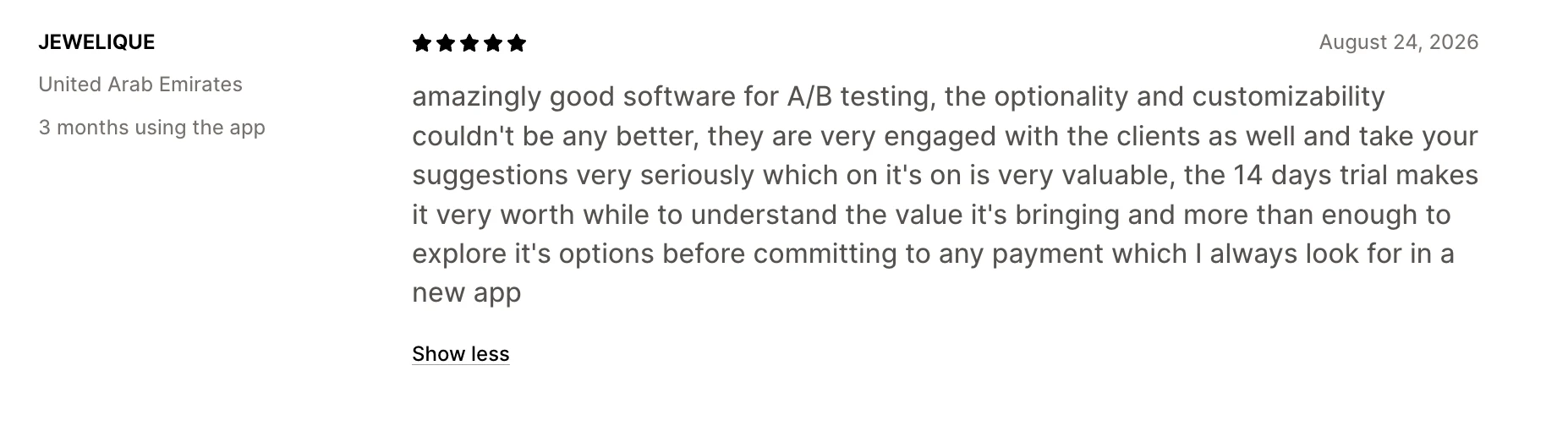
These starting prices apply to the lowest monthly order-volume tier. ElevateAB also offers a 14-day free trial and annual billing. Check the current pricing page for the rates and feature eligibility that apply to your store.
10How to choose the right Intelligems alternative
The best Intelligems alternative depends on the experiments you plan to run, the level of CRO support you need, and how the platform charges as your store grows. Here’s how the options compare across three areas that matter when choosing a tool.
Start with the tests you need to run
If you already know which parts of your store you want to experiment with, these are the tools to consider for each type of test:
- Price, shipping, and offer tests: ABConvert, Intelligems, ElevateAB
- Page, theme, and URL tests: ABConvert, Shoplift, ElevateAB
- Personalization, recommendations, and upsells: Visually
- Checkout and delivery optimization: ABConvert, PrettyDamnQuick
- Broader CRO and experimentation: Wingify
- Enterprise experimentation: Optimizely
Consider what features you actually need
Your choice also depends on how much you want to manage in one place. Some tools focus on storefront experiments, while others cover personalization, merchandising, or larger experimentation programs.
Here’s how they differ by scope:
- Focused Shopify experimentation: ABConvert, Shoplift, ElevateAB
- Profit optimization, experimentation, and personalization: ABConvert
- Broader CRO and personalization: Visually, Wingify
- Specialized checkout and shipping optimization: PrettyDamnQuick
- Enterprise experimentation across teams and platforms: Optimizely
Look at how you're charged
The starting price alone won't tell you what you'll pay to run the tests you need. Check what each platform bills you for, which features require higher plans, and what happens when you exceed your allowance.
Here’s how the billing models compare:
- Storewide order- or visitor-based pricing: Intelligems, Visually, Shoplift, and ElevateAB use volume-based pricing models. Check whether billing is tied to total store activity or a narrower measure.
- Usage-based pricing tied to testing: ABConvert bases its plans on orders included within experiments, with additional charges when you exceed your allowance.
- Demo-led or enterprise pricing: Wingify and Optimizely may require a sales conversation to determine the right plan and cost.
11FAQs about Intelligems alternatives
How does ABConvert compare with Intelligems?
ABConvert and Intelligems both support price and shipping experiments, along with other types of Shopify testing.
- ABConvert covers pricing, shipping, offers, storefront changes, and supported checkout tests, with plans based on orders included in experiments.
- Intelligems offers broader profit analytics and may suit teams that need more advanced analysis or hands-on experimentation support.
Compare the plans against the tests you need to run and the metrics you want to track.
Can ABConvert replace Intelligems?
Yes, ABConvert can replace Intelligems for Shopify brands whose primary needs are A/B testing prices, shipping rates, offers, themes, templates, URL redirects, and supported checkout elements. Both platforms support experimentation focused on improving store performance and profitability.
ABConvert may be a more cost-effective option if you want pricing based on the orders included in your experiments rather than your store’s total order volume.
How do ABConvert and Intelligems charge?
ABConvert charges for orders included in your experiments. Plans start at $99/month for 1,000 test orders, with overage charges beyond that.
Intelligems charges a flat monthly fee based on your store’s total order volume, with modules starting at $69/month at the lowest tier and no overages.
If you test a small share of your traffic, ABConvert’s model usually costs less.
Can I test product prices with ABConvert?
Yes. ABConvert offers product price testing on its Growth plan and above. Multi-market price testing requires the Scale plan.
Do I need Shopify Plus to use ABConvert?
You can use ABConvert for many experiments without Shopify Plus, including supported price, shipping, offer, theme, template, and URL tests.
However, checkout content, cart, and upsell tests require Shopify Plus. Shipping tests also require a Shopify plan with Carrier Service API access.
How do I switch from Intelligems to ABConvert?
To switch from Intelligems to ABConvert:
- Install ABConvert and confirm that your Shopify plan supports the tests you want to run.
- Review your existing experiments, including variants, targeting rules, success metrics, and custom implementations.
- Migrate your experiments to ABConvert, checking pricing rules, shipping settings, audience targeting, and checkout requirements where relevant.
- Verify your analytics and tracking before launching to ensure you can measure results consistently.
- Launch and monitor your tests before removing any existing setup you still rely on.
With ABConvert’s migration support, you can transition your testing workflow easily while keeping your focus on improving conversion rates, revenue, and profit.
Ready to find new opportunities to improve your store’s conversion rate, revenue, and profit?
Start your 14-day ABConvert trial



