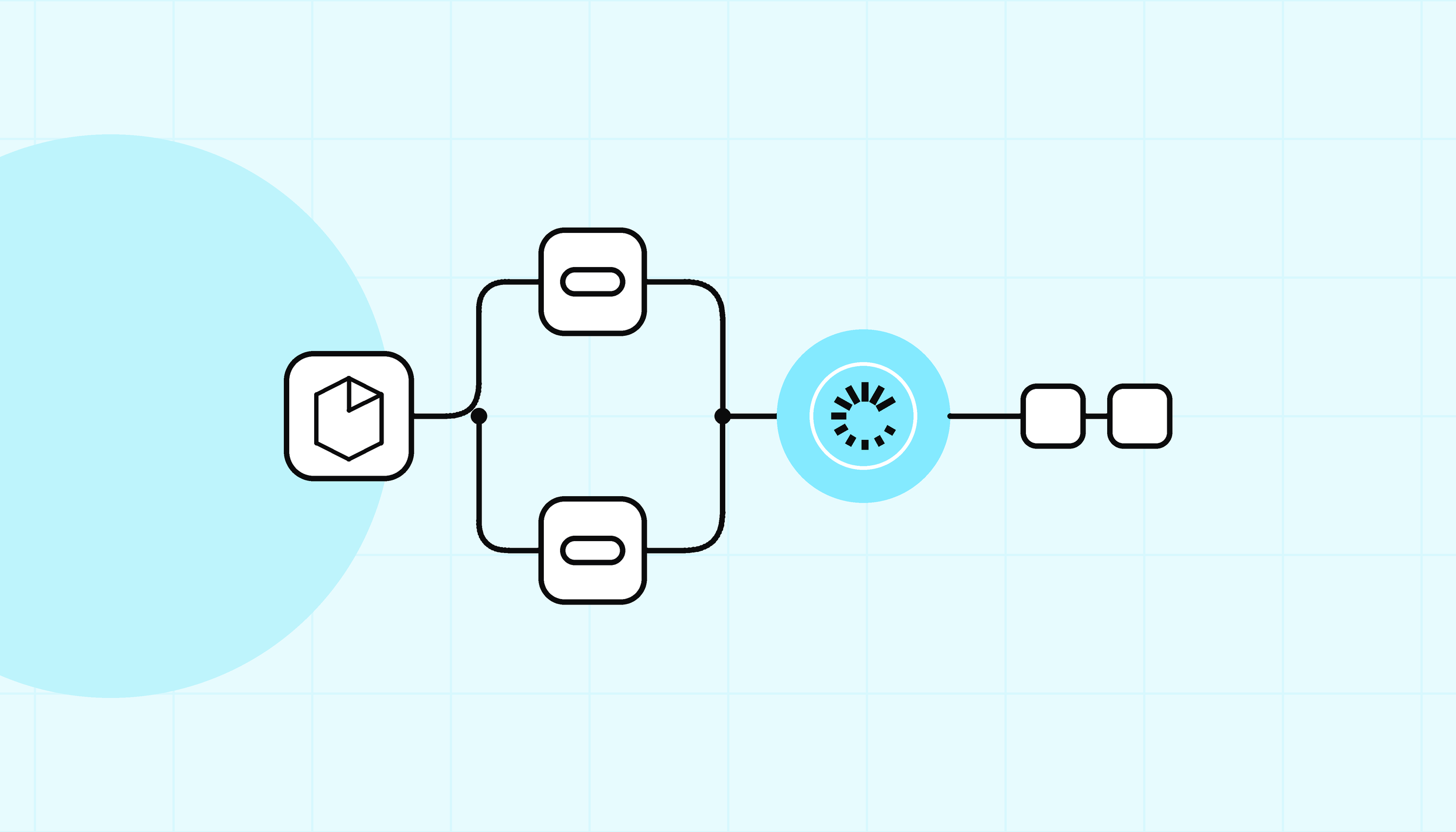
We updated Checkout Test so you can test the full checkout experience. New checkout blocks help you answer two questions before payment: what helps shoppers finish their order, and what makes them willing to spend more? After payment, you can test a reason to return on the Thank you or Order status page. An offer to add an item to the just-paid order is coming soon.
Take Till & Tide, a fictional coffee roaster. A buyer with a $28 bag might need to know which filters fit their brewer before they’ll pay. Another might happily add $9 filters and place a $37 order. Checkout completion rate tells you how many people bought. Average order value (AOV) tells you what they spent. Profit per visitor accounts for what each idea cost you.
01Build and edit your checkout test in chat with MCP
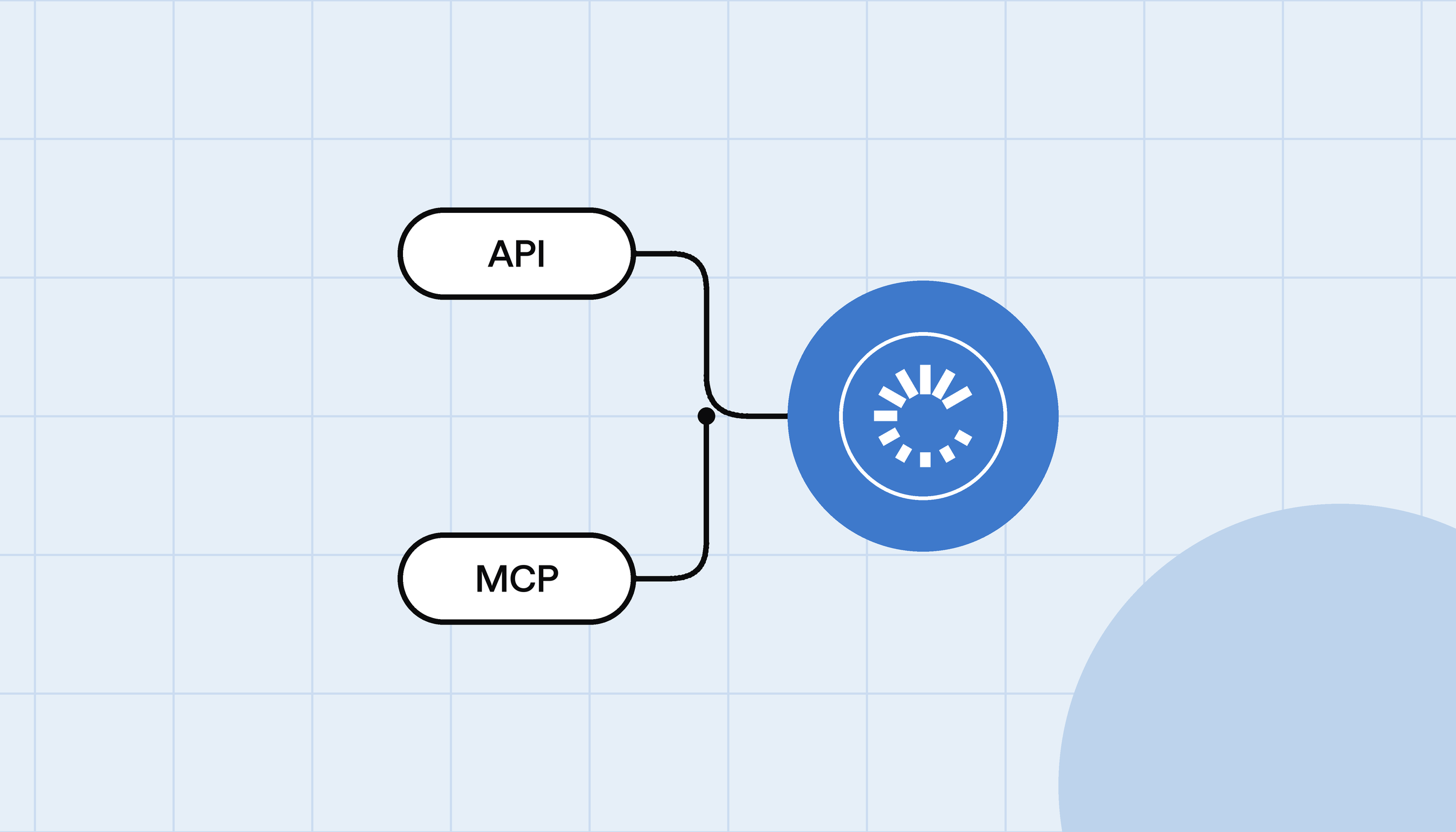
With the ABConvert MCP connection, you can set up an offer in chat and see it in checkout without first building the blocks in ABConvert’s editor. For the coffee order, try asking:
Offer $9 filters to House Blend buyers in Variant A. Keep Control as it is and show me both checkouts here.
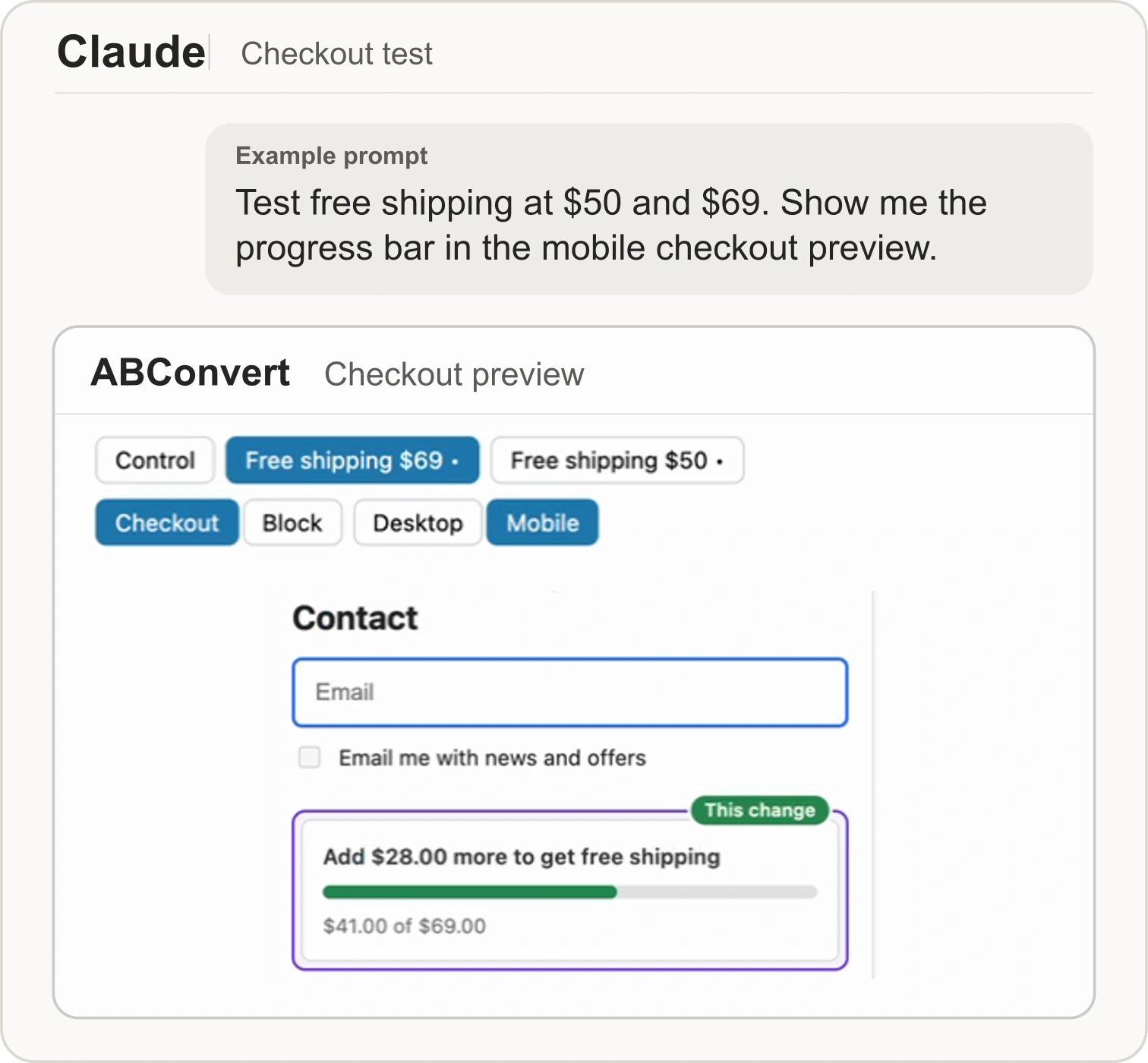
You can ask for edits in the same conversation, such as moving the offer above the payment methods. Here’s how another checkout test looks in Claude when the merchant selects a free-shipping variant and switches the preview to mobile.
02Help shoppers complete checkout when they review their order
A shopper may be ready to pay for the coffee and still wonder whether the filters fit or when their next refill will be billed. Keep the basket, prices and policies the same. Give one group the missing information and compare checkout completion rate by checking how many shoppers who reached checkout placed an order.
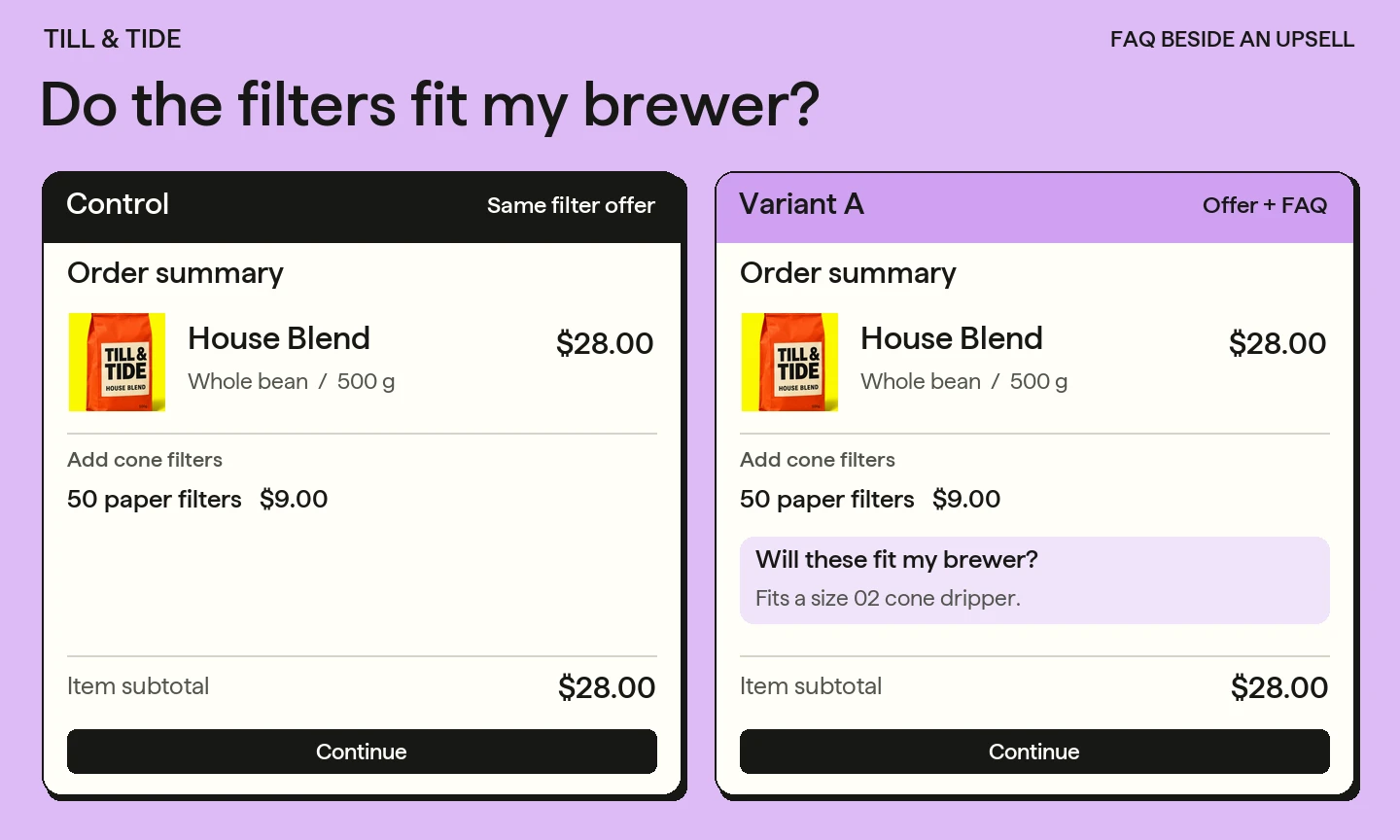
FAQ · Will these filters fit my brewer?
Show both groups the $9 filters. Add one FAQ beside the offer in Variant A: “Will these fit my brewer?” Answer it with the size 02 cone specification. Compare the share of shoppers who finish checkout. Filter purchases can help explain whether the answer resolved their hesitation.
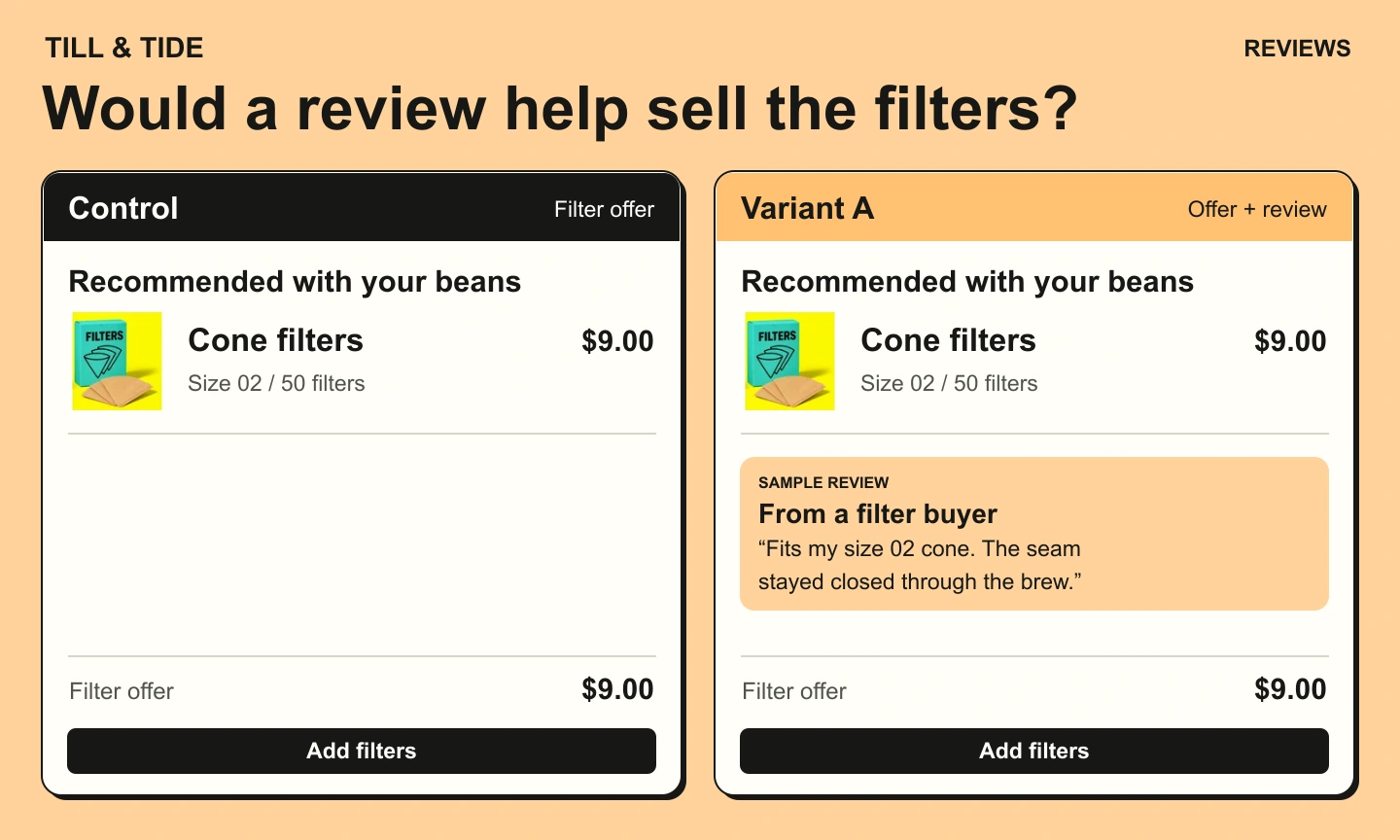
Reviews · Would hearing from another brewer help?
Keep the $9 offer in both groups. Beside one version, show a relevant Judge.me review from someone who has brewed with the filters. Choose a real review that answers a question customers actually ask. Does hearing from another buyer help more people finish paying? Compare checkout completion, and check filter purchases to see how the offer contributed.
Custom block · What am I signing up for?
Someone choosing a House Blend refill may hesitate at the payment step. When is the next charge? Can they skip a bag if they still have coffee left?
Keep the refill price, schedule and policies the same in both groups. Control shows the usual checkout. In Variant A, add a Custom block beneath each item bought on subscription. For its House Blend, Till & Tide could say, “$25.20 every 30 days. We email you 3 days before each charge. Skip or cancel before your next charge.” Use the terms your store already offers.
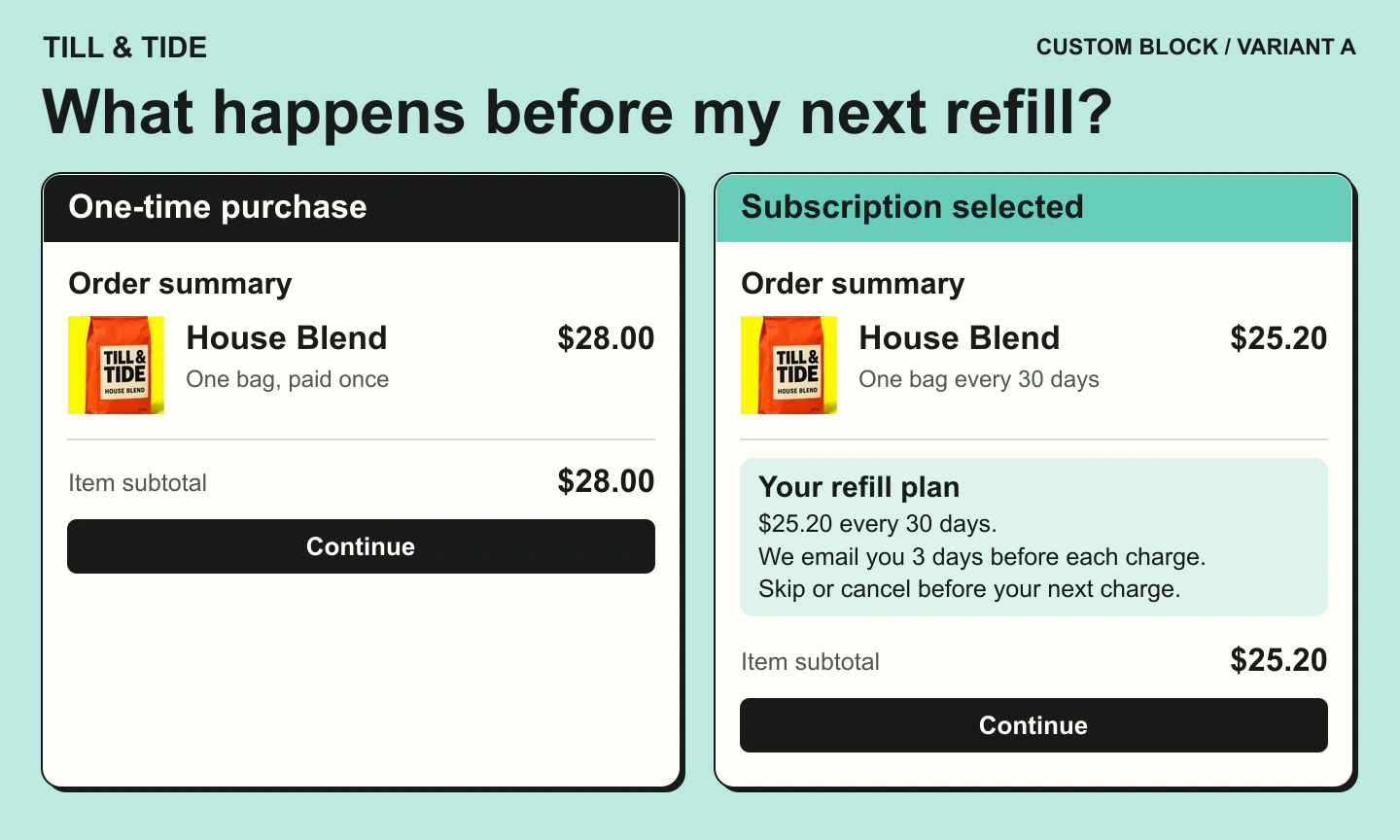
Among shoppers who entered checkout with the refill plan, compare the share who finish paying in Control and Variant A. Does seeing the terms before payment help more of them place their order?
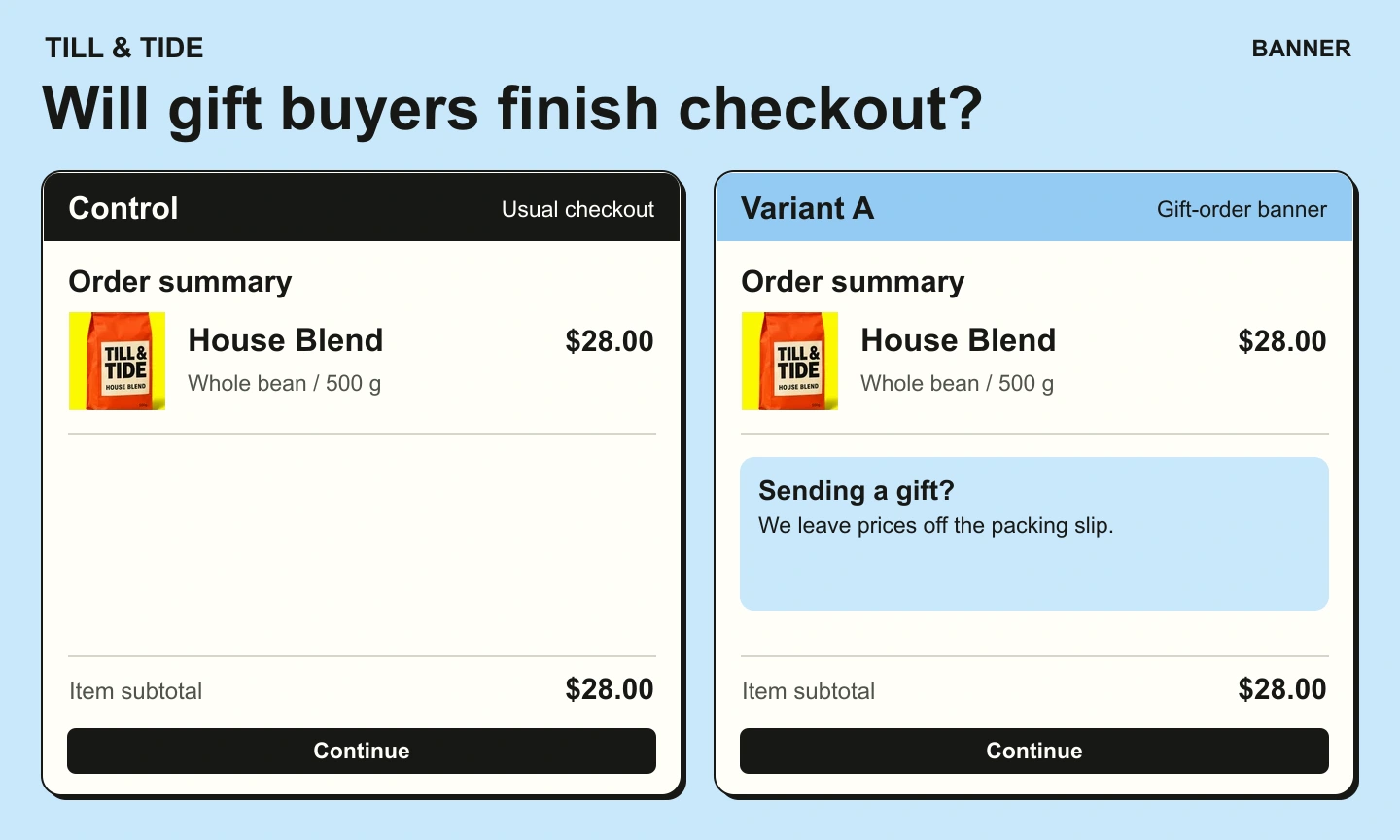
For a one-line reassurance, try a Banner.
If your store already leaves prices out of gifts, try saying so before payment. Keep the packing policy identical. Show only Variant A a Banner explaining that the recipient won’t see prices on the slip. Compare checkout completion among gift shoppers.
03Test what grows AOV when shoppers decide what else to buy
The buyer has chosen the coffee. What else would make sense in that basket? Start with average order value (AOV), then check completed orders and profit per visitor. A bigger basket has to cover the cost of the offer.
Subscriptions · Would shoppers add a refill plan?
Both groups arrive at checkout with a $28 bag of House Blend in their cart. Control shows the one-time purchase. In Variant A, Cart control lets shoppers keep that purchase or switch the same bag to a refill for $25.20 every 30 days.
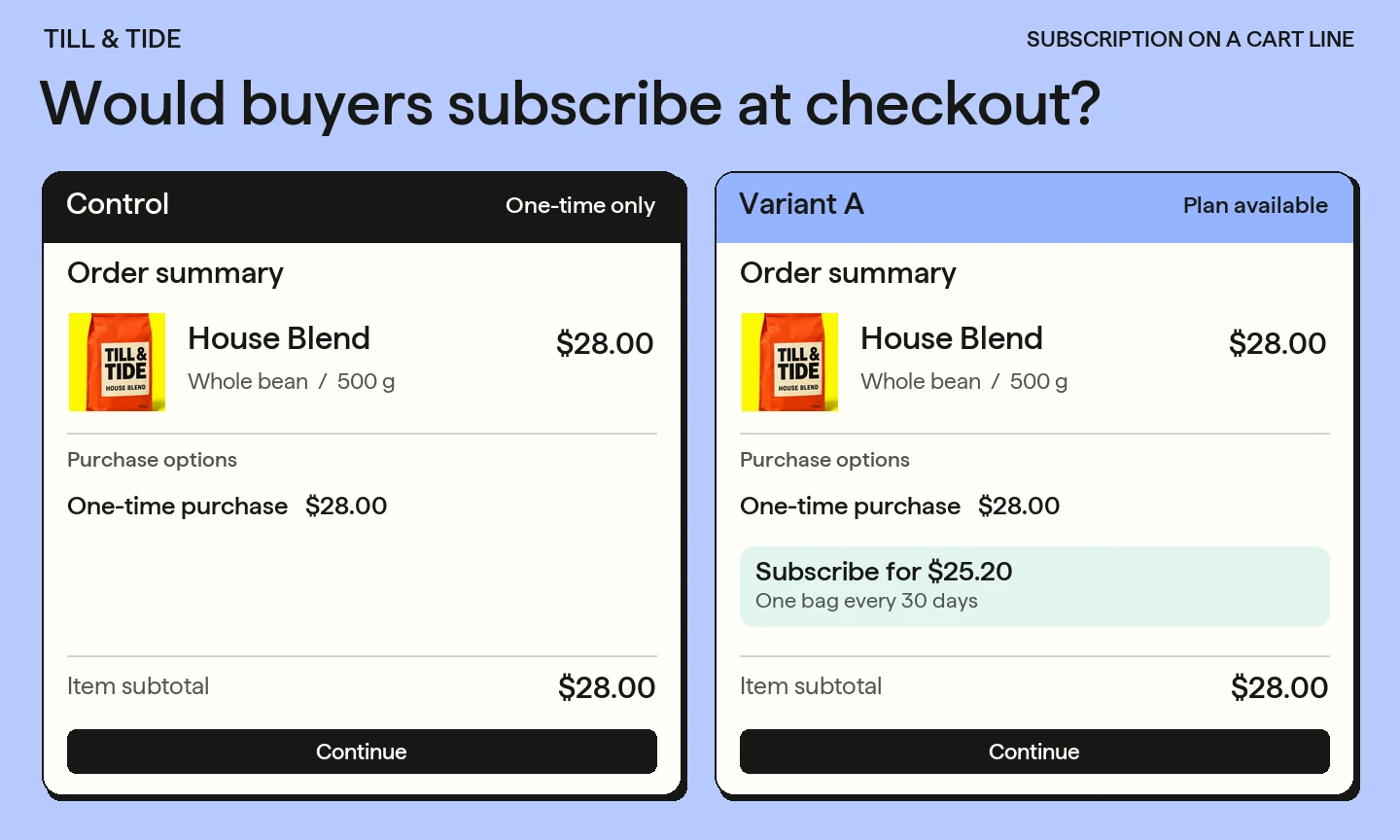
How many shoppers start a refill plan, and how many finish checkout in each group? The refill discount can lower first-order AOV. Follow renewals with your subscription provider to see how many buyers order again. For testing plans on a product page, see how to test subscription offers.
Rewards progress bar · Would seeing the gap change the basket?
Give both groups free shipping at $40. In Variant A, show the buyer with the $28 bag a Rewards progress bar that says they’re $12 away. The price of shipping and the threshold stay the same.
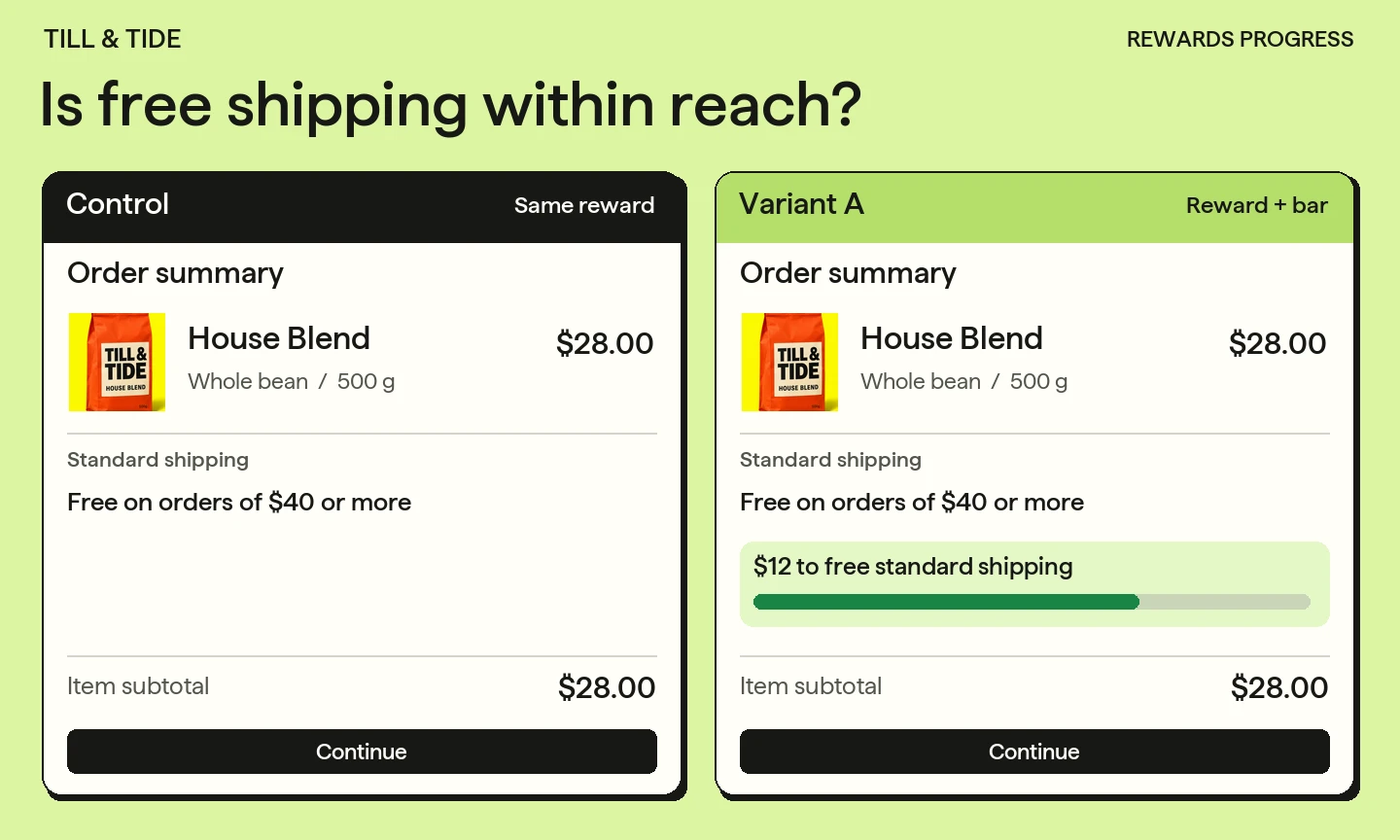
Compare how many orders clear $40 and what you earn per visitor after covering shipping. If you pair the bar with an offer, you’ll need ABConvert Growth or higher. For a manually configured tier, set up the matching shipping rate or discount in Shopify.
Free gift · Would a coffee sampler get more baskets to $40?
This time, change the reward itself. Control has the usual checkout. In Variant A, offer a free coffee sampler when the basket reaches $40, and use the progress bar to show a shopper with $28 that they are $12 away. Set the sampler up as a free-gift offer so qualifying shoppers actually receive it.
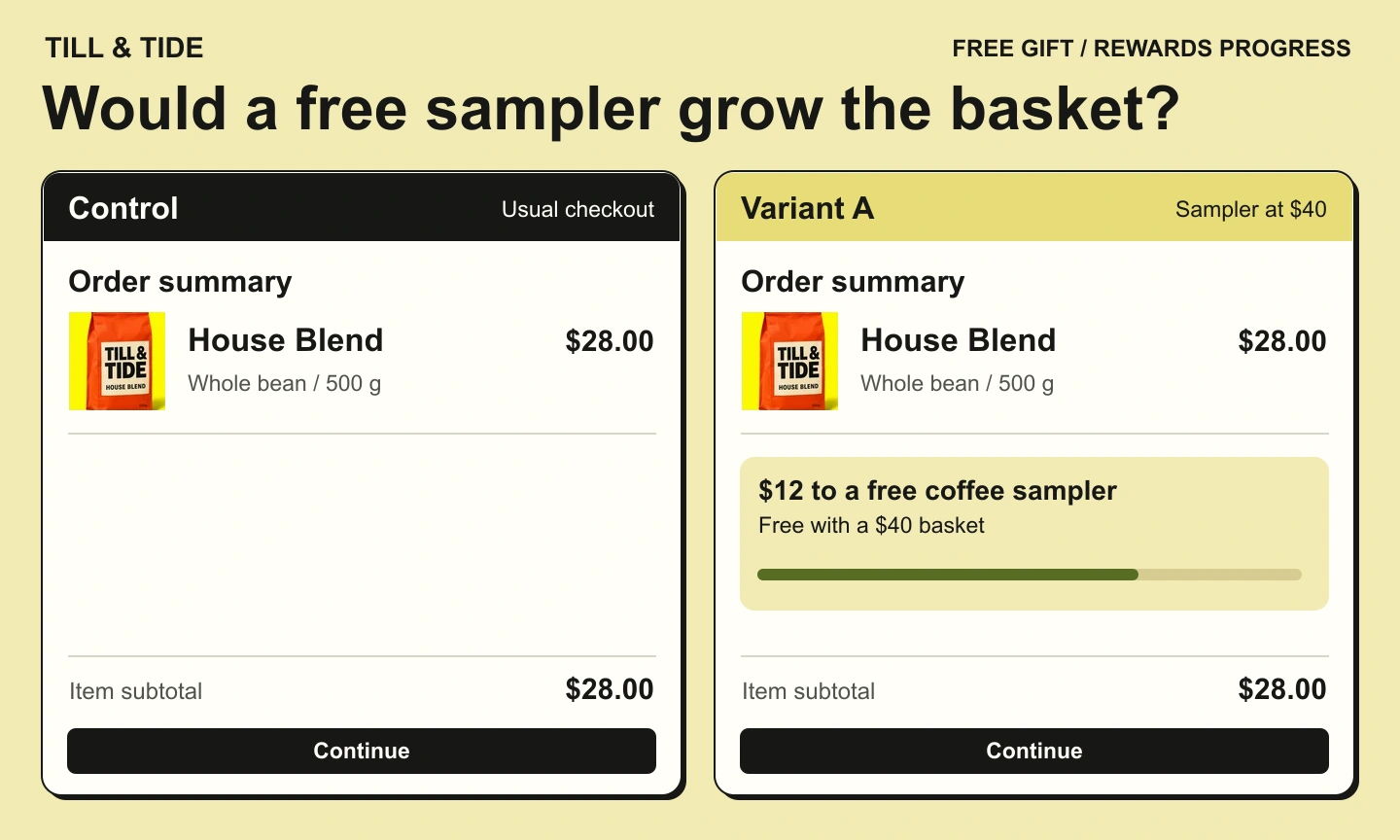
Compare AOV and the share of orders reaching $40. Then subtract the cost of every sampler, including gifts sent to people who would have spent $40 anyway. The gift is worth repeating if those larger baskets leave you with more profit per visitor.
Add-on upsells · Would buyers add a product or a paid extra?
Product bundle offer. Which two products make sense together? A shopper with $28 beans can complete their brewing kit by adding the matching filters. Leave Control as it is. In Variant A, use a Product offer to let them add the $10 box for $9. Accepting brings the basket to $37.
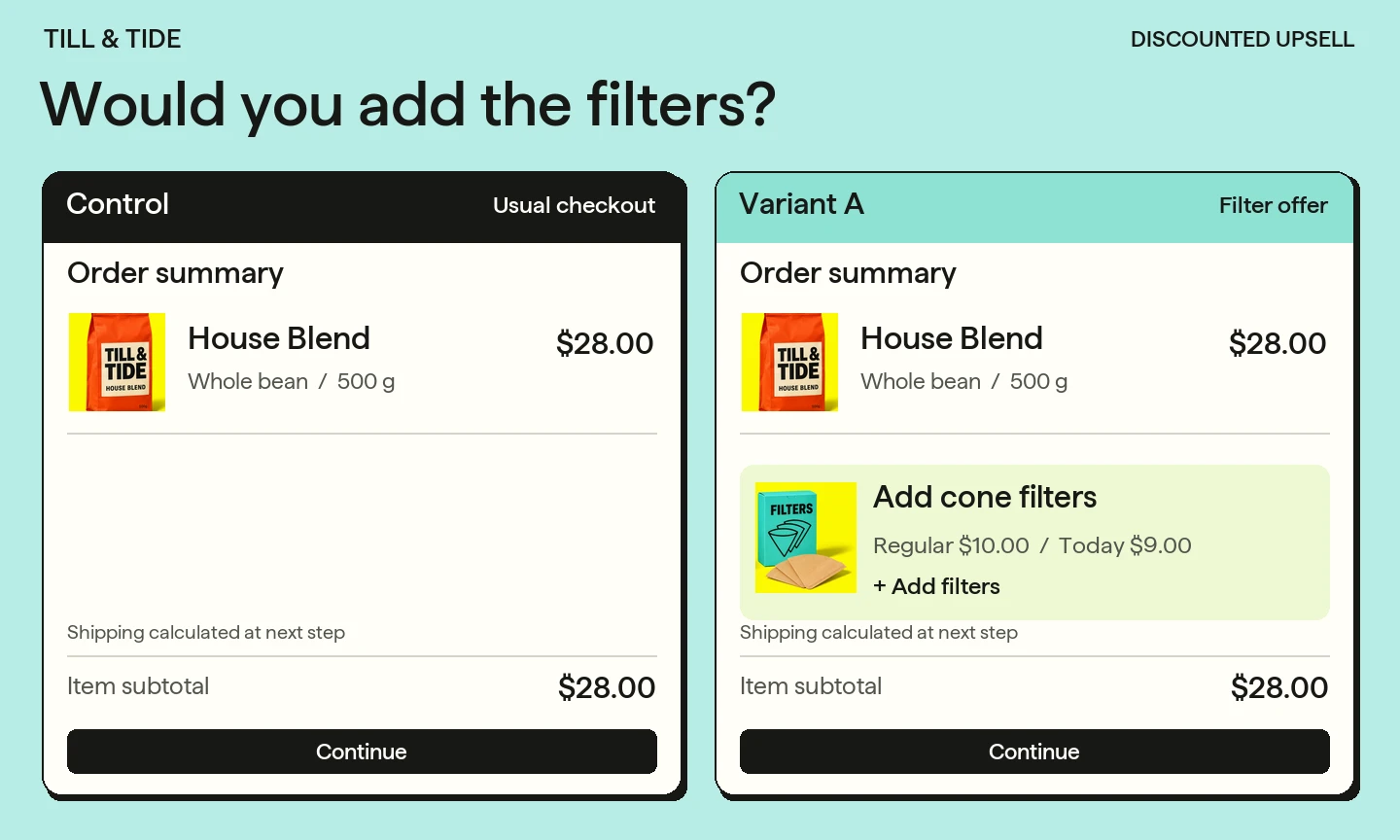
Compare profit per visitor and checkout completion. Extra boxes sold only earn their place if the margin covers the discount and any orders you lose. This test evaluates the offer as a whole. To test placement on its own, show both groups the same $9 offer and change only where it appears.
Paid add-on. If buyers ask for gift wrap, test a service instead of a second product. Keep the beans and shipping options the same. Only Variant A sees the optional $4 gift-wrap checkbox. The shopper can skip it or turn a $28 bag into a $32 gift.
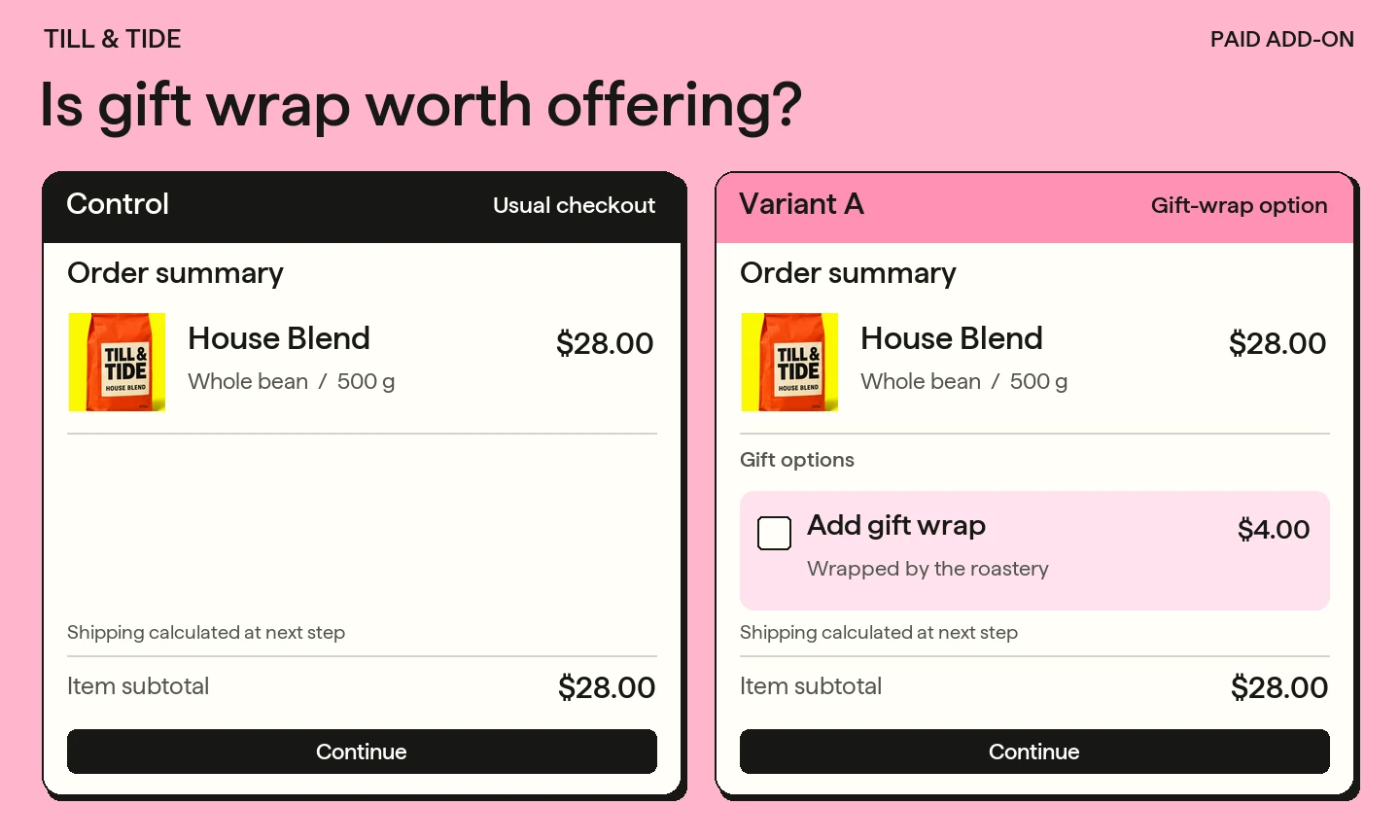
Count paid wraps, then subtract paper, ribbon and the time it takes to pack each one. Check whether a change in completed orders offsets what wrapping earned. Use standard checkout for your preview. Apple Pay and Google Pay hide blocks that change the cart.
04After payment, test offers for this order and the next
There are two opportunities after the buyer pays: add something to the order they just placed, or give them a reason to come back for another order.
Post-purchase upsell · Add filters to this order (coming soon)
Here’s a preview of the post-purchase offer. Both shoppers pay $28 for the coffee. Control goes straight to the Thank you page. An eligible buyer in Variant A would first see a $9 filter offer. Accepting would add the filters to that same order. Skipping would take the buyer to the receipt with the coffee order intact.
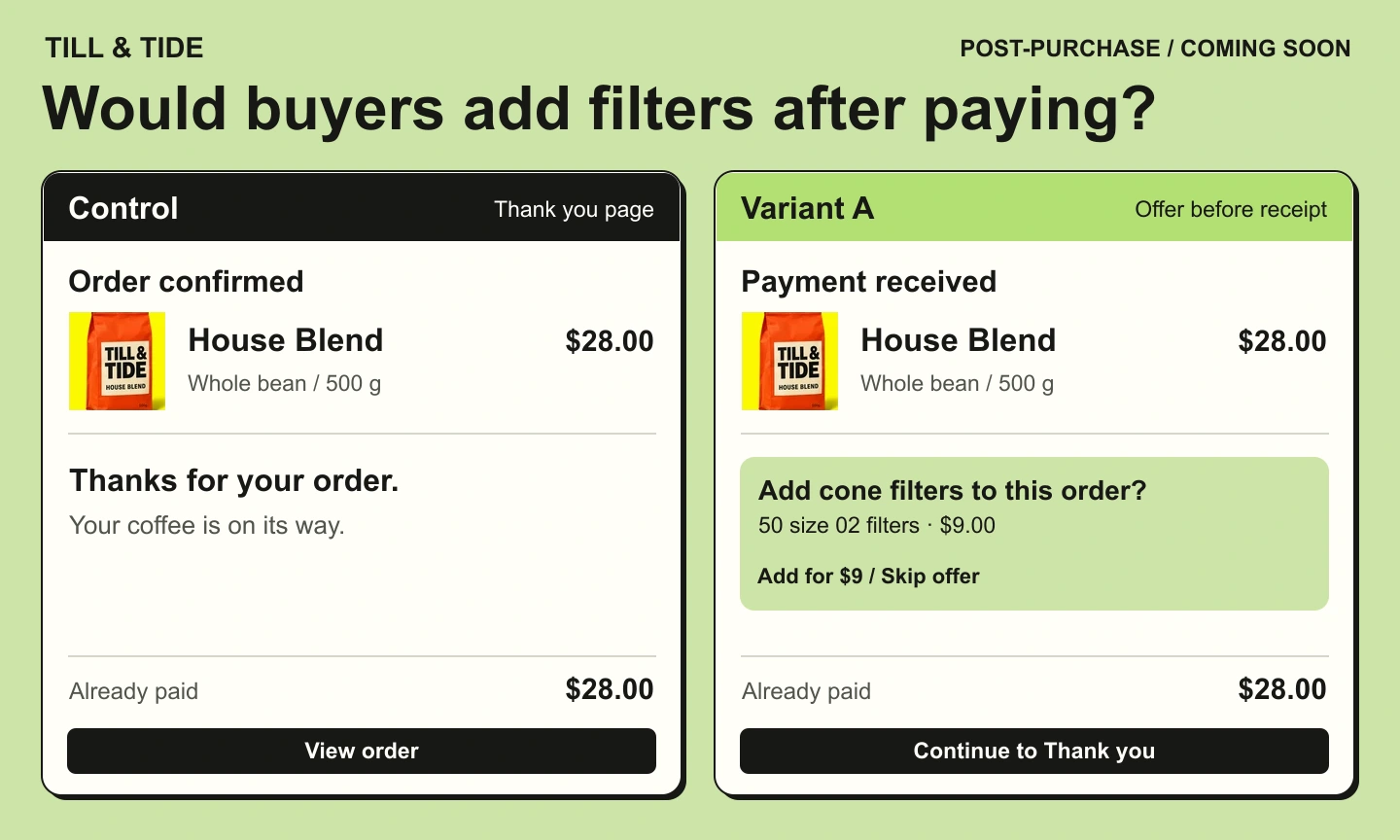
Once available, keep the checkout before payment identical and compare profit per visitor after the added filters and their fulfillment costs. This tests a specific timing decision: will customers pick up a complementary product once they’ve already committed to the coffee?
Thank you and Order status · Can a code bring the buyer back?
The receipt is a chance to earn a second order. Show Control the usual Thank you page. Give Variant A a 10% next-order code, NEXTBREW. To test the later touchpoint, run a separate comparison on the Order status page, where buyers come back to track their delivery.
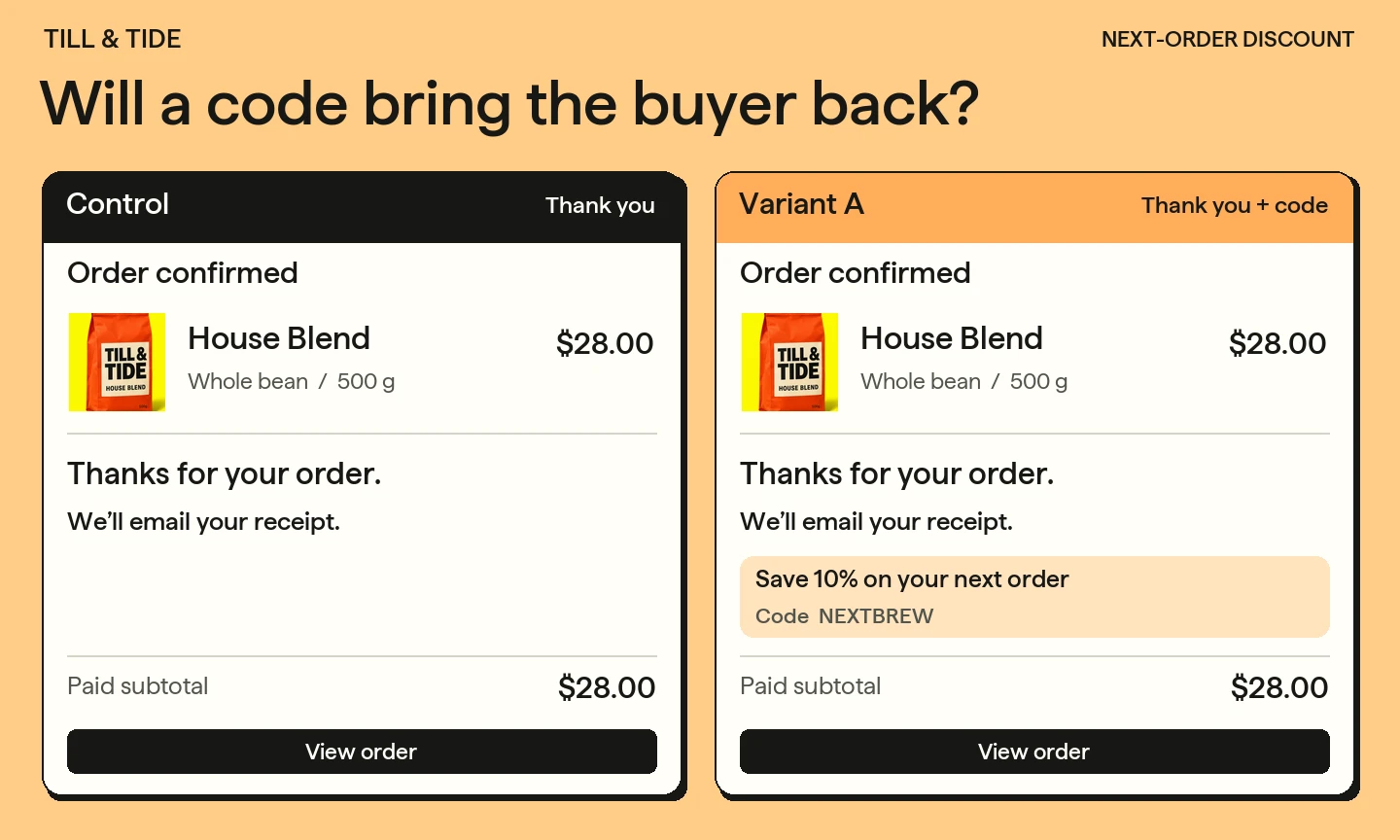
Allow enough time for a bag of coffee to run out. Compare repeat orders and revenue per visitor across groups, then account for redeemed discounts. Codes created by ABConvert work while the test is in Preview or running, so choose a window that covers a typical reorder.
Once you choose a test, ask your assistant to save it. For a new Shopify block placement, it gives you the editor link, position and any required Block ID. Save the placement in Shopify, enter product costs and walk the same basket through both storefront previews. You can then ask the assistant to launch. Checkout-page blocks require Shopify Plus. Thank you and Order status blocks work on Shopify plans above Starter. The checkout test guide covers placement, and the analytics guide shows where to compare results.
Choose your first checkout test
Pick one buying decision and preview both versions on your store.